Last Updated on December 16, 2025
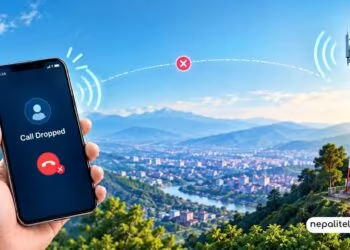
Google has started testing an in-call scam alert system to notify users if they are possibly being tricked to giveaway their bank and other financial details. The feature is currently under a test in the US and might rollout later in other countries once the stable version becomes available.
How does Google’s in-call scam alert works?
When Android OS finds out that a caller is seeking banking and financially sensitive information from the call receiver, it notifies them. If there is any trickery or a request to share phone screen to open banking apps, financial statement, fund transfer, or other sensitive details, the system triggers to safeguard the user.

If the caller’s phone number is not listed in the receiver’s contact list, then the system feels that a rogue call is ongoing. Well, Indian telcos will soon show real caller ID during cals without third-party apps. That will also help with security from possible scams.
If suspected, a warning is issued to the receiver offering an option to abort the call and stop screen sharing.
The warning alert includes a 30-second pause period which breaks the ongoing call progress to protect the user’s financial details.
Important: Use public WiFi safely to avoid scams and fraud.
In-call anti-scam feature availability rollout
Google started its in-call anti-scam feature in the UK in May covering more financial apps as of now. Its now under pilot testing in the US, Brazil, and India. In the US, Google is testing the feature on select fintech apps. “We’ve also started to pilot this protection with more app types, including peer-to-peer (P2P) payment apps,” Google says. “We look forward to learning from these pilots and bringing these critical safeguards to even more users in the future.”
Google has been working on anti-scam call features for long. However, they haven’t been fully capable and intelligent as they nitpick on certain phrases to send alerts. This time, Android has received a real-time AI-backed scam alert feature. In the future, the security system may expand beyond Pixels to more Android devices.
Don’t forget: What Is a SIM Swap Scam And How Can You Stay Safe From It?