• Ntc
  • Ncell
  • Samsung
  • Apple
  • Xiaomi
  • 2G to 5G
  • ISP
  • NTA
  • Tariffs
  • About us
Monday, March 2, 2026
NepaliTelecom
  • Home
  • Telecom News
    • News
    • NTA
    • Ntc
    • Ncell
    • Smart Cell
    • Digital Nepal
  • Gadgets
  • How To
  • Editors’ Pick
  • Contact
  • About
No Result
View All Result
  • Home
  • Telecom News
    • News
    • NTA
    • Ntc
    • Ncell
    • Smart Cell
    • Digital Nepal
  • Gadgets
  • How To
  • Editors’ Pick
  • Contact
  • About
No Result
View All Result
NepaliTelecom
No Result
View All Result

Ntc Brings SIM KYC Update and FTTH Portal on Mobile App

Dinesh by Dinesh
February 9, 2026
in Apps, Nepal Telecom
Reading Time: 4 mins read
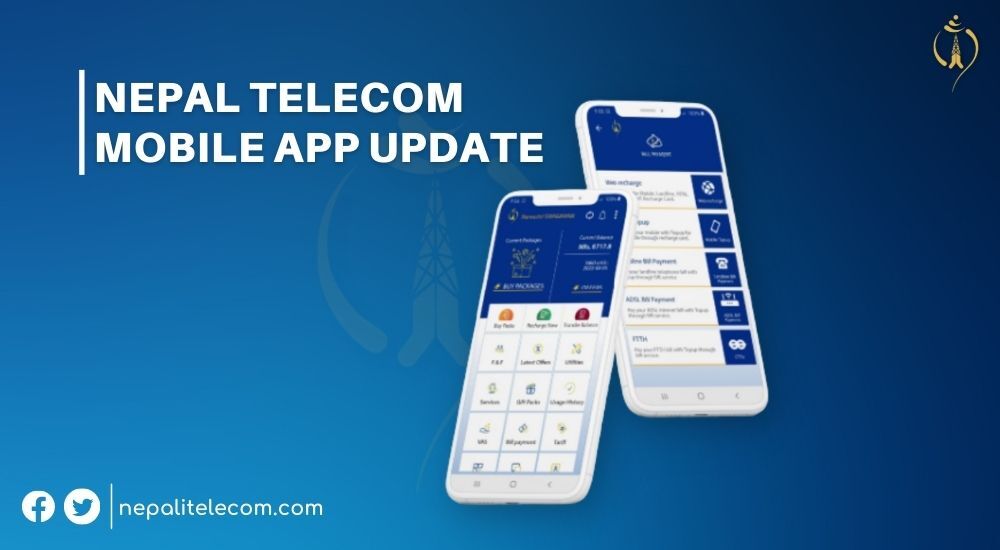
Nepal Telecom Mobile App update
Summary✨
  • Telecom operator Nepal Telecom (NTC) has updated its mobile app with new features..
  • The newly updated version brings new features such as the ability to recharge with Namaste Pay, Offline mode, updating KYC, FTTH Portal.
  • The new version appeared on May 26th and comes with a 4.0.15 version number..

Telecom operator Nepal Telecom (NTC) has updated its mobile app with new features. The newly updated version brings new features such as the ability to recharge with Namaste Pay, Offline mode, updating KYC, FTTH Portal, etc.

The new version appeared on May 26th and comes with a 4.0.15 version number.

The app was first launched on February 4, 2015, on Play Store and has been updated regularly by the operator to sync it with various services it provides.

Among general services through the app, you can buy packs, transfer a balance and pay bills for landline, ADSL, prepaid & postpaid subscriptions through eSewa. Similarly, the app allows you to obtain information about the telco’s multiple services.

You can also use it to learn about CRBT, Missed Call Alert (MCA), Friends and Family Call Service (FNF), NT WiFi, 4G coverage, etc. As for KYC, you can update Ntc KYC online now.

New Features of the Nepal Telecom Mobile App

The company has integrated more capabilities into the app, making it more wholesome and feature-packed. In sum, the following are the new features you will find in the current version:

  • Ability to update your user KYC form via the app
  • Recharge with the Namaste Pay wallet
  • Single Device Login
  • You can also use the app in Offline mode
  • New portal for FTTH accessible through the app

The new app brings you the feature that allows you to fill up your user KYC form. The extensive form requires you to fill up your personal details including your name, Alternate phone, and temporary/permanent address. You also need to submit your official document for your ‘identification’.

Check out process for Ntc pin recovery.ntc.net.np

user KYC form on NTC app

With this new update, you can now use Ntc’s Namaste Pay digital wallet to recharge your mobile balance. For this, you need to click on Recharge Now > Self > Third Party. Then you can enter the amount and Recharge. But for this, make sure you are logged into the wallet; otherwise, you need to log in before the recharge can be done.

Recharge your Ntc balance via Namaste Pay

Check out: Nepal Telecom Customer Care and Information inquiry numbers

Offline mode

The latest update has also brought Offline Mode for users to get limited services without login. You can access the offline mode by clicking the Wifi cross sign on the top of the main page of the mobile app. With this offline mode, users can subscribe to the FNF service and access utilities. The “Utilities” option allows you to check your balance, enable 4G, get customer care services, buy data packs, etc. Besides, you can also access MPOS and Social Media services when you are without an internet connection. Check out: Ntc Announces All Net Voice Pack at Affordable Rates

NTC app offline mode new features

Download the Nepal Telecom mobile app here.

In addition, the app also brings a new FTTH portal allowing you to check on your bandwidth usage, expiry date, and pay for renewals. All these features are coming to your Ntc mobile app. To access these services, you need to click on FTTH > Add new. Then, you need to enter the CPE serial number or scan the barcode.

Further, the Gift packages in the Ntc app are also updated with the latest update.

Do Read: How to gift packs in Ntc?

Do you like the mobile app of Nepal Telecom? Do share how convenient do you find this app and let us know any feedback in the comments below.


Follow us on Facebook, Twitter, and Viber to get the latest news, and information about Nepal Telecom, Ncell, Smart Cell, ISPs, mobile apps, and phones in Nepal.

Latest Posts

  • Xiaomi 17 launched with 6.3″ display, 6330mAh battery
  • Xiaomi 17 Ultra launched with 6.9-inch display, Leica cameras
  • Nepal Telecom starts election CRBT to raise awareness
  • Easiest ways to find election 2082 candidate list online
  • Ntc updates Group SMS | Send a message to 10 thousand users
  • Mobile phones in Gulf blare with emergency alarm as Iran-US exchange war
  • Ncell announces ‘Signature Plans’, discounts at 400+ outlets
Comments
Previous Post

Best Phones Under 15000 in Nepal | Latest Update 2026

Next Post

Redmi 10 Review, Amazing Battery Life, Average Camera

Dinesh

Dinesh

An experienced tech writer covering news mostly on telecommunication, internet, latest tech & trends, and Gadgets. Being a technophile, I am particularly fascinated by the evolution of mobile networks in Nepal from legacy networks (2G, 3G) to 4G (with VoLTE, VoWiFi, eSIM) and the prospects of the upcoming 5G, and equally enthralled by the development of internet from the dial-up connection to the 2 Gbps XGS-PON fiber broadband technology and their transformative impact in the country.

Related Posts

Ntc logo latest
Nepal Telecom

Nepal Telecom starts election CRBT to raise awareness

March 2, 2026
Ntc Group SMS
Nepal Telecom

Ntc updates Group SMS | Send a message to 10 thousand users

March 1, 2026
Android 17
Apps

Android 17 Beta 1 released: New features and how to download?

February 21, 2026
Load More

You may also read

Check voter list online Election commission Nepal

How to check voter ID list details online? Election Commission

March 1, 2026
Ntc FTTH

Nepal Telecom Fiber Internet: Price, Speed, Offer, Packs [2026]

February 5, 2026
how to check Ntc Ncell number owner name and transfer ownership

How to check Ntc, Ncell number owner name & Transfer

February 12, 2026
Ntc Job Vacancy Online Applications

Nepal Telecom Extends job Application 2082 Deadline: How to Apply?

February 18, 2026

Easiest ways to find election 2082 candidate list online

March 2, 2026
Nepal Telecom Ntc eSIM

How to Activate Ntc eSIM? Upgrade or New [2026 Update]

February 7, 2026
NepaliTelecom

Nepalitelecom.com is a website/blog which provides information regarding telecommunication in Nepal along with Gadgets and has been doing some research for the telecom market in Nepal. We intend to do more of such survey/research in the Nepalese Telecom sector.

SiteMap

📢 Follow us on Viber to get the latest news, and information about Nepal Telecom, Ncell, ISPs, mobile apps, and phones in Nepal.

Popular Categories

Ntc | Ncell | Telco News | ISP | NTA | Gadgets

Recent Posts

  • Xiaomi 17 launched with 6.3″ display, 6330mAh battery
  • Xiaomi 17 Ultra launched with 6.9-inch display, Leica cameras
  • Nepal Telecom starts election CRBT to raise awareness

© 2025 Nepalitelecom

No Result
View All Result
  • Home
  • Telco News
  • Gadgets Nepal
  • Nepal Telecom
  • Ncell
  • Digital Nepal
  • How To
  • Editors’ Pick

© 2025 Nepalitelecom