• Ntc
  • Ncell
  • Samsung
  • Apple
  • Xiaomi
  • 2G to 5G
  • ISP
  • NTA
  • Tariffs
  • About us
Tuesday, December 30, 2025
NepaliTelecom
  • Home
  • Telecom News
    • News
    • NTA
    • Ntc
    • Ncell
    • Smart Cell
    • Digital Nepal
  • Gadgets
  • How To
  • Editors’ Pick
  • Contact
  • About
No Result
View All Result
  • Home
  • Telecom News
    • News
    • NTA
    • Ntc
    • Ncell
    • Smart Cell
    • Digital Nepal
  • Gadgets
  • How To
  • Editors’ Pick
  • Contact
  • About
No Result
View All Result
NepaliTelecom
No Result
View All Result

iOS 26.0.1 released with fixes, find what’s new

Dinesh by Dinesh
September 30, 2025
in Tech News
Reading Time: 3 mins read

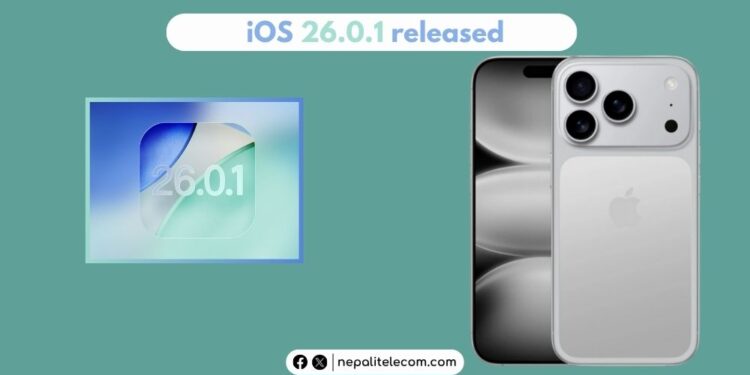
Apple has released iOS 26.0.1 with bug fixes to iOS 26. The update shall remove inconsistencies, glitches, and possible connectivity issues on some iPhones. We have more on this below.

iOS 26 to iOS 26.0.1

After updating to iOS 26, many users complained of bugs and battery drainage. It’s common, though, with all the major OS releases, and that’s the case across the aisle with Android too. To redress, Apple has now released iOS 26.0.1.

According to Apple, the update fixes bugs in WiFi, mobile network issues, app icons turning blank, etc., seen on some iPhones.

How to download the latest iOS update?

Go to Settings > General > Software Update and download and install the iOS 26.0.1 update.

Check out: iPhone 17 Pro Max now available in Nepal

iOS 26.0.1 fixes

Apple said that iOS 26.0.1 comes with the following fixes and security updates:

  • Wi-Fi and Bluetooth may occasionally disconnect on iPhone 17, iPhone Air, and iPhone 17 Pro models
  • A small number of iPhone users may be unable to connect to a cellular network after updating to iOS 26
  • Photos taken under certain lighting conditions with iPhone 17, iPhone Air, and iPhone 17 Pro models may include unexpected artifacts
  • App icons may appear blank after adding a custom tint
  • VoiceOver may become disabled for some users after updating to iOS 26

As for faster battery drainage, the issue should subside after a few hours of updating the OS, as the initial hours take more juice in acclimatizing with the phone’s system. Maybe a reboot would do the job.   

When Apple releases a major iOS update, it first works with developers, and it takes months before the public release comes out. But still, it becomes normal when users on many different iPhone models see issues. It’s a general practice of releasing a patch to fix things. So, if you suffered any unlikely performance or functionality issues after the iOS 26 update, you may need to download and install the latest patch to solve them.

The update is available to iPhone 11 and later models, including the latest iPhone 17 Series.

Follow us on Facebook, Twitter, and Viber to get the latest news, and information about Nepal Telecom, Ncell, Smart Cell, ISPs, mobile apps, and phones in Nepal.

Latest Posts

  • Minister Kharel inaugurates Ncell’s VoLTE Capacity Enhancement project
  • Nepal Telecom launches special internet offer for students
  • DoIB requests timely renewal of radio or face automatic license revocation
  • Top ISPs mark ‘decent’ growth in Kartik: Find latest details
  • 4G users in Nepal: 2.60 crores | Latest NTC, Ncell figures
  • A Look Back at Nepal’s Telecom Industry in 2025: Key Highlights
  • Xiaomi 17 Ultra launched with better camera, battery, display
Comments
Previous Post

OPPO Brings Dashain Offer, chance to win Find N5

Next Post

How to Stay Connected efficiently While traveling? Best Tips

Dinesh

Dinesh

An experienced tech writer covering news mostly on telecommunication, internet, latest tech & trends, and Gadgets. Being a technophile, I am particularly fascinated by the evolution of mobile networks in Nepal from legacy networks (2G, 3G) to 4G (with VoLTE, VoWiFi, eSIM) and the prospects of the upcoming 5G, and equally enthralled by the development of internet from the dial-up connection to the 2 Gbps XGS-PON fiber broadband technology and their transformative impact in the country.

Related Posts

Department of Information and Broadcasting
Tech News

DoIB requests timely renewal of radio or face automatic license revocation

December 29, 2025
Telecom highlights in Nepal in 2025
Tech News

A Look Back at Nepal’s Telecom Industry in 2025: Key Highlights

December 27, 2025
High speed internet
Tech News

Top 10 countries with the most internet users in 2025

December 22, 2025
Load More

Leave a Reply Cancel reply

Your email address will not be published. Required fields are marked *

You may also read

Ntc FTTH

Nepal Telecom Fiber Internet: Price, Speed, Offer, Packs [2025]

December 26, 2025
Nepal Telecom WiFi 6 price packages

Nepal Telecom brings WiFi 6 with telephone, NT TV, and data

December 24, 2025
Check voter list online Election commission Nepal

How to check voter list details online? Election Commission

December 11, 2025
Telecom highlights in Nepal in 2025

A Look Back at Nepal’s Telecom Industry in 2025: Key Highlights

December 27, 2025
Nepal Telecom Ntc eSIM

How to Activate Ntc eSIM? Upgrade or New [2025 Update]

December 23, 2025
how to check Ntc Ncell number owner name and transfer ownership

How to check Ntc, Ncell number owner name & Transfer Ownership

October 19, 2025
NepaliTelecom

Nepalitelecom.com is a website/blog which provides information regarding telecommunication in Nepal along with Gadgets and has been doing some research for the telecom market in Nepal. We intend to do more of such survey/research in the Nepalese Telecom sector.

SiteMap

📢 Follow us on Viber to get the latest news, and information about Nepal Telecom, Ncell, ISPs, mobile apps, and phones in Nepal.

Popular Categories

Ntc | Ncell | Telco News | ISP | NTA | Gadgets

Recent Posts

  • Minister Kharel inaugurates Ncell’s VoLTE Capacity Enhancement project
  • Nepal Telecom launches special internet offer for students
  • DoIB requests timely renewal of radio or face automatic license revocation

© 2025 Nepalitelecom

No Result
View All Result
  • Home
  • Telco News
  • Gadgets Nepal
  • Nepal Telecom
  • Ncell
  • Digital Nepal
  • How To
  • Editors’ Pick

© 2025 Nepalitelecom