• Ntc
  • Ncell
  • Samsung
  • Apple
  • Xiaomi
  • 2G to 5G
  • ISP
  • NTA
  • Tariffs
  • About us
Tuesday, June 23, 2026
NepaliTelecom
  • Home
  • Telecom News
    • News
    • NTA
    • Ntc
    • Ncell
    • Smart Cell
    • Digital Nepal
  • Gadgets
  • How To
  • SpeedTest
  • Contact
  • About
No Result
View All Result
  • Home
  • Telecom News
    • News
    • NTA
    • Ntc
    • Ncell
    • Smart Cell
    • Digital Nepal
  • Gadgets
  • How To
  • SpeedTest
  • Contact
  • About
No Result
View All Result
NepaliTelecom
No Result
View All Result

Home » Tech News » How to use Apple Pay Later on iPhone? Buy Now Pay Later Service

How to use Apple Pay Later on iPhone? Buy Now Pay Later Service

Dinesh by Dinesh
June 23, 2026
in Tech News, World
Reading Time: 4 mins read
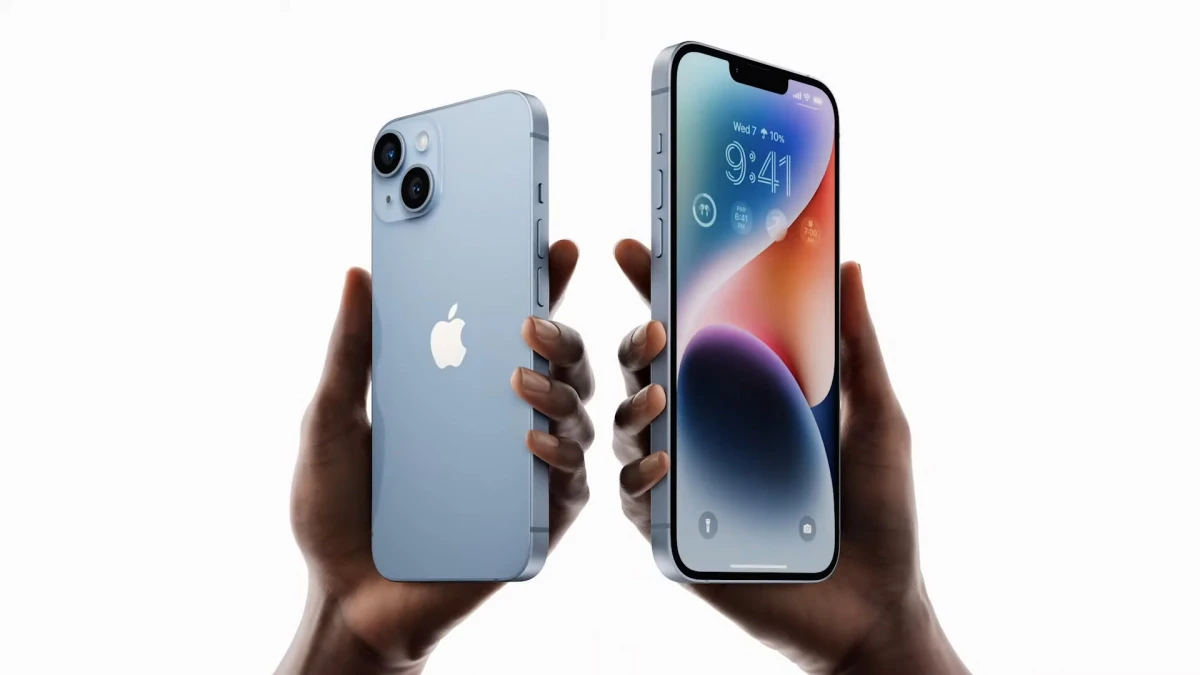
iPhone 14 and 14 plus
Follow us on

Last Updated on June 23, 2026

Recently, Apple introduced a new feature for its iPhone users called Apple Pay Later which allows users to take loans and split payments into installments. Built into the wallet, the feature is currently available to users in the US however, could expand to more markets soon. So, in this post, we have listed eligibility criteria and steps to unlock this service.

Let’s first learn more about the feature.

What is Apple Pay Later service?

Apple Pay Later is a loan-based payment service for iPhone and iPad users. It is designed with users’ feasibility for payment. It lets users split the bill into four separate payments over six weeks without interest and service charges.  With it, iPhone users apply for loans from $50 to up to $1,000.

Where can it be used?

The Apple Pay Later feature can be used on iPhone and iPad devices for online and in-app purchases with merchants who accept Apple Pay payments. It is activated with MasterCard Installments.

The US phone maker has started inviting users to use the beta version of the service. The full version will roll out in the next few months.

Apple Pay Later
Credit: Apple

Jennifer Bailey, Apple’s vice president of Apple Pay and Apple Wallet said, “There’s no one-size-fits-all approach when it comes to how people manage their finances. Many people are looking for flexible payment options, which is why we’re excited to provide our users with Apple Pay Later”. She added that the feature makes it easier for buyers to make “informed and responsible borrowing decisions”.

Financially healthy users can use the Buy Now Pay Later service of Apple

To start using Apple Pay Later, iPhone users first must apply for a loan in their wallet. After this, users need to enter the amount to borrow and agree to the terms. It is ensured that the user is in a healthy financial position to proceed with the loan.

When the user is approved, the Pay Later option becomes visible after selecting Apple Pay which enables online payment online and in apps on iPhone and iPad. After the setup, Users can apply for a loan directly after making a purchase.

Once the feature is set up, users can also apply for a loan directly in the checkout flow when making a purchase. As it’s integrated into the wallet, users can easily see the due amount in their loans, and the total due in the next 30 days.

✅Apple iPhone Price in Nepal | Latest Update

How to set up Apple Pay Later on iPhone?

To set up Apple Pay Later on your iPhone, first, you need to add it to your Apple Wallet. Then you need to follow the steps below:

  • Open the Wallet app on your iPhone.
  • Tap Add.
  • Set up Apple Pay Later. Now, tap Continue.
  • Follow the instructions and apply for an Apple Pay Later loan enter the value of the purchase you want to make when requested to enter your desired amount.  
  • Tap Next and verify your detail including name, date of birth, and address.
  • Review your personal details and tap Agree & Apply.
  • Review your payment plan and agreement details.
  • Add to Wallet.

A top-notch security

If you had concerns, don’t worry. The service has been built with privacy and security at its core, says Apple. Purchases are validated with Face ID, Touch ID, or passcode. Likewise, transaction and loan history is never shared with third parties.

Apple Pay Later is available to users in the US for now in a prerelease form. However, more users will receive the roll out in the coming months.

For more on the feature, do leave your query in the comments below.

Follow us on Facebook, Google News, and Viber to get the latest news, and information about Nepal Telecom, Ncell, Smart Cell, ISPs, mobile apps, and phones in Nepal.

Latest Posts

  • DGo becomes first OTT streamer to be licensed in Nepal
  • OnePlus Nord 6 launched in Nepal with 7500mAh battery, 165Hz refresh rate
  • NT adds cell towers, bandwidth for 4G improvement, & 5G dilemma
  • Ncell partners Trip Turbo, offers up to Rs 8000 off on travel bookings
  • Govt. to add 1500 new sites across Nepal for improved telecom services
  • NEB Grade 12 Result 2082 Nepal: How to Check Online, SMS, USSD & Download Marksheet
  • Ericsson Mobility Report 2026: 5G hits 3 billion, Uplink is the new battleground
Comments
Previous Post

Ncell Dismisses Allegation Regarding Telecom Bill Manipulation

Next Post

Xiaomi Provides Educational And Health Supplies to Orphanages in Godawari

Dinesh

Dinesh

Senior Editor; An experienced tech writer covering news mostly on telecommunication, internet, latest tech & trends, and Gadgets. Being a technophile, I am particularly fascinated by the evolution of mobile networks in Nepal from legacy networks (2G, 3G) to 4G (with VoLTE, VoWiFi, eSIM) and the prospects of the upcoming 5G, and equally enthralled by the development of internet from the dial-up connection to the 2 Gbps XGS-PON fiber broadband technology and their transformative impact in the country.

Related Posts

Ericsson mobility report 2026 5G cross 3 billion mark
Tech News

Ericsson Mobility Report 2026: 5G hits 3 billion, Uplink is the new battleground

June 18, 2026
Springbase ai Nepal
Tech News

Springbase.ai available in Nepal to transform businesses

June 17, 2026
Facebook global outage login problems
Tech News

Facebook, Insta suffer global outage, users left confused

June 13, 2026
Load More

You may also read

Check NEB Plus 2 11, 12 result in Nepal

NEB Grade 12 Result 2082 Nepal: How to Check Online, SMS, USSD & Download Marksheet

June 19, 2026
How to watch world cup Football matches in Nepal

How to Watch Football World Cup 2026 Live in Nepal? Find All Fixtures

June 11, 2026
Ntc FTTH

Nepal Telecom Fiber Internet: Price, Speed, Offer, Packs [2026]

June 12, 2026
How to check SEE Result 2082 online Nepal

How to Check SEE Result 2082 Online: NTC, SMS, Websites & Marksheet Guide

May 11, 2026
FIFA World cup 2026 full fixtures in Nepali time

FIFA World Cup 2026: Schedule in Nepali Time, Groups & Venues

June 2, 2026
National ID Card

National ID Card (NID) 2026, Process to Apply | FAQs

June 19, 2026
NepaliTelecom

Nepalitelecom.com is a website/blog which provides information regarding telecommunication in Nepal along with Gadgets and has been doing some research for the telecom market in Nepal. We intend to do more of such survey/research in the Nepalese Telecom sector.

SiteMap

📢 Follow us on Viber to get the latest news, and information about Nepal Telecom, Ncell, ISPs, mobile apps, and phones in Nepal.

Popular Categories

Ntc | Ncell | Telco News | ISP | NTA | Gadgets

Recent Posts

  • DGo becomes first OTT streamer to be licensed in Nepal
  • OnePlus Nord 6 launched in Nepal with 7500mAh battery, 165Hz refresh rate
  • NT adds cell towers, bandwidth for 4G improvement, & 5G dilemma

© 2026 Nepalitelecom

No Result
View All Result
  • Home
  • Telco News
  • Gadgets Nepal
  • Nepal Telecom
  • Ncell
  • Digital Nepal
  • How To
  • Editors’ Pick

© 2026 Nepalitelecom

Play sound