Last Updated on November 24, 2026
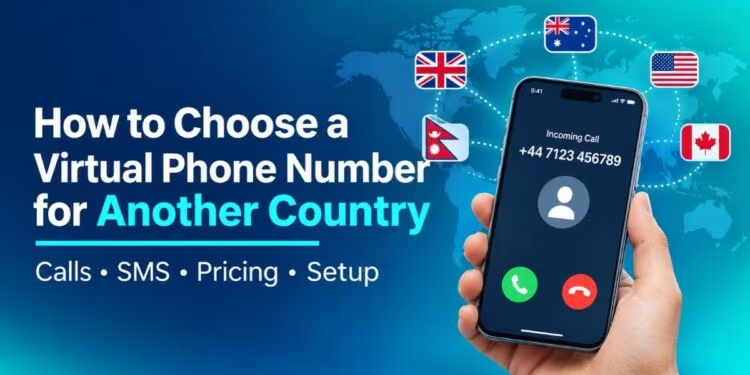
International calls used to mean expensive phone bills or buying calling cards. Now, you can get a phone number from another country and answer calls from your phone or computer, wherever you live. It’s useful for people with family abroad, freelancers working with overseas clients, and businesses that want customers in another country to reach them easily.
If you’re looking for a number, start by checking virtual numbers by country to see which destinations are available. Before choosing one, there are a few things worth checking.
What a virtual number does
A virtual phone number isn’t tied to a physical SIM card. Calls and texts are routed over the internet to an app, web panel, or another phone you use. You can get a number from a country supported by the provider without living there.
For example, someone in Kathmandu can have a UK phone number, while a freelancer in Pokhara can give Australian clients a number with an Australian country code. Clients can call a number they’re familiar with, and the owner can answer from anywhere.
Start with the purpose
Think about how you’ll use the number before choosing one. The right option depends on what you need it for.
- Family and friends abroad. A number from their country makes it easier for relatives to call you without paying international rates.
- Clients and customers. A local number can make your business more familiar to potential customers. People may be more comfortable calling a number from their own country.
- Account registration. Some online services send verification codes by SMS and accept numbers only from specific countries.
- Travel. A temporary number can help with bookings, deliveries, and local services without having to buy another SIM card.
Knowing what you’ll use the number for helps narrow down your options.
Pick the right country and area
Choose a number from the country where your callers are based. If you serve customers in a particular city, an area code they recognize may be a better fit. If you don’t need a specific location, a national number will usually do.
Check the country’s dialing format and local requirements, too. For example, Nepal’s country code is +977. Providers should show the number format and any restrictions before you purchase.
Voice, SMS, or both
Not every virtual number supports calls and text messages. Some are voice-only, others handle SMS, and some support both.
If you need verification codes or want customers to text you, make sure incoming SMS is supported. For calls, check where they can be forwarded. You might be able to receive them through an app, on your mobile, or on a landline.
Compare prices carefully
The cost of a virtual number may include a setup fee, monthly rental, and charges for calls or messages. Don’t judge a plan by its monthly price alone. Check what you’ll pay based on how often you expect to use it.
For occasional calls, pay-as-you-go may be enough. If you expect regular business calls, a plan with included minutes could cost less. It’s also worth checking payment methods before signing up. There’s little point choosing a cheap provider if you can’t pay using your preferred method.
Check the requirements
Some countries require identity documents or proof of a local address before activating a number. These requirements depend on local regulations and the type of number you’re buying.
Check them before paying. If verification is required, activation may take a few days. Numbers with fewer registration requirements may be available sooner.
Test before you rely on it
Once your number is active, take a few minutes to make sure everything works:
- Call it from a local phone and from another country to check call quality.
- Send a text and confirm that it arrives, if SMS is supported.
- Test call forwarding to make sure calls reach the phone or app you intend to use.
- Check voicemail and make sure your greeting is clear if you’ll use the number for business.
It’s better to find out about connection problems now than when you’re waiting for an important call.
Keep it secure
If you use your virtual number for account verification or other important services, make sure you can keep access to it. Use a strong password for your provider account, enable two-step verification if available, and keep your recovery information current.
Also, make sure you renew the number on time. Losing access to a number linked to important accounts can make it difficult to recover them.
Final thoughts
Before buying a virtual number, check that it supports the calls or messages you need, comes from the right country, and fits your budget. Make sure you understand any registration requirements, too. A quick test after activation will help you catch problems early and avoid relying on a number that doesn’t work as expected.