• Ntc
  • Ncell
  • Samsung
  • Apple
  • Xiaomi
  • 2G to 5G
  • ISP
  • NTA
  • Tariffs
  • About us
Tuesday, December 30, 2025
NepaliTelecom
  • Home
  • Telecom News
    • News
    • NTA
    • Ntc
    • Ncell
    • Smart Cell
    • Digital Nepal
  • Gadgets
  • How To
  • Editors’ Pick
  • Contact
  • About
No Result
View All Result
  • Home
  • Telecom News
    • News
    • NTA
    • Ntc
    • Ncell
    • Smart Cell
    • Digital Nepal
  • Gadgets
  • How To
  • Editors’ Pick
  • Contact
  • About
No Result
View All Result
NepaliTelecom
No Result
View All Result

Nagarik App Adds Vehicle Renewal Service: Learn How To Do It

Dinesh by Dinesh
July 23, 2021
in Digital Nepal, How To
Reading Time: 5 mins read
Vehicle bluebook renew and online tax payment

Nagarik App has added a vehicle renewal service that allows owners to update their bluebooks online. Issuing the notice, the Ministry of Physical Infrastructure development, Bagmati Province said that in its first phase, vehicles registered at its provincial Transport Management Office will have their bluebooks updated plus the corresponding service charges, taxes payment online. The service becomes available from Shrawan, 2078.

The MoPID’s notice said that integrating the vehicle-renewal service into the Nagarik app is an effort to shift government services online so that the public could take benefit on the go. Soon, the ministry will add more transport-related payment services such as taxes, insurance, fines among others.

The popular Nagarik app got its full birth back on May 3 and incorporated various government services. PAN registration, HSEB report card checking, Voter card, passport related services are available from the popular state app.

With the vehicle-renewal coming to Nagarik App, the public will find the major convenience of updating their vehicle’s bluebook online without standing through the long queues at transport offices.

The online renewal service is in its trial phase and it will be available in Bagmati Province for now. So, this means vehicle owners who have registered their ride at the Transport Management Office of Bagmati Province can acquire the service. But we can expect the online service to reach more provinces sooner.

Check out: Ntc and Ncell provide free mobile data for Nagarik App

Two Options To Renew Your Vehicle

If you want to take benefit of online vehicle/bluebook renewal, you can look for two options.

TMIS portal

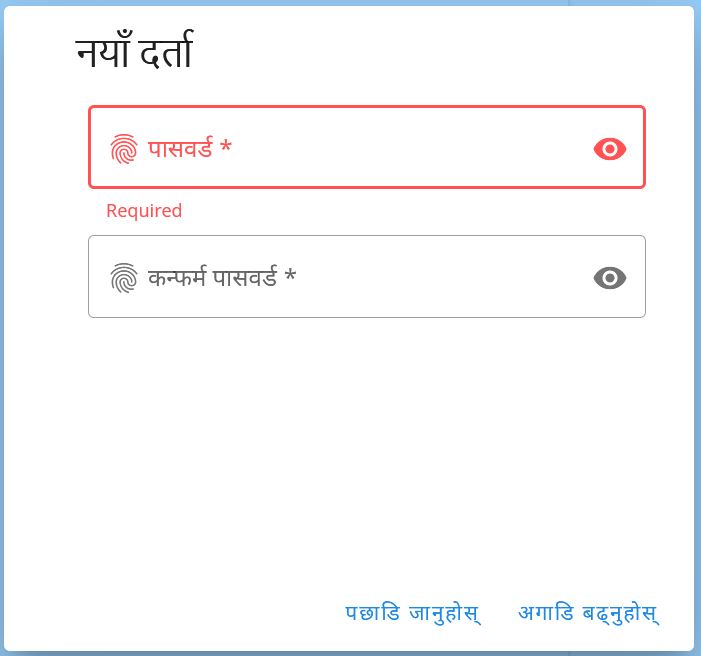
First, you can go to the Transport Management Information System TMIS portal. Create an account for new registration. After adding your mobile number, verifying it with a token, you need to create a login username (mobile number) and password.

Vehicle Renewal TMIS Portal
TMIS portal

After log in to the TMIS portal, you can find your vehicle by selecting type, Zonal Code, type of vehicle, lot, symbol, and plate number. Click search and then the system will find your vehicle there. If the information is not correct/complete, you can edit or add more details there.

You can add complete info and find the tax history of the vehicle in the TMIS portal.
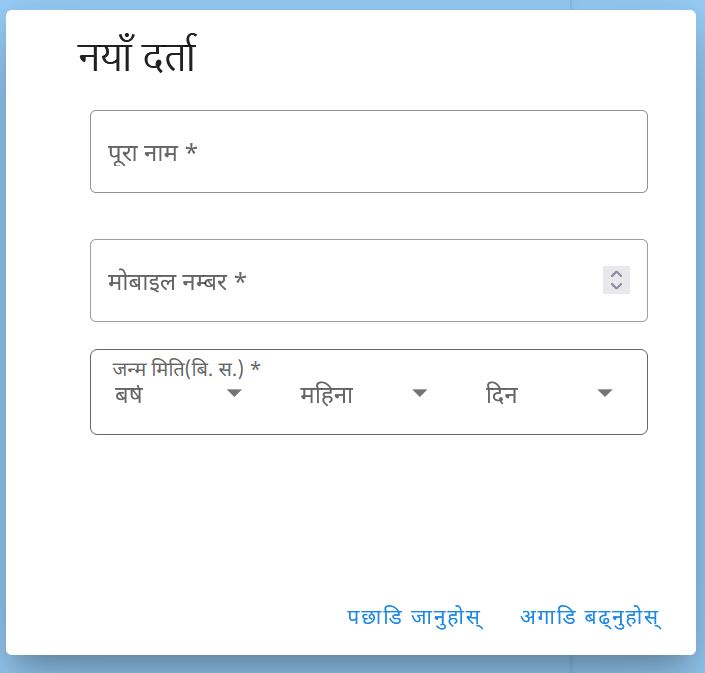
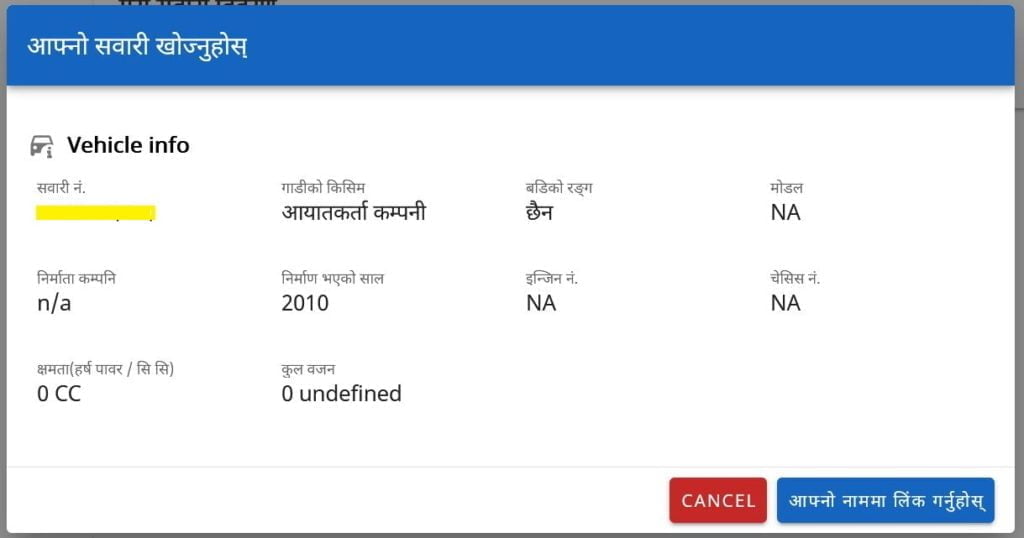
The detailed info includes the vehicle brand make, Model number, CC, Engine no., Chasis no. Then they have the registration date (as in the blue book), and more. It also asks you to add the blue book photo to confirm.

Nagarik App

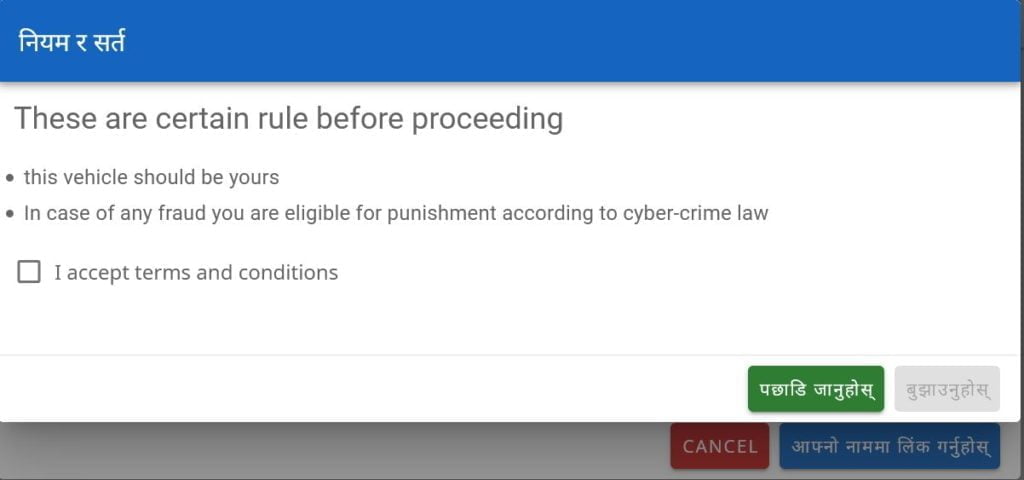
Similarly, the easier way for vehicle renewal and tax payment is via the Nagarik App itself. First, you need to launch the Nagarik App and find the option Vehicle Tax and click on it. Then you verify your vehicle’s detail and update its renewal. On Nagarik App, its users can view the detail of their vehicle, and tax status. If the information is error or incomplete, you can edit/add the information in the record manually. The Vehicle renewal and tax payment service has kicked off from Shrawan, beginning of Fiscal Year 078/79.

There you can find the tax to pay and history of the tax paid so that it will be easy for you to pay and keep a record of the payment.

  • Vehicle renewal tax nagarik app
  • Add vehicle Nagarik app

To use the Nagarik app, you should have the current mobile number registered on yourself. Find how to check the registered name of your SIM card and the process to change it.

Online vehicle-renewal brings relief to the lakhs of Nepali public who have to go through unreasonable trouble every year to update their vehicle’s bluebook.

Nagarik has promised to integrate most of the government services in installment and we can’t wait to see more services added. Let’s hope vehicle renewal service begins soon in other provinces too.

Check out: NTA MDMS to block Unofficial/Grey Phones from Shrawan 1 in Nepal

How excited are you with vehicle renewal and service payment online available on Nagarik App? Let us know in the comments below.


Follow us on Facebook, Twitter, and Viber to get the latest news, and information about Nepal Telecom, Ncell, Smart Cell, ISPs, mobile apps, and phones in Nepal.

Latest Posts

  • NTC 4G connects Jumla’s Hima Rural Municipality
  • Minister Kharel inaugurates Ncell’s VoLTE Capacity Enhancement project
  • Nepal Telecom launches special internet offer for students
  • DoIB requests timely renewal of radio or face automatic license revocation
  • Top ISPs mark ‘decent’ growth in Kartik: Find latest details
  • 4G users in Nepal: 2.60 crores | Latest NTC, Ncell figures
  • A Look Back at Nepal’s Telecom Industry in 2025: Key Highlights
Comments
Previous Post

Euro 2020 Inspires A New Record In Nepal’s Internet Traffic

Next Post

NTA Releases Notice Regarding IMEI Registration Portal Not Working

Dinesh

Dinesh

An experienced tech writer covering news mostly on telecommunication, internet, latest tech & trends, and Gadgets. Being a technophile, I am particularly fascinated by the evolution of mobile networks in Nepal from legacy networks (2G, 3G) to 4G (with VoLTE, VoWiFi, eSIM) and the prospects of the upcoming 5G, and equally enthralled by the development of internet from the dial-up connection to the 2 Gbps XGS-PON fiber broadband technology and their transformative impact in the country.

Related Posts

Digital Nepal

Stylish Nothing Phones in 0% EMI with a citizenship

December 23, 2025
ICT Award 2025 all winners
Digital Nepal

ICT Award 2025: Full list of winners at grandest event

December 23, 2025
Daraz 12.12 2025 2082 campaign
Apps

Daraz 12.12 Sale 2025 begins with up to 80% off | Highlights

December 11, 2025
Load More

You may also read

Ntc FTTH

Nepal Telecom Fiber Internet: Price, Speed, Offer, Packs [2025]

December 26, 2025
Nepal Telecom WiFi 6 price packages

Nepal Telecom brings WiFi 6 with telephone, NT TV, and data

December 24, 2025
Check voter list online Election commission Nepal

How to check voter list details online? Election Commission

December 11, 2025
Telecom highlights in Nepal in 2025

A Look Back at Nepal’s Telecom Industry in 2025: Key Highlights

December 27, 2025
Nepal Telecom Ntc eSIM

How to Activate Ntc eSIM? Upgrade or New [2025 Update]

December 23, 2025
Nepal Telecom Ntc customer care numbers

Ntc Customer Care Number for Complain & Info Query [2025]

September 23, 2025
NepaliTelecom

Nepalitelecom.com is a website/blog which provides information regarding telecommunication in Nepal along with Gadgets and has been doing some research for the telecom market in Nepal. We intend to do more of such survey/research in the Nepalese Telecom sector.

SiteMap

📢 Follow us on Viber to get the latest news, and information about Nepal Telecom, Ncell, ISPs, mobile apps, and phones in Nepal.

Popular Categories

Ntc | Ncell | Telco News | ISP | NTA | Gadgets

Recent Posts

  • NTC 4G connects Jumla’s Hima Rural Municipality
  • Minister Kharel inaugurates Ncell’s VoLTE Capacity Enhancement project
  • Nepal Telecom launches special internet offer for students

© 2025 Nepalitelecom

No Result
View All Result
  • Home
  • Telco News
  • Gadgets Nepal
  • Nepal Telecom
  • Ncell
  • Digital Nepal
  • How To
  • Editors’ Pick

© 2025 Nepalitelecom