• Ntc
  • Ncell
  • Samsung
  • Apple
  • Xiaomi
  • 2G to 5G
  • ISP
  • NTA
  • Tariffs
  • About us
Monday, March 2, 2026
NepaliTelecom
  • Home
  • Telecom News
    • News
    • NTA
    • Ntc
    • Ncell
    • Smart Cell
    • Digital Nepal
  • Gadgets
  • How To
  • Editors’ Pick
  • Contact
  • About
No Result
View All Result
  • Home
  • Telecom News
    • News
    • NTA
    • Ntc
    • Ncell
    • Smart Cell
    • Digital Nepal
  • Gadgets
  • How To
  • Editors’ Pick
  • Contact
  • About
No Result
View All Result
NepaliTelecom
No Result
View All Result

TikTok launches ‘Family Pairing’ feature in Nepal, 60-minute time limit

Dinesh by Dinesh
November 14, 2025
in Digital Nepal
Reading Time: 4 mins read
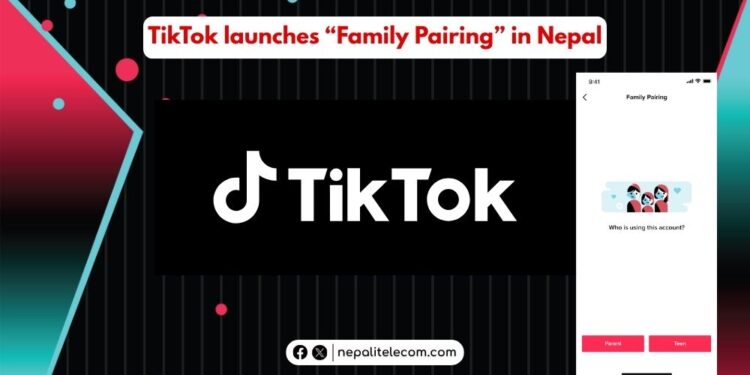
TikTok Family Pairing in Nepal
Summary✨
  • TikTok has launched its Family Pairing feature for Nepal, allowing parents to limit their children’s time on the popular video-sharing app..
  • The tool allows setting a time limit on the app for users below 18..
  • What is TikTok Family Pairing?.

TikTok has made its Family Pairing feature available in Nepal, allowing parents and guardians to limit their children’s time on the popular video-sharing app. The tool allows setting a time limit on the app for users below 18 to keep them away from possible addiction to the app and possible harm.

What is TikTok Family Pairing?

TikTok’s Family Pairing is a feature that allows guardians or parents to restrict the time their children spend on the app. Since it’s a very popular social network and can be addictive to some, the company has brought this feature to help prevent children from getting hooked on the app for a long time.

The feature permits teens/children to increase the time restriction, but can’t reduce it set by their parents or guardians.

TikTok

It’s noteworthy that the Family Pairing feature is not available globally. But it has been made available in Nepal. It’s a testament to how the platform is complying with the Nepal government’s terms and conditions, which are part of the reasons TikTok was banned in Nepal and unbanned later.

If you are a parent, a family member, or a guardian of your child who is often on TikTok and wants to restrict their time on the app, you can link your TikTok account to theirs and set some controls.

After Family Pairing, you can control these things (and not limited to) on your children’s TikTok account.

  • Daily time
  • Get the scree time dashboard
  • schedule time
  • Disable push notifications

For teens between 13-17, the setting is activated by default to one hour (60 minutes) of daily screen time. You can use the feature to get the cumulative summary of the time your children spent in the last 4 weeks.

See: How to watch NPL 2025 Live online?

What Family Pairing allows you to control your child’s TikTok account?

Here are other things you can control on your child/teen’s TikTok account:

  • See how your child has customized the feed
  • Exclude certain keywords, their variations, and hashtags to disable their showing on their feed
  • Restrict content that you think is not appropriate for your child
  • Get notifications about your child’s activity
  • Get notifications when your child posts something visible to others
  • Control whether your child can search for hashtags, LIVE videos, videos, etc.
  • Determine whether to make your child’s TikTok account private or public
  • See who they have blocked, and see the list of their following and followers
  • Decide who can send messages to your child

How to Family Pairing on TikTok?

Here are the steps to use Family Pairing on TikTok:

  • Go to your TikTok app
  • Tap profile at the bottom, then Menu, and then go to Settings and privacy
  • Tap on Family Pairing
  • Tap on Continue
  • Tap on Parent or Teen, and on Next
  • Proceed to link the account

Check out: Most popular apps in Nepal | Latest 2025

How to manage the Family Pairing feature?

Now, after you have paired the account, here are the ways you can manage Family Pairing settings:

  • Open the TikTok app and tap on Profile at the bottom
  • Tap on the Menu at the top and go to Settings and Privacy
  • Tap on Family Pairing
  • Choose the account and manage the controls as per your preference

Family Pairing brings to parents a way to ascertain that their children are not overspending their time on TikTok and also not getting negatively influenced by it. By using the feature, the parents or guardians can have some vital digital control over their children’s TikTok activities for the better. Nepal has around 25 million TikTok users, and many are likely in their teenage years. If you want to limit the time on your child’s TikTok, then you can also use the Family Pairing tool.

Follow us on Facebook, Twitter, and Viber to get the latest news, and information about Nepal Telecom, Ncell, Smart Cell, ISPs, mobile apps, and phones in Nepal.

Latest Posts

  • Xiaomi 17 launched with 6.3″ display, 6330mAh battery
  • Xiaomi 17 Ultra launched with 6.9-inch display, Leica cameras
  • Nepal Telecom starts election CRBT to promote integrity
  • Easiest ways to find election 2082 candidate list online
  • Ntc updates Group SMS | Send a message to 10 thousand users
  • Mobile phones in Gulf blare with emergency alarm as Iran-US exchange war
  • Ncell announces ‘Signature Plans’, discounts at 400+ outlets
Comments
Previous Post

Nothing Phone 3a Lite launched in Nepal, find specs

Next Post

Ncell brings NPL Fan Packs with free YouTube/TikTok

Dinesh

Dinesh

An experienced tech writer covering news mostly on telecommunication, internet, latest tech & trends, and Gadgets. Being a technophile, I am particularly fascinated by the evolution of mobile networks in Nepal from legacy networks (2G, 3G) to 4G (with VoLTE, VoWiFi, eSIM) and the prospects of the upcoming 5G, and equally enthralled by the development of internet from the dial-up connection to the 2 Gbps XGS-PON fiber broadband technology and their transformative impact in the country.

Related Posts

Digital Nepal

Easiest ways to find election 2082 candidate list online

March 1, 2026
Nagarik Adhikar app
Apps

Nagarik App big update: Allows screenshot of voter ID

February 21, 2026
CPN UML manifesto on internet and connectivity 2082
Digital Nepal

CPN-UML announces: 10 GB data for free for a year

February 19, 2026
Load More

Leave a Reply Cancel reply

Your email address will not be published. Required fields are marked *

You may also read

Check voter list online Election commission Nepal

How to check voter ID list details online? Election Commission

March 1, 2026
Ntc FTTH

Nepal Telecom Fiber Internet: Price, Speed, Offer, Packs [2026]

February 5, 2026
how to check Ntc Ncell number owner name and transfer ownership

How to check Ntc, Ncell number owner name & Transfer

February 12, 2026
Ntc Job Vacancy Online Applications

Nepal Telecom Extends job Application 2082 Deadline: How to Apply?

February 18, 2026
Nepal Telecom Ntc eSIM

How to Activate Ntc eSIM? Upgrade or New [2026 Update]

February 7, 2026
Ntc Namaste Wifi service with 4G LTE router

Namaste Wifi | Ntc’s Wireless Broadband with 4G Router [2026]

January 7, 2026
NepaliTelecom

Nepalitelecom.com is a website/blog which provides information regarding telecommunication in Nepal along with Gadgets and has been doing some research for the telecom market in Nepal. We intend to do more of such survey/research in the Nepalese Telecom sector.

SiteMap

📢 Follow us on Viber to get the latest news, and information about Nepal Telecom, Ncell, ISPs, mobile apps, and phones in Nepal.

Popular Categories

Ntc | Ncell | Telco News | ISP | NTA | Gadgets

Recent Posts

  • Xiaomi 17 launched with 6.3″ display, 6330mAh battery
  • Xiaomi 17 Ultra launched with 6.9-inch display, Leica cameras
  • Nepal Telecom starts election CRBT to promote integrity

© 2025 Nepalitelecom

No Result
View All Result
  • Home
  • Telco News
  • Gadgets Nepal
  • Nepal Telecom
  • Ncell
  • Digital Nepal
  • How To
  • Editors’ Pick

© 2025 Nepalitelecom