Last Updated on June 10, 2026
Summary✨
- Many users in Nepal face the risk of losing contacts while upgrading to a 4G SIM from a 3G SIM.
- You can save contacts in three ways: on the SIM, on the phone, or in the cloud.
- To prevent contact loss, follow methods like copying SIM contacts to the phone or backing up to a Google account.
- After switching to a 4G SIM, you can easily restore your contacts using the Contacts app on your phone.
- Stay cautious during the upgrade to 4G SIM without losing contacts; consider cloud storage for added security.
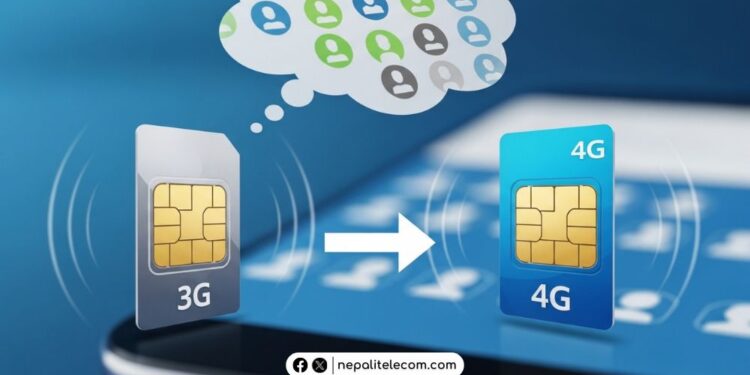
Hundreds of thousands of users are on 3G SIMs in Nepal, barring them from 4G access. This leads to a risk of losing contacts while switching to 4G SIM. With Nepal’s major telcos like Ntc and Ncell pushing users to 4G, while shutting down 3G networks, it has become necessary to know how to save contacts before the SIM switch. In this guide, we’ll show you how to switch to a 4G SIM without losing contacts in Nepal, including step-by-step methods for both smartphones and feature phones.
Table of contents
- How to Switch to 4G SIM Without Losing Contacts?
- What happens during a 4G SIM Upgrade?
- Where are the contacts stored?
- How to Save Contacts Before Switching to 4G SIM?
- Restore Contacts After 4G SIM Upgrade
- For feature phone users
- Conclusion: Switch to 4G safely with your contacts
- Frequently Asked Questions (FAQs) on 3G to 4G Switch
How to Switch to 4G SIM Without Losing Contacts?
While switching to 4G SIM from 3G SIM, you may fear losing saved contacts. It’s a legitimate fear. Those are not just your family contacts; these are the numbers of people you work with and share a bond with. Some of these are your go-to numbers in an emergency. What makes the fear even more grave is that many don’t bother to remember contacts since they’re already saved on their devices. But these very saved contacts may not be saved in a way to stay in your SIM while switching to a 4G SIM.

But if you follow proper steps, you can safely save all of your contacts on both feature phones and smartphones. If you happen to save your numbers on your phone instead of a phone or cloud, then you must read this article with even more necessity.
✔️NTC online KYC update for registered SIM name
What happens during a 4G SIM Upgrade?
Upgrading to a 4G SIM means you get a new USIM (4G SIM) while giving up your current 3G SIM. When you do this, your SIM storage is wiped out, meaning the contacts that you may have on your SIM are lost. In the trade for it, you get faster data speed, VoLTE, and WiFi Calling (VoWiFi) support, and exceptional coverage across Nepal. Both telcos, Nepal Telecom (NTC) and Ncell, provide nationwide 4G upgrade sound coverage.
You should know the reason to get a 4G SIM as it has become more important than ever. State telco Ntc 3G shutdown plan has been announced to discontinue 3G in the near future and urged users to switch to 4G. Ncell has started phasing out 3G in different areas already and will continue to do so until it is completely phased out. Both companies are focusing on investing in newer technologies by killing legacy networks. There’s a huge prospect of 5G network launch in Nepal too. This is why users need to get on 4G.
The latest Falgun 2082 NTA report shows that there are over 7.86 lakh 3G users. There are over 2.65 crore 4G users in Nepal. So, even by numbers, 4G base dwarfs that of 3G. So, this only encourages users further to get an upgrade to 4G for better quality services from the operators.
Where are the contacts stored?
Contacts are saved in three places. Let’s go one by one on them:
- SIM card: Your contacts are saved on the SIM card and not on the phone. It means when you insert a new SIM card, the contacts will not show up on the phone. It will show contacts that are on the new SIM.
- Phone: Contacts are saved on the phone, not the SIM card. So, even if you change your SIM, contacts will continue to show as they are saved in the phone’s memory.
- Cloud/Gmail: Contacts are saved in Google or other cloud services. That means your contacts are saved on the internet. So, whenever you want them, you can simply get them by downloading from your account. For e.g., if you save your phone contacts on contacts.google.com, you can sync them between your Google account and phone whenever you want.
You can set up or find your default contact location by going to Contacts> Settings > Default storage location.
✅How to Transfer Balance in Ntc SIM card [Latest 2026 Update]
How to Save Contacts Before Switching to 4G SIM?
1. Copy SIM Contacts to Phone
To keep your contacts safe while switching to 4G, you can save your contacts to your phone. For this, follow the steps below:
- Open the Contacts app on your phone
- Tap on three vertical bars > Settings
- Select Import from SIM
- Save to Phone
The steps are similar, but the wording may differ depending on brands. The steps work on iPhones and Android OEMs such as Xiaomi, Samsung, vivo, etc.
2. Backup Contacts to Google Account (Best Method)
To ensure that you retain your phone contacts irrespective of SIM or device change or format, you should keep your contacts on your Google Mail account. To do this, follow the steps below.
- Go to Contacts
- Tap on three vertical bars > Settings
- Tap on Move contacts to other storage location
- Choose Phone other options > select contacts (preferably All)
- Tap on Done
- Tap on your Google account and tap on Move
- This will store a copy of all of your contacts on your Google account.
Don’t forget to go to Settings > Accounts and backup > Manage accounts > select your Google account > Sync account > Contacts. This will sync all the contacts between your phone and your Google account. It’s recommended that you keep your sync on to keep the contacts intact between your phone and the cloud.
💡 Pro Tip:
Always keep contacts synced with your Google account to avoid permanent loss.
3. Export Contacts as VCF File
You can export your contacts as a VCF file and store it somewhere else to restore them later after switching to a 4G SIM. Do the following steps to create a VCF file for your contacts.
- Go to Contacts
- Tap on three vertical bars > Settings
- Tap on Export contacts
- Tap on Internal storage
- Tap on Export
- Now, you have created a VCF file containing all of your contacts. It’s stored in your storage folder.
Restore Contacts After 4G SIM Upgrade
After you upgrade to a new 4G SIM, do the following to restore your contacts.
- Open the Contacts app on your phone
- Tap Import from
- Tap Phone storage, Google account, or VCF file
- Now, you have successfully restored your contacts
After getting a 4G SIM, you can activate 4G on your phone and enjoy faster data and HD call services via VoLTE.
For feature phone users
If you are using a feature phone, then you need to do this to restore your contacts after switching to a 4G SIM.
- On your phone, go to the Copy All Contacts option
- SIM > Phone > SIM
- Visit your telco office for further assistance
Ntc and Ncell offer 4G upgrade as part of their initiative to migrate users to 4G network. You can upgrade your current SIM to 4G or buy a new one. You need documents like a citizenship, a passport-sized photo, and SIM ownership verification prepared by a bank, school, or any office you are working at.
Conclusion: Switch to 4G safely with your contacts
In excitement or panic, you might upgrade to 4G without being cautious about contacts. Therefore, we suggest that you stay alert and smart while switching to 4G SIM. As mentioned above, I recommend that you choose Cloud to keep your contacts safe. It stores your numbers on a third-party company server, meaning they are safe even if your phone is reset or your SIM is changed. It promotes a safe digital habit and a smarter way to use a smartphone.
Frequently Asked Questions (FAQs) on 3G to 4G Switch
Yes. If your contacts are saved only on the SIM.
Yes, it is the safest and recommended method.
Yes, most of the time it is for free in Ntc and Ncell
It should take between 10 to 20 minutes.
• Copy contacts from SIM to phone
• Backup contacts to Google account
• Export contacts as VCF file
• Read details above.
I hope this article has been very helpful to you. For any further assistance, let us know in the comments below.