• Ntc
  • Ncell
  • Samsung
  • Apple
  • Xiaomi
  • 2G to 5G
  • ISP
  • NTA
  • Tariffs
  • About us
Monday, February 23, 2026
NepaliTelecom
  • Home
  • Telecom News
    • News
    • NTA
    • Ntc
    • Ncell
    • Smart Cell
    • Digital Nepal
  • Gadgets
  • How To
  • Editors’ Pick
  • Contact
  • About
No Result
View All Result
  • Home
  • Telecom News
    • News
    • NTA
    • Ntc
    • Ncell
    • Smart Cell
    • Digital Nepal
  • Gadgets
  • How To
  • Editors’ Pick
  • Contact
  • About
No Result
View All Result
NepaliTelecom
No Result
View All Result

Smart cell app launched, can use freely in Smart network

NepaliTelecom by NepaliTelecom
July 19, 2024
in Apps, Smart Telecom
Reading Time: 3 mins read
Smart Cell

Smart Cell has launched their official Android Apps called Smart Cell app. They say the Smart Cell app has been tailored made to suit the needs of their customers. Smartcell app is one stop solution for all of their services.

The third largest telecom company of Nepal, Smart Telecom is going fiercely in this highly competitive market. Besides expanding and adding new services and technology like 4G, Smart Cell is also taking care of subscribers comfort in using their services. Recently they have launched unlimited data packages, which is highly popular among subscribers. Demand is also high for unlimited day data pack, which we don’t know they can fulfill just now.
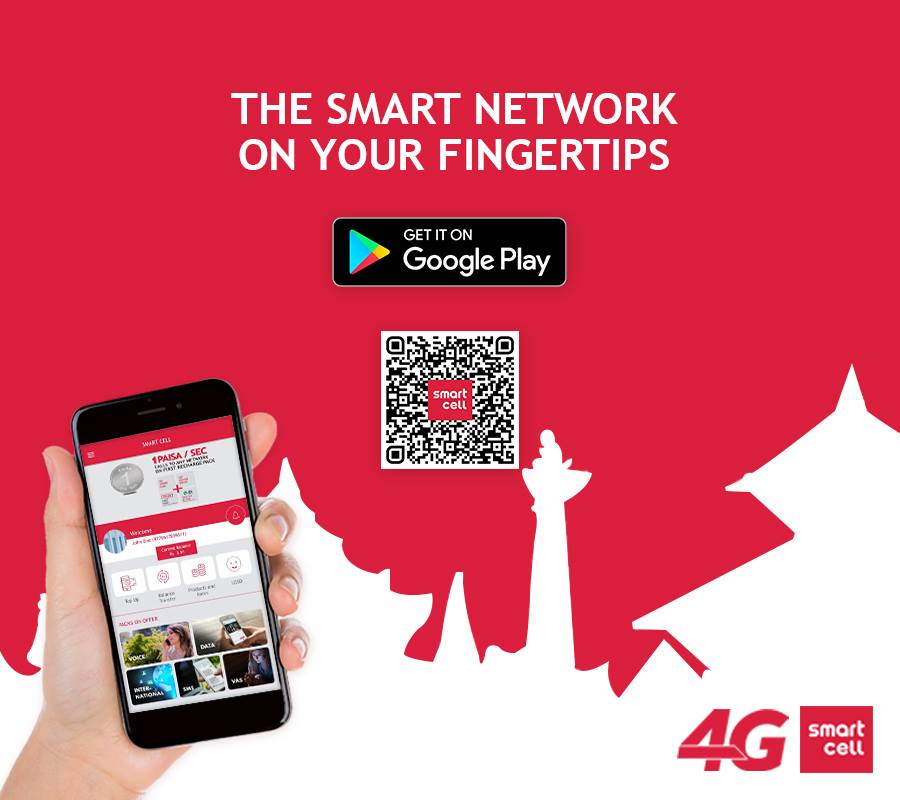
Smart Cell app, Click the photo to download the app.

What can you do with Smart Cell app?

Smart  Cell App lets the user get their information along with the facility to carry out any financial transactions in real-time. The features of the app include balance check, transfer, top up, activation of services, data packs and many more. You can also get the call details (history) of your calls for up to a month. The most remarkable thing is that you can access the app freely with the smart cells mobile network. Here are some of the features of the app in detail.

  1. Balance check in real-time
  2. User balance with main balance and bonus balances separation.
  3. Top-up via pin number to self and another Smart mobile number
  4. Transfer balance to another Smart cell number.
  5. Activation and Deactivation of services
  6. Buy data packs and special offers
  7. Get notified on new offers and packs
  8. Check recent call history up to the last month
  9. Check recent transaction events up for the last month
  10. Search for the nearest Smart center or Point-of-sale near you
  11. Know the tariff, rates of all the services
  12. Find all of the services and offers activated
  13. Secure transaction
  14. Smart app usage on Smart network (2G and 4G) is free
  15. Smart SIM registration is not required to use the app. It is only required when purchasing packs, offers, and services or recharge and transferring balance.

It seems like a nice app for all of their services in one place. As people can forget the keywords, numbers to access some of the services, this app is very useful for them.


Follow us on Facebook, Twitter, and Viber to get the latest news, and information about Nepal Telecom, Ncell, Smart Cell, ISPs, mobile apps, and phones in Nepal.

Latest Posts

  • Seedance 2.0 AI video has Hollywood screaming, “it’s over for us”, why?
  • Android 17 Beta 1 released: New features and how to download?
  • Nagarik App big update: Allows screenshot of voter ID
  • Xiaomi, Leica announced new partnership before ’17 series’ global launch
  • Nepal clocks highest internet speed in SAARC: Ookla report
  • Buy an Apple iPhone in EMI with a citizenship | Find plans
  • Honor X5c series launched in Nepal with 6.74-inch display
Comments
Previous Post

30$ Android Go handsets to make / launch in India

Next Post

Ncell 4G reaches to 21 cities, find the list

NepaliTelecom

NepaliTelecom

Related Posts

Android 17
Apps

Android 17 Beta 1 released: New features and how to download?

February 21, 2026
Nagarik Adhikar app
Apps

Nagarik App big update: Allows screenshot of voter ID

February 21, 2026
Apps

Hamro Patro starts video conferencing service “Chautari Meet”

February 18, 2026
Load More

You may also read

Ntc Job Vacancy Online Applications

Nepal Telecom Extends job Application 2082 Deadline: How to Apply?

February 18, 2026
Check voter list online Election commission Nepal

How to check voter list details online? Election Commission

February 12, 2026
Ntc FTTH

Nepal Telecom Fiber Internet: Price, Speed, Offer, Packs [2026]

February 5, 2026
how to check Ntc Ncell number owner name and transfer ownership

How to check Ntc, Ncell number owner name & Transfer

February 12, 2026
Nepal Telecom Ntc customer care numbers

Ntc Customer Care Number for Complain & Info Query [2026]

February 5, 2026
Nepal Telecom Ntc eSIM

How to Activate Ntc eSIM? Upgrade or New [2026 Update]

February 7, 2026
NepaliTelecom

Nepalitelecom.com is a website/blog which provides information regarding telecommunication in Nepal along with Gadgets and has been doing some research for the telecom market in Nepal. We intend to do more of such survey/research in the Nepalese Telecom sector.

SiteMap

📢 Follow us on Viber to get the latest news, and information about Nepal Telecom, Ncell, ISPs, mobile apps, and phones in Nepal.

Popular Categories

Ntc | Ncell | Telco News | ISP | NTA | Gadgets

Recent Posts

  • Seedance 2.0 AI video has Hollywood screaming, “it’s over for us”, why?
  • Android 17 Beta 1 released: New features and how to download?
  • Nagarik App big update: Allows screenshot of voter ID

© 2025 Nepalitelecom

No Result
View All Result
  • Home
  • Telco News
  • Gadgets Nepal
  • Nepal Telecom
  • Ncell
  • Digital Nepal
  • How To
  • Editors’ Pick

© 2025 Nepalitelecom