Last Updated on February 9, 2026
Nepal Telecom (NTC) has expanded the online KYC (Know Your Customer) update facility for GSM prepaid SIM card users across Nepal. The service lets you update your Ntc KYC on your phone without visiting the company’s office. For this purpose, the company has brought its portal live, which is easily accessible to users.
The company initially started the service at its office in Sundhara for a trial. The initiative was inaugurated jointly by the company’s chief commercial officer, Ganga Sagar Matanchhe, and the Provincial Directorate Kathmandu, Bagmati Province director, Indal Yadav. Now, the online facility is available on your phone. Yes, if you use an Ntc SIM card, you can update your KYC on your phone on the go. The all-Nepal expansion was initiated on the company’s 22nd anniversary on Magh 22, 2082. Find out NT Anniversary offers 2082.

Kick-starting the online KYC update test program, NT CCO Matanchhe said that the service will play a crucial role in making the company’s services more customer friendly. Likewise, the company’s Director at Provincial Directorate Kathmandu, Bagmati, Yadav said that the facility will improve the company’s productivity as the online system will help complete more tasks in a short period.
Likewise, NT office, Sundhara chief Nirmal Chataut shared similar excitement. He said that the digital facility will help with the company’s digital transformation of services, paperless work, and data updating tasks.
The process also helps you transfer Ntc SIM ownership if it’s originally registered in another person’s name.
How to update Ntc KYC on a mobile phone?
Here are the steps to update Nepal Telecom (NTC) KYC on your phone:
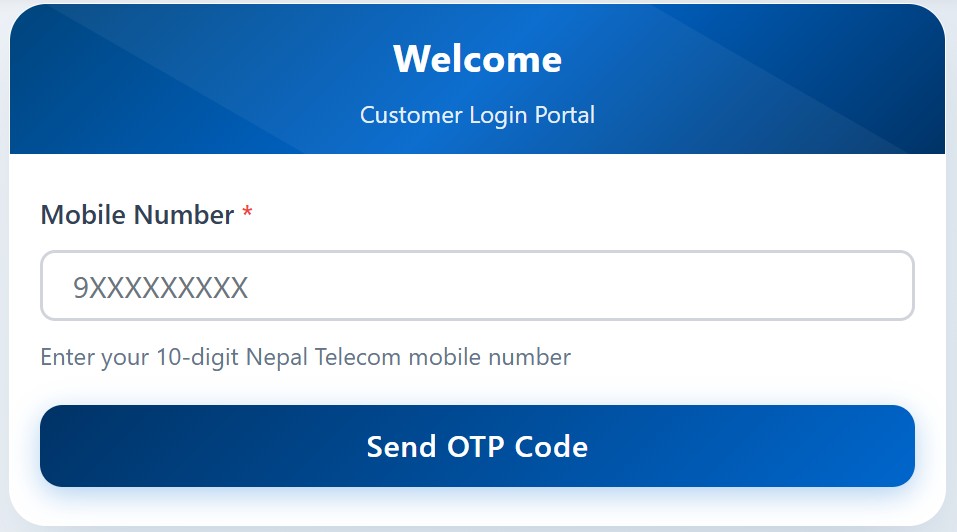
- Visit the Ntc KYC Update portal
- Enter your Ntc mobile phone number and tap on Send OTP Code
- Enter the 5-digit code and tap on Verify & Send OTP
- Enter the code and click on Verify & Login
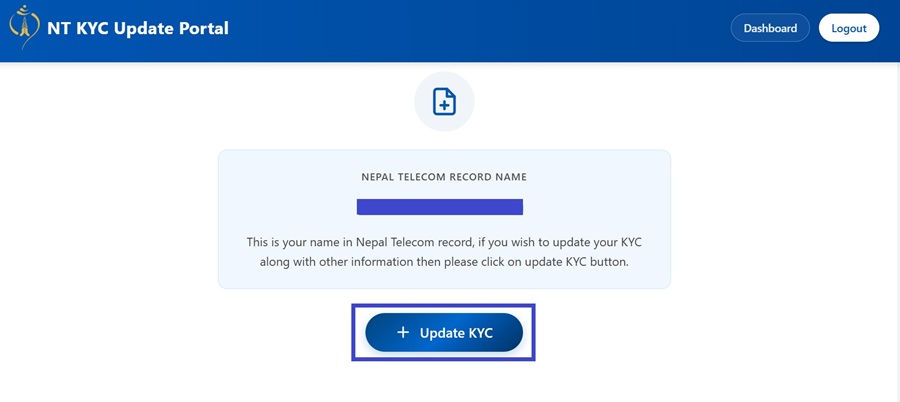
- Now, on the new page, you can see your KYC details
- Tap on Update KYC
- Enter your personal details such as name, date of birth, occupation, etc.
- Select a counter and submit your permanent and current residence, and enter the five numbers you called in the past three days
- Now, upload your documents (citizenship or passport photo)
- Tap on the Next button and click on the photos of your citizenship or passport by holding it in your hand
- Click the box to declare that your information is correct, and then tap on Submit Application
- At last, you need to visit the counter you selected to verify and complete your KYC verification.
- Once verified, your KYC gets updated
The online KYC update facility allows prepaid customers to edit their names and change other details. You can also scan a QR, which takes you to the portal to edit your details. You can find the QR codes at the company’s customer service center. The company then verifies the KYC for their services.
If you were wondering, you would still need to visit the company’s office. However, you won’t have to fill out physical documents. It’s gone digital.
Things to remember about Ntc online KYC update
Here are some key details you need to remember about the online KYC update facility of Ntc:
- Every NTC user needs to fill out KYC to be its customer
- The online KYC update facility has started, and you can proceed on your mobile phone
- You can also update your KYC with a QR scan at the company’s offices, meaning you don’t need to fill out forms on papers
- For now, it’s semi-electronic, and you still need to visit NT offices
- The facility is available at NTC’s offices across Nepal
- It will be expanded to other offices in the valley and outside after the test succeeds
- The service is only available for Ntc’s GSM prepaid users
The facility makes it easier for customers to update their personal details. NT says that it also makes it easier for government agencies to keep their details up to date.
If filling out details on a paper is a hassle, then online KYC update surely is for you. If you need to know more about the service, do leave your query in the comment section below.