• Ntc
  • Ncell
  • Samsung
  • Apple
  • Xiaomi
  • 2G to 5G
  • ISP
  • NTA
  • Tariffs
  • About us
Friday, June 5, 2026
NepaliTelecom
  • Home
  • Telecom News
    • News
    • NTA
    • Ntc
    • Ncell
    • Smart Cell
    • Digital Nepal
  • Gadgets
  • How To
  • SpeedTest
  • Contact
  • About
No Result
View All Result
  • Home
  • Telecom News
    • News
    • NTA
    • Ntc
    • Ncell
    • Smart Cell
    • Digital Nepal
  • Gadgets
  • How To
  • SpeedTest
  • Contact
  • About
No Result
View All Result
NepaliTelecom
No Result
View All Result

Home » Apps » Mero Kitta App Nepal: How to Use, Download & Features [2026]

Mero Kitta App Nepal: How to Use, Download & Features [2026]

Dinesh by Dinesh
June 5, 2026
in Apps, Tech News
Reading Time: 7 mins read
Mero kitta App
Follow us on

Summary✨

  • The Mero Kitta app assists users with land-related tasks, such as printing maps and checking application status.
  • Users can apply online, receive an OTP for tracking, and pay revenue through eSewa, Khalti, or ConnectIPS.
  • Key documents needed include a land owner certificate and citizenship, each not exceeding 1 MB.
  • Major services involve submitting applications to the Napi (Survey) office and checking application status.
  • The app is available on both the web and mobile, providing contact information for survey office heads.

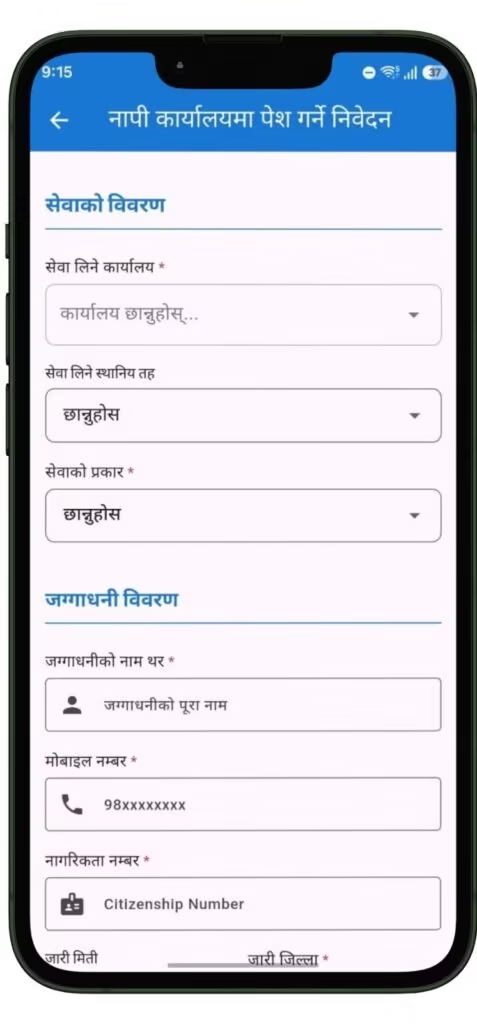
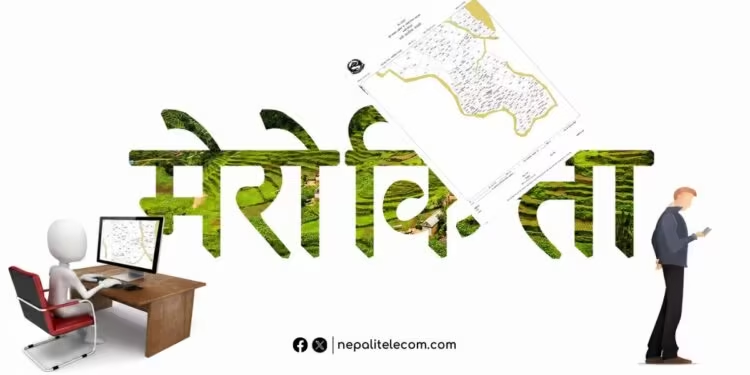
Mero Kitta is Nepal Government’s official app for land related services. With the app, you can print your land map (naksa), field book, and plot register without vising their office. The government launched Mero Kitta app, in the presence of the Ministry of Land Management, Co-operatives, Federal Affairs, and General Administration, Pratibha Rawal.

The Mero Kitta app allows users to print their land’s map, download a field book, plot register, and draw a field through the app. After registering the application, an OTP will be available from the system, and you can regularly check the status of their application using their mobile number and OTP.

The idea of providing land services through Mero Kitta was first teased in the budget speech for FY 2078/79. So, it’s a result of years of work. You can download the Mero kitta app from Google play store.

🔥National ID Card (NID) in 2026, Process to Apply and FAQs

Major services on Mero Kitta app

These are the major services available on the Mero Kitta app, currently available in play store:

  • Send the application to the Napi (Survey) office
  • Check the status of the application

What’s required for service on Mero Kitta?

These are necessary to access services offered by the Mero Kitta app:

  • Land owner certificate (The document should not exceed 1 MB)
  • Citizenship (The document should not exceed 1 MB)

Similarly, the app also lets you pay revenue through eSewa, Khalti, and ConnectIPS. The Department of Survey has stated that users can pay the revenue online for field surveying services.

✅ Nagarik App: Find All Features

The electronic service also lets you find contact information of office heads and information officers of the concerned survey offices. The app is available on both the web and through a mobile app.

⚠️If you need Internet service, you might also check

  • NT fiber internet service
  • Best ISPs of Nepal
  • Starlink internet in Nepal

FAQs

How do I download the Mero Kitta app?

You can download Mero Kitta App from Google Play store.

What documents do I need to use Mero Kitta?

You need to have Citizenship (Nagarikta) and land owner certificate (Lalpurja) to use Mero Kitta.

How much does it cost to print a land map through Mero Kitta?

The cost of land map print through Mero Kitta is determined based on the type of service. After submitting the application, you will get SMS for the exact amount to be paid.

How long does it take to receive the land map through Mero Kitta?

The time it takes to receive the land map through Mero Kitta depends on their workload. After approval, you will get an SMS, allowing to use OTP for download within 7 days.

Is Mero Kitta available in all districts of Nepal?

In 2026, Mero Kitta is available in all 126 survey offices.

What is the difference between Nagarik App and Mero Kitta App?

Nagarik App is a general government services portal for citizen ID, birth registration, and other administrative services. Mero Kitta is specifically for land and survey services — map printing, field book downloads, and survey applications. Both are government apps but serve different departments.

Can companies or organizations use Mero Kitta?

Yes, companies or organizations can also use Mero Kitta under Article 5 of Nepal’s Directive on Provision of Services Through Digital Systems from Survey Offices.

What payment methods does Mero Kitta accept?

Mero Kitta accepts payments through major digital wallets like eSewa, Khalti, and ConnectIPS. Bank voucher payments are also allowed at bank’s counters for offline payment.

Follow us on Facebook, Google News, and Viber to get the latest news, and information about Nepal Telecom, Ncell, Smart Cell, ISPs, mobile apps, and phones in Nepal.

Latest Posts

  • Mero Kitta App Nepal: How to Use, Download & Features [2026]
  • How my life changed after buying a monthly data pack?
  • Vianet brings Stadium Experience Home with 250 Mbps plan, Dami App discount
  • NRB urges users to inform bank upon SIM number change
  • Govt. imposes green tax on smartphones, price to shoot further up!
  • Starlink in Nepal 2026: SpaceX Meets Minister, License Talks
  • Redmi Pad 2 9.7 lands in Nepal: Best budget tablet of the year!
Comments
Previous Post

How my life changed after buying a monthly data pack?

Dinesh

Dinesh

Senior Editor; An experienced tech writer covering news mostly on telecommunication, internet, latest tech & trends, and Gadgets. Being a technophile, I am particularly fascinated by the evolution of mobile networks in Nepal from legacy networks (2G, 3G) to 4G (with VoLTE, VoWiFi, eSIM) and the prospects of the upcoming 5G, and equally enthralled by the development of internet from the dial-up connection to the 2 Gbps XGS-PON fiber broadband technology and their transformative impact in the country.

Related Posts

My experience with monthly data pack Nepal
Blogging

How my life changed after buying a monthly data pack?

June 5, 2026
Starlink in Nepal
ISP

Starlink in Nepal 2026: SpaceX Meets Minister, License Talks

June 2, 2026
Budget speech FY 2083 84 IT Telecom
Tech News

Highlights from Budget speech FY 2083/84 on telecom and digital priorities

May 30, 2026
Load More

Leave a Reply Cancel reply

Your email address will not be published. Required fields are marked *

You may also read

Ntc FTTH

Nepal Telecom Fiber Internet: Price, Speed, Offer, Packs [2026]

June 2, 2026
How to watch world cup Football matches in Nepal

How to Watch Football World Cup 2026 Live in Nepal? Find All Fixtures

June 2, 2026
FIFA World cup 2026 full fixtures in Nepali time

FIFA World Cup 2026: Schedule in Nepali Time, Groups & Venues

June 2, 2026
Nepal Telecom Ntc customer care numbers

Ntc Customer Care Number for Complain & Info Query [2026]

February 5, 2026
Budget speech FY 2083 84 IT Telecom

Highlights from Budget speech FY 2083/84 on telecom and digital priorities

May 30, 2026
Nepal Telecom Ntc eSIM

How to Activate Ntc eSIM? Upgrade or New [2026 Update]

May 19, 2026
NepaliTelecom

Nepalitelecom.com is a website/blog which provides information regarding telecommunication in Nepal along with Gadgets and has been doing some research for the telecom market in Nepal. We intend to do more of such survey/research in the Nepalese Telecom sector.

SiteMap

📢 Follow us on Viber to get the latest news, and information about Nepal Telecom, Ncell, ISPs, mobile apps, and phones in Nepal.

Popular Categories

Ntc | Ncell | Telco News | ISP | NTA | Gadgets

Recent Posts

  • Mero Kitta App Nepal: How to Use, Download & Features [2026]
  • How my life changed after buying a monthly data pack?
  • Vianet brings Stadium Experience Home with 250 Mbps plan, Dami App discount

© 2026 Nepalitelecom

No Result
View All Result
  • Home
  • Telco News
  • Gadgets Nepal
  • Nepal Telecom
  • Ncell
  • Digital Nepal
  • How To
  • Editors’ Pick

© 2026 Nepalitelecom