• Ntc
  • Ncell
  • Samsung
  • Apple
  • Xiaomi
  • 2G to 5G
  • ISP
  • NTA
  • Tariffs
  • About us
Saturday, March 21, 2026
NepaliTelecom
  • Home
  • Telecom News
    • News
    • NTA
    • Ntc
    • Ncell
    • Smart Cell
    • Digital Nepal
  • Gadgets
  • How To
  • Editors’ Pick
  • Contact
  • About
No Result
View All Result
  • Home
  • Telecom News
    • News
    • NTA
    • Ntc
    • Ncell
    • Smart Cell
    • Digital Nepal
  • Gadgets
  • How To
  • Editors’ Pick
  • Contact
  • About
No Result
View All Result
NepaliTelecom
No Result
View All Result

iOS 26.1 launched, now you can change translucency of your iPhone

Dinesh by Dinesh
November 5, 2025
in Tech News
Reading Time: 2 mins read
iOS 26.1 features

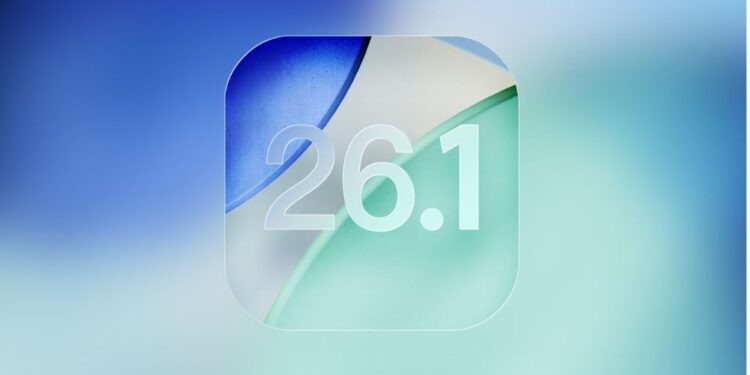
Apple has launched the iOS 26.1 update with a focus on Liquid Glass settings and AI features. The new update aims to enhance the iPhone experience even more intuitively and securely on eligible iPhones. Here, we share what’s new with this OS issue and how you can get it. Keep reading.

iOS 26.1 features

Here are the major highlights of the iOS 26.1 update.

  • Liquid Glass setting: iOS 26.1 lets you change the translucency of the Liquid Glass UI for the Lock Screen. You get two options: Clear or Tinted and that should make it clear how they intend the phone’s interface to look with either of those two options. Clear is the default, but if you choose Tinted, you get increased opacity in the Lock Screen and Notification Centre for more visibility.
  • Live Translation languages: The new update introduces new language support for Live Translation on eligible iPhones. These include support for Chinese (Mandarin, simplified), Chinese (Mandarin, traditional), Italian, Japanese, and Korean. The feature will now let you translate these languages during calls, messages, etc.
  • Install security improvements automatically: Another iOS 26.1 feature is that it enables your iPhone to install security improvements automatically. For this, you need to go to Settings, tap on Privacy & Security, and choose Background Security Improvements.
  • Prevent opening of camera app from lock screen: Apple’s latest update also brings a new toggle, which allows you to enable or disable the “Lock Screen Swipe to Open Camera.” The feature helps prevent accidental opening of the camera app from the swipe left feature, which can be irritating and nagging for users. That’s no more now.  

How can I install iOS 26.1 on my iPhone?

You can download and install iOS 26.1 on your iPhone through Settings > General > Software Update > Update Now.

Check out the latest price of iPhone 17 Pro Max in Nepal

Conclusion

iOS 26.1 is not a major update; however, it presents some key feature enhancements and convenience. The Translucent feature gets an adjustment option, while users can let their iPhones install security improvements automatically. Despite being a comparatively minor extension of iOS 26, the latest udpate does bring valuable services to the users.

So, if you install this update, don’t forget to share how you felt about it in our comment box below.

Follow us on Facebook, Twitter, and Viber to get the latest news, and information about Nepal Telecom, Ncell, Smart Cell, ISPs, mobile apps, and phones in Nepal.

Latest Posts

  • Nepal Telecom to shut down 3G, urges users for 4G switch
  • Xiaomi 17 Ultra teased for Nepal launch, find its jaw-dropping specs
  • Nepal maintains best internet speed in South Asia: Ookla
  • POCO X8 Pro launched with 6.59″ display, Offline Communication
  • Nokia shares vision for WiFi 9, these are its promises
  • POCO X8 Pro Max launched with 9000mAh battery
  • How Smart Tech Changes the Way You Travel to Canada
Comments
Previous Post

vivo Y400 launched in Nepal with 6,000mAh battery

Next Post

19 areas in Kathmandu get free WiFi, find places and speed

Dinesh

Dinesh

An experienced tech writer covering news mostly on telecommunication, internet, latest tech & trends, and Gadgets. Being a technophile, I am particularly fascinated by the evolution of mobile networks in Nepal from legacy networks (2G, 3G) to 4G (with VoLTE, VoWiFi, eSIM) and the prospects of the upcoming 5G, and equally enthralled by the development of internet from the dial-up connection to the 2 Gbps XGS-PON fiber broadband technology and their transformative impact in the country.

Related Posts

Tech News

Nokia shares vision for WiFi 9, these are its promises

March 18, 2026
Google Maps Ask Maps Immersive Navigation
Tech News

Google Maps brings Ask Maps, 3D navigation, key updates in over a decade

March 20, 2026
5G spectrum auction in Pakistan
Tech News

Pakistan raises $510 million in 5G spectrum auction

March 13, 2026
Load More

Leave a Reply Cancel reply

Your email address will not be published. Required fields are marked *

You may also read

Ntc FTTH

Nepal Telecom Fiber Internet: Price, Speed, Offer, Packs [2026]

March 9, 2026
how to check Ntc Ncell number owner name and transfer ownership

How to check Ntc, Ncell number owner name & Transfer

February 12, 2026
Nepal Telecom Ntc customer care numbers

Ntc Customer Care Number for Complain & Info Query [2026]

February 5, 2026
Nepal Telecom Ntc eSIM

How to Activate Ntc eSIM? Upgrade or New [2026 Update]

March 9, 2026
Ntc Namaste Wifi service with 4G LTE router

Namaste Wifi | Ntc’s Wireless Broadband with 4G Router [2026]

January 7, 2026
Broadband

Nepal maintains best internet speed in South Asia: Ookla

March 20, 2026
NepaliTelecom

Nepalitelecom.com is a website/blog which provides information regarding telecommunication in Nepal along with Gadgets and has been doing some research for the telecom market in Nepal. We intend to do more of such survey/research in the Nepalese Telecom sector.

SiteMap

📢 Follow us on Viber to get the latest news, and information about Nepal Telecom, Ncell, ISPs, mobile apps, and phones in Nepal.

Popular Categories

Ntc | Ncell | Telco News | ISP | NTA | Gadgets

Recent Posts

  • Nepal Telecom to shut down 3G, urges users for 4G switch
  • Xiaomi 17 Ultra teased for Nepal launch, find its jaw-dropping specs
  • Nepal maintains best internet speed in South Asia: Ookla

© 2025 Nepalitelecom

No Result
View All Result
  • Home
  • Telco News
  • Gadgets Nepal
  • Nepal Telecom
  • Ncell
  • Digital Nepal
  • How To
  • Editors’ Pick

© 2025 Nepalitelecom