Last Updated on September 24, 2026
Summary✨
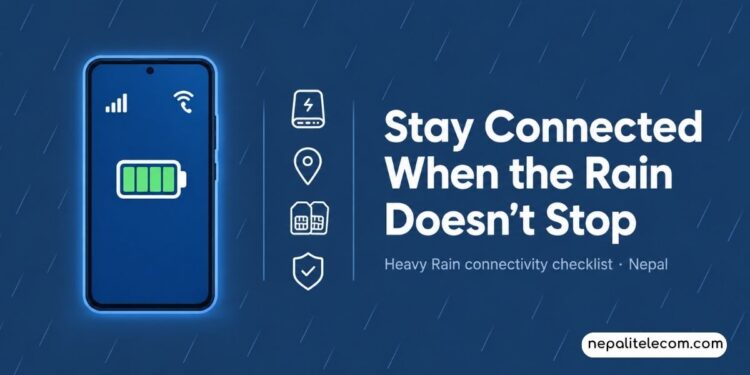
- During the monsoon season or disaster prone period, prepare for emergencies by fully charging your devices and ensuring your SIM card is active.
- Buy a data pack to maintain connectivity without WiFi and download offline maps and emergency contacts for quick access.
- Prioritize essential calls and use messaging apps efficiently to minimize network congestion during disasters.
- If mobile signals weaken, toggle airplane mode, restart your phone, or switch networks to regain coverage.
- Stay informed of official weather updates and carry connectivity tools when evacuating to ensure safety.
The monsoon season is still on, and so is the growing risk of a series of floods, landslides, power outages, and mobile network disruptions. During such emergencies, a smartphone becomes the most important tool, from connecting with the dear and near ones to calling for help. As Nepal braces for another possible flood between Ashoj 9-11, 2083, connectivity becomes just as more important.
Therefore, small precautions and efforts during the bad weather could work as lifesavers for us. The post offers some practical tips to ensure that you remain connected to the network when things get worse during the rainy season.

Table of contents
Things to do before floods and landslides
Fully Charge Smartphones and Other Electronics
Since a power outage is expected, always maintain a full charge on your smartphone, tablet, laptop, and any other electronics you have. If you have a power bank, then also keep it juiced up or buy one as it is very necessary at such times. It’s also wise to keep your chargers in one place so that you find them easily whenever you need them.
Ensure Your SIM Card is Active
Make sure your SIM card is active. It means that you can make and receive calls. It shouldn’t have one-way barring, which doesn’t allow you to place calls. If you haven’t checked for a while, then check the validity of your SIM and recharge it so that you get some balance and validity on your SIM.
Buy a data pack
It’s also advised that you buy a data pack for browsing. If the power outage occurs and you lose WiFi, data will be served perfectly. If you have an auto-renewal pack, then ensure you have enough balance in your SIM so that it auto-renews when the existing pack expires.
Know the number to dial to buy data packs.
Dial *1415 # in Ntc
Dial *123# in Ncell
Download offline maps
Download offline map, documents, and keep a copy of the emergency contact list (in hard copy) if you find them necessary. Navigation will be very convenient with offline maps, as you can save a data pack and it will still work perfectly. If you have to reach a nearby hospital, give the location to rescuers or close ones; you can share your map location in an adverse situation. You must also have a weather app that shows you the weather conditions for more than a day to see what it will be like in the following days.
Save Emergency Numbers
Make sure you have emergency numbers of police, ambulance, hospital, fire brigade, municipality, etc. You should save these numbers on your device so that they are always on your phone, even if the SIM card is ejected.
Enable WiFi Calling (If Supported)
Enable WiFi Calling (VoWiFi) so that you can make calls even when there’s no cellular coverage. During natural disasters like landslides and floods, a power outage can keep mobile signals down. In such times, if WiFi is available, you can still make or receive calls at normal rates. Check if your device supports WiFi Calling, and if it does, you should activate it ASAP.
Keep Both SIM Cards Ready
If you use two SIMs (primary SIM and secondary SIM), you should have both of them active and in use. Best, if you use NTC and Ncell SIMs, you can access their coverage and services, so when one’s not working, the other may work. But it’s advisable that you have balance and packs on both SIMs.
Reduce Battery Consumption Before an Emergency
Don’t let your devices’ batteries drain faster during an emergency. For these, there are some tips to save battery juice on your phone. Disable background activities on your phone, lower screen brightness, disable Bluetooth and data when not necessary, turn off GPS and other services. These help extend your phone’s battery life. Also, do things as far as possible on tablets, laptops, and other devices to ensure their battery is as efficient as possible. Or you can also put your phone to battery saving mode or low power mode.
Things to do during floods and landslides
Prioritize Essential Calls
During the disaster, use calls that are necessary. Only make important calls, maybe for emergency services, to help others stay safe, or convey important updates. Also, by keeping calls to a minimum, you help others by not congesting the network. Make short conversations and send SMS if voice fails.
Use Messaging Apps Efficiently
If messaging apps such as WhatsApp, Messenger, Viber, TikTok, or any other platform that lets you contact others. But avoid draining the data pack by performing HD calls, streaming videos, or downloading large files. Essentially, by refraining from these acts, you also save batteries on your device.
If the mobile signal becomes weak, do these
If the mobile signal weakens, then toggle Airplane/flight mode on or off. You can also restart your phone, turn on and off data, and switch between networks. Move around to see if your device catches a network.
➤➤ 10 best tips to get better mobile signal
Preserve the battery from being discharged at any cost
If a power outage occurs and lasts for a long time, implement every step to lengthen the battery on your phone. Turn off data, deactivate background activity of apps, don’t play games or stream videos, and lower the brightness, which is said to be effective for battery saving on AMOLED screens.
Follow Official Weather and Emergency Updates
During landslides and floods, one of the things you must do is stay updated about the latest weather information. Follow official channels such as the Department of Hydrology and Meteorology (DHM), the National Disaster Risk Reduction and Management Authority (NDRRMA), local authorities, etc., to get all the latest weather updates and forecasts to catch up with all the relevant information during the crisis.
You can also get weather forecast and flood warning by dialing a number in Ntc.
If the Electricity Goes Out
Power outages can last hours to days at worst. So, use power banks when the battery is critically low. If you have more than one phone, use one for emergency cases only. If you have two SIMs, deactivate one and use only when you have to, to save battery. Make sure the one SIM you have enabled have enough balance. Charge your phone and power banks whenever you can.
✅How to use internet without electricity?
If You Need to evacuate, carry the devices
If you need to evacuate, then don’t forget to keep emergency kits with you and other tools for connectivity. Ensure that you take your phone, charger, power banks, SIM ejector tool, ID documents, torch, feature phone (if you already have it for long lasting battery), plastic bag to save your phone from water etc. These help you call, use the internet, and help you stay safe during the crisis.
If Mobile Networks Stop Working
Due to a power outage or damage to the telco infrastructure, you stop getting network coverage. If it happens, use another SIM from another telco to see if you get the signal. Also, try making a call, send an SMS instead of a voice call. Or best, use WiFi Calling to dial calls. A restart or turning on/off flight mode may help restore the network.
Try to go to higher grounds to be safe from floods and also to get mobile signal required for communication.
Final Thoughts
During monsoon season or potential disaster periods, heavy rains can cause floods and landslides causing massive effects on connectivity and jeopardize the lives and properties of millions. But taking a few small but significant steps beforehand, such as charging the devices, buying a data pack, and downloading offline maps, greatly helps in keeping you connected and safe.
Your smartphone with balance, pack, and battery can become your lifeline in emergencies. It lets you send or receive vital information from authorities, exchange updates with families, and get weather information. This is why preparing yourself before the disaster is critical to safety during the monsoon season in Nepal.