• Ntc
  • Ncell
  • Samsung
  • Apple
  • Xiaomi
  • 2G to 5G
  • ISP
  • NTA
  • Tariffs
  • About us
Wednesday, May 20, 2026
NepaliTelecom
  • Home
  • Telecom News
    • News
    • NTA
    • Ntc
    • Ncell
    • Smart Cell
    • Digital Nepal
  • Gadgets
  • How To
  • Editors’ Pick
  • Contact
  • About
No Result
View All Result
  • Home
  • Telecom News
    • News
    • NTA
    • Ntc
    • Ncell
    • Smart Cell
    • Digital Nepal
  • Gadgets
  • How To
  • Editors’ Pick
  • Contact
  • About
No Result
View All Result
NepaliTelecom
No Result
View All Result

Home » Apps » Link Your Bank Account To Khalti Digital Wallet And Get A Bonus Of Rs. 100

Link Your Bank Account To Khalti Digital Wallet And Get A Bonus Of Rs. 100

Dipika by Dipika
June 9, 2021
in Apps, Digital Nepal
Reading Time: 3 mins read
bank link khalti bonus
Follow us on

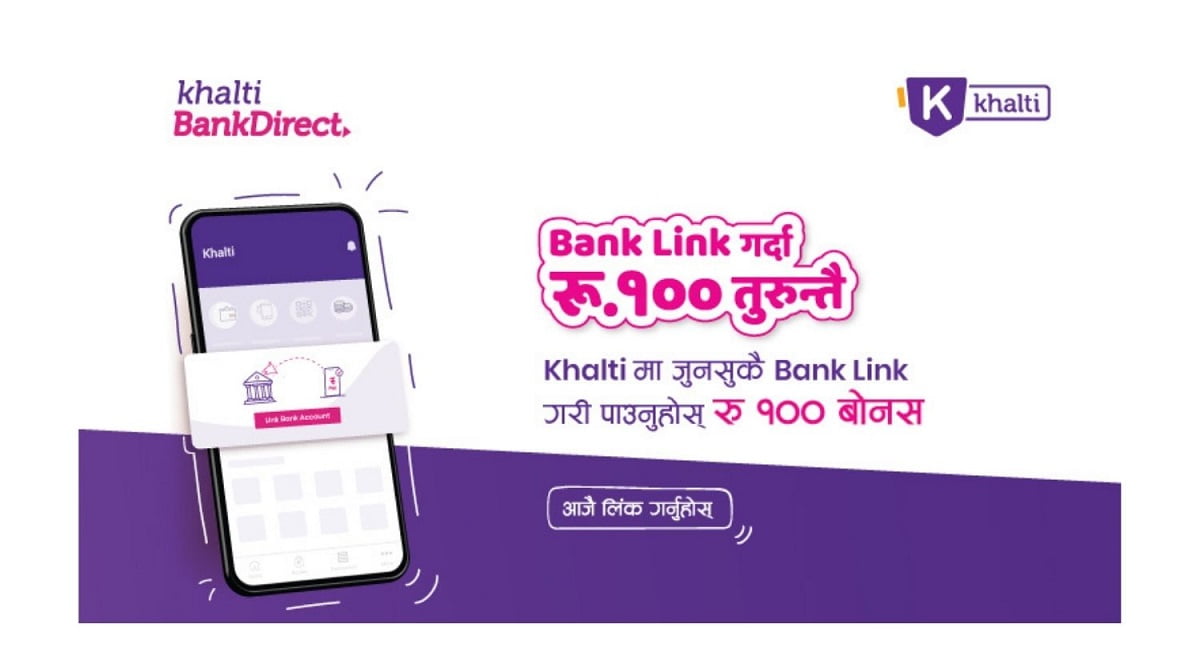
Khalti Digital Wallet, a leading online payment platform in Nepal, is offering a bonus of Rs. 100 on linking your bank account to the Khalti account. With this offer, Khalti aims to encourage direct and hassle-free payments amid the pandemic from home. 

Khalti Bank Direct service 

The Khalti Bank Direct service allows users to link their bank account to Khalti. However, you get the bonus only the first time you link your bank account. 

With Khalti Bank Direct Service, users can make direct payments and bank transfers. It means you don’t necessarily have to load funds to Khalti to perform transactions. You can pay bills of water, electricity, insurance, TV, revenue, internet, and other available services directly from the linked bank account. 

According to Khalti Digital Wallet’s Brand and Marketing Manager, Mr. Sirish Shrestha, “Amidst COVID-19 pandemic, we have brought a bonus offer to encourage the use of this convenient service. This service will be beneficial to get rid of the hassle of loading funds time and again once the bank is linked to Khalti. This service has been the most favorite and convenient service of our users.” 

Check out: Top Mobile Wallets in Nepal

How to link your bank account to Khalti? 

Follow these simple steps to link your bank account to Khalti. 

  • Open the Khalti app on your phone. 
  • Click on “link bank now” on your home screen.  
  • Enter all the necessary details and click on Submit. 
  • Then, you will receive an OTP on the number you entered.
  • Enter the received OTP code, and the Khalti direct service gets activated on your Khalti account. 
  • You will also receive a bonus of Rs. 100 on completing the steps for the first time.
  • Make sure you have the same number in both the bank and Khalti accounts. It also needs enabling of mobile banking on your bank account.

With the first launch, 14 banks are available for the linking for now, which shall increase in the coming days. Sometimes you may not receive the OTP code instantly, for which you need to wait or check for other problems.

Check out: Buy Ntc packs on Khalti wallet

So, link your bank account to your Khalti account before the offer ends. Get Rs. 100 bonus on linking your bank account. After linking your bank account, make direct digital payments instantly, safely, and conveniently. 

Follow us on Facebook, Google News, and Viber to get the latest news, and information about Nepal Telecom, Ncell, Smart Cell, ISPs, mobile apps, and phones in Nepal.

Latest Posts

  • Nepal Telecom starts 4G service in Olangchung Gola
  • iPhone 17 Price in Nepal: Official Price, Specs & Where to Buy (2026)
  • Ncell Foundation announces Ncell SEE Scholarships for 100  SEE graduates
  • Nepal Telecom expands capacity of BTS tower in Korala border area
  • Only 56% use internet in Nepal: Sharp reality vs expection in DataReportal stats
  • Government yet to receive Rs 51.57 crore as royalty and RTDF fees in FY 2080/81: OAG report
  • Uber Registration live in Nepal: How to sign up and our first app impressions
Comments
Previous Post

ZTE Axon 30 Ultra 5G Coming Soon to Nepal; The New Level Premium Flagship

Next Post

Realme Buds Air 2 with ANC, IPX5 water resistance, Bluetooth 5.2 Launched in Nepal

Dipika

Dipika

Related Posts

Uber registration in Nepal
Apps

Uber Registration live in Nepal: How to sign up and our first app impressions

May 16, 2026
DGo app FIFA World cup 2026 Streaming Nepal fee
Apps

DGo app to stream FIFA World Cup 2026 matches, subscription fee out!

May 14, 2026
End-to-end encrypted RCS messaging launches for iPhone-Android users
Apps

End-to-end encrypted RCS messaging launches for iPhone, Android users

May 13, 2026
Load More

You may also read

Ntc FTTH

Nepal Telecom Fiber Internet: Price, Speed, Offer, Packs [2026]

May 9, 2026
How to check SEE Result 2082 online Nepal

How to Check SEE Result 2082 Online: NTC, SMS, Websites & Marksheet Guide

May 11, 2026
Nepal Telecom Ntc eSIM

How to Activate Ntc eSIM? Upgrade or New [2026 Update]

May 19, 2026
Nepal Telecom Ntc customer care numbers

Ntc Customer Care Number for Complain & Info Query [2026]

February 5, 2026
how to check Ntc Ncell SIM owner name change Nepal 2026

How to Check & Change Ntc, Ncell SIM Owner Name [2026 Updated Guide]

May 9, 2026
New WorldLink logo

WorldLink Internet Packages: Price, Offers, FUP, 2026 update

January 7, 2026
NepaliTelecom

Nepalitelecom.com is a website/blog which provides information regarding telecommunication in Nepal along with Gadgets and has been doing some research for the telecom market in Nepal. We intend to do more of such survey/research in the Nepalese Telecom sector.

SiteMap

📢 Follow us on Viber to get the latest news, and information about Nepal Telecom, Ncell, ISPs, mobile apps, and phones in Nepal.

Popular Categories

Ntc | Ncell | Telco News | ISP | NTA | Gadgets

Recent Posts

  • Nepal Telecom starts 4G service in Olangchung Gola
  • iPhone 17 Price in Nepal: Official Price, Specs & Where to Buy (2026)
  • Ncell Foundation announces Ncell SEE Scholarships for 100  SEE graduates

© 2026 Nepalitelecom

No Result
View All Result
  • Home
  • Telco News
  • Gadgets Nepal
  • Nepal Telecom
  • Ncell
  • Digital Nepal
  • How To
  • Editors’ Pick

© 2026 Nepalitelecom