• Ntc
  • Ncell
  • Samsung
  • Apple
  • Xiaomi
  • 2G to 5G
  • ISP
  • NTA
  • Tariffs
  • About us
Tuesday, January 13, 2026
NepaliTelecom
  • Home
  • Telecom News
    • News
    • NTA
    • Ntc
    • Ncell
    • Smart Cell
    • Digital Nepal
  • Gadgets
  • How To
  • Editors’ Pick
  • Contact
  • About
No Result
View All Result
  • Home
  • Telecom News
    • News
    • NTA
    • Ntc
    • Ncell
    • Smart Cell
    • Digital Nepal
  • Gadgets
  • How To
  • Editors’ Pick
  • Contact
  • About
No Result
View All Result
NepaliTelecom
No Result
View All Result

How to pay for Fopi Movies, Music?

NepaliTelecom by NepaliTelecom
August 18, 2022
in Apps, How To
Reading Time: 3 mins read

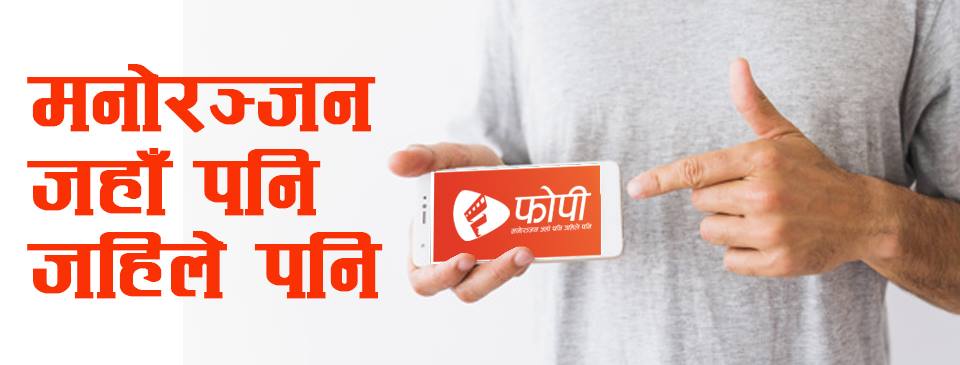
Fopi App, the latest movie and music streaming platform has enabled payment using Ntc balance. Fopi makes the latest movie and music available in the mobile application. Using the app, the customer can do a video on demand streaming on multiple platforms both online and offline. Find the process below for how to pay for the movies, music using Ntc and more.

Fopi is a piracy free entertainment app which provides authentic Nepali and regional movies, songs, videos, and TV series. Fopi has kept on adding new Nepali movies and music. As known, they will add international content as well. There are three different options now for the payment of Fopi app.

  • Fopi Balance
  • Card
  • Ntc

People can buy content in the app either by going to nearest FOPI pasal offline or through the internet (using Fopi balance or eSewa) at your home. You can top up Fopi balance through Fopi PIN or eSewa. People can also buy the content using a visa card or master card as well.

Once customers click any content like movies, music in the Fopi app, they will either provide it for free or prompt for the three options. Then you can select any one of the three processes to pay for the content. Here is the process to buy Fopi content using Ntc balance.

  • If you select Ntc balance, you need to put your number in the new page.
  • Then you will get a password in your mobile as SMS.
  • The app will itself read the code or you need to put the number in there.
  • After which, the payment for the content is successful for a month period.

As Ntc customer can use the balance for the Fopi payment, it will be very convenient. You can download Fopi app in Android from the Google play store here. They will soon bring the app in iOS.

Cost of Fopi content

There are four types of contents like Movies, Series, Videos, and Audios. Some of the content is still available for free like those already released Youtube movies. Here is what we have found the cost of some of the movies and music.

  • Price of new movies: Rs 30 to Rs 50 (for NTC balance)
    • The same content costs less when you are paying by Fopi Balance. Rs 50 movie costs Rs 30 and Rs 30 movie costs Rs 25. That means they want the customer to prefer Fopi balance or eSewa for the payment.
  • Price of song Album: Rs 15 for Ntc balance
    • The same Audio content costs Rs 6.25 or less while paying through Fopi Balance.

READ ALSO

  • WOWtime streaming application in Ntc for video streaming and more.
  • Fopi app for piracy-free entertainment with movies, music streaming.

Follow us on Facebook, Twitter, and Viber to get the latest news, and information about Nepal Telecom, Ncell, Smart Cell, ISPs, mobile apps, and phones in Nepal.

Latest Posts

  • Phone price is set to increase in 2026, leaving buyers with 2 classic choices
  • WiFi 8 Highlights: What will it bring besides 46 Gbps speed?
  • Apple iPhone Price in Nepal | Latest update January 2026
  • How to add your favorite news source in Top Stories, Google
  • Nepal Telecom now lets you update KYC online on your phone
  • Nepal Telecom’s FTTH and BTS affected in Pokhara, service restoration work ongoing
  • Ncell launches ‘Yuwa SIM’ for Gen Z with data, unlimited calls, free digital wallet access
Comments
Previous Post

Smart Telecom’s new customer center in Newroad

Next Post

IME pay provides Dashain offer for Airlines ticketing

NepaliTelecom

NepaliTelecom

Related Posts

How to add favorite news source to Top stories Google
How To

How to add your favorite news source in Top Stories, Google

January 11, 2026
Apps

Daraz kicks off New Year 2026 campaign with up to 70% off

December 31, 2025
Buy Ntc eSIM on Khalti wallet app
Apps

Buy Ntc eSIM on Khalti app in easy steps

December 23, 2025
Load More

You may also read

IPO results Mero share

Now You Can View IPO Results Immediately | CDSC Improves System

November 13, 2021
Ntc FTTH

Nepal Telecom Fiber Internet: Price, Speed, Offer, Packs [2026]

January 7, 2026
how to check Ntc Ncell number owner name and transfer ownership

How to check Ntc, Ncell number owner name & Transfer Ownership

October 19, 2025
Ntc KYC update on phone

Nepal Telecom now lets you update KYC online on your phone

January 11, 2026
Nepal Telecom Mobile App update

Ntc Brings SIM KYC Update and FTTH Portal on Mobile App

October 19, 2025
Mero Share login

Mero Share: How To Apply for Share (IPO) Online in Nepal?

December 24, 2023
NepaliTelecom

Nepalitelecom.com is a website/blog which provides information regarding telecommunication in Nepal along with Gadgets and has been doing some research for the telecom market in Nepal. We intend to do more of such survey/research in the Nepalese Telecom sector.

SiteMap

📢 Follow us on Viber to get the latest news, and information about Nepal Telecom, Ncell, ISPs, mobile apps, and phones in Nepal.

Popular Categories

Ntc | Ncell | Telco News | ISP | NTA | Gadgets

Recent Posts

  • Phone price is set to increase in 2026, leaving buyers with 2 classic choices
  • WiFi 8 Highlights: What will it bring besides 46 Gbps speed?
  • Apple iPhone Price in Nepal | Latest update January 2026

© 2025 Nepalitelecom

No Result
View All Result
  • Home
  • Telco News
  • Gadgets Nepal
  • Nepal Telecom
  • Ncell
  • Digital Nepal
  • How To
  • Editors’ Pick

© 2025 Nepalitelecom