

• Ntc
  • Ncell
  • Samsung
  • Apple
  • Xiaomi
  • 2G to 5G
  • ISP
  • NTA
  • Tariffs
  • About us
Saturday, February 14, 2026
NepaliTelecom
  • Home
  • Telecom News
    • News
    • NTA
    • Ntc
    • Ncell
    • Smart Cell
    • Digital Nepal
  • Gadgets
  • How To
  • Editors’ Pick
  • Contact
  • About
No Result
View All Result
  • Home
  • Telecom News
    • News
    • NTA
    • Ntc
    • Ncell
    • Smart Cell
    • Digital Nepal
  • Gadgets
  • How To
  • Editors’ Pick
  • Contact
  • About
No Result
View All Result
NepaliTelecom
No Result
View All Result

Top Features of Android 15, Read it here

Aman Shrestha by Aman Shrestha
June 13, 2024
in Tech News
Reading Time: 4 mins read
Top Features of Android 15

It’s that time of the year, both iOS 18 and Android 15 are already out, though it’s in the Beta version right now. This new iteration of the popular smartphone OS is called Vanilla Ice Cream. And it brings cool new features as always. Here in this piece of article, let’s talk about the top features of Android 15.

Top Features of Android 15

1. Private Space

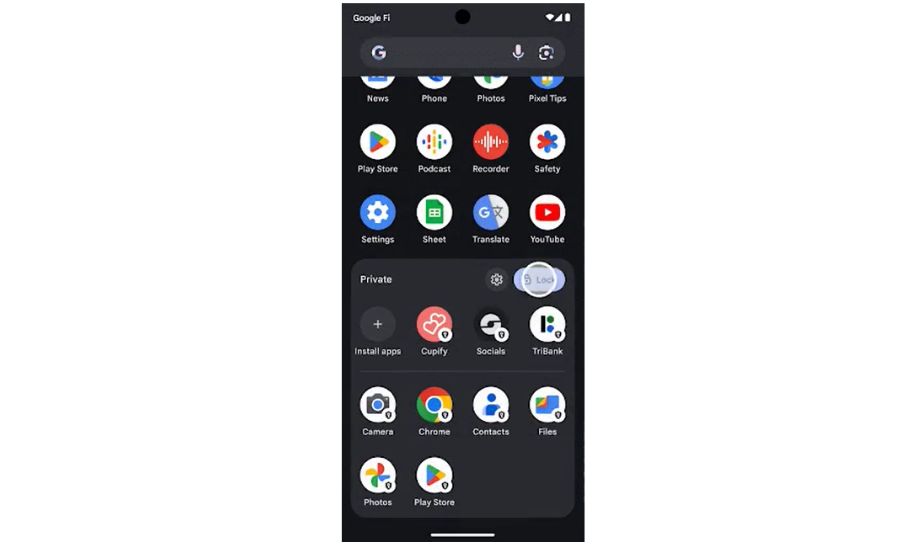
Android 15’s main highlighting feature is the Private Space. It creates an entirely different space for private app storage. If you are already using the Beta version on a Pixel phone, you can go to settings>security & privacy>private space. You can use a different Gmail for the Play Store and download apps inside the space for enhanced privacy. And those private apps don’t show anywhere else even when being searched on settings. A different fingerprint, password, and PIN can be set as well. Likewise, you can also add the existing app into private space by long-pressing.
Top Features of Android 15 Private Space

2. Saving Pairs for easy split app usage

Suppose you are using split-screen for two apps and want to save it, Android 15 can now allow it. Pressing either of the icons from the two apps will give you an option of “Save Pair’ and it will save it on the home screen. You can just tap on it and voila! Those apps will open at a split screen.

Do Read:- All Android Phones To Get The “Repair Mode” That Will Keep User Data Protected

3. Disable screen protection mode

Android 15 also brings a new feature that will allow taking screenshots even in a mobile banking app or in incognito pages. Otherwise, you cannot take screenshots in such sections. This feature is hidden inside the developer mode.

4. Screen recording for one app only

Continuing the privacy thing, the Vanilla Ice Cream OS lets you screen recording without any disturbance. Suppose you are doing a screen recording of a certain app and tons of private notifications pop up on the screen. So, if you turn this feature on, it will only screen record the app’s activities, and your pop-ups won’t be seen.

5. Adaptive Vibration

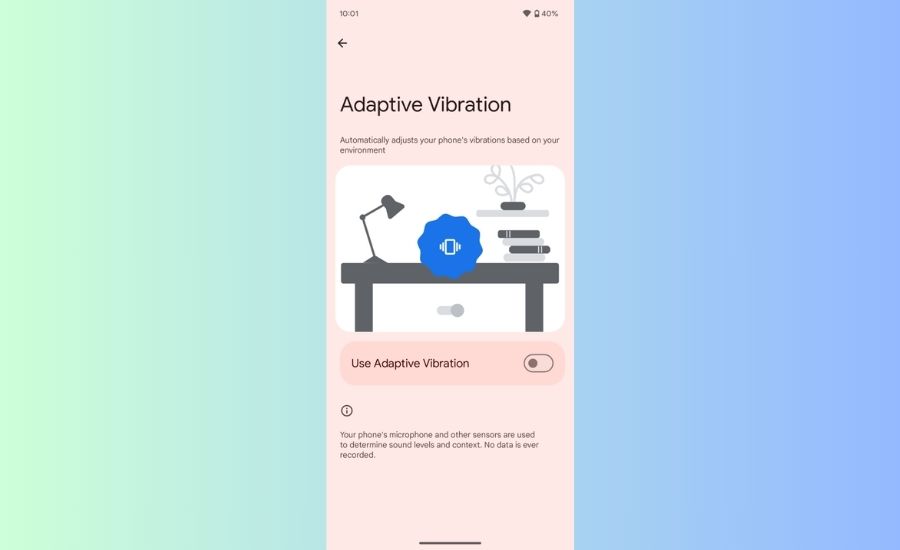
Turning this on will lower the vibrational intensity if the phone is placed on a table, to minimize annoying vibration sound. While if the phone is placed on a sofa, the intensity increases, so that you can easily know that your phone is vibrating. Likewise, sliding the brightness bar will also give you haptic feedback on Android 15.
6. Notifications Cooldown

Android 15 has got something for those who constantly spam your inbox. This feature can cool down the annoying notification sound. Turning on will gradually decrease the notification sound with an increasing number of messages.

Have a Read:- Google Launches Nearby Share App for Windows to Share Files With Android

7. Anti-theft and Remote Locking

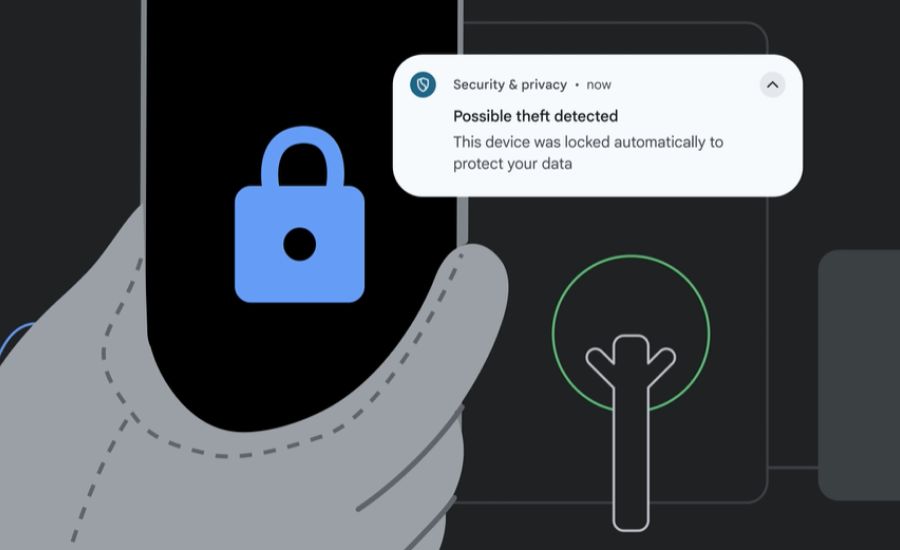
The Anti-theft feature will roll out in the upcoming versions. When someone snatches your phone away, the in-phone AI will automatically lock your phone. Another useful incoming feature is the remote locking. If you happen to lose your phone, you can visit android.com/lock. Then you can remotely lock your phone by answering a security question. The good news is that it will also be available for devices running Android 10 and later via a Play Service update.
Android 15 Anti theft feature

Also, Read:- Apple unveils iOS 18 with AI and RCS support: Find features

Android 15 Supported Devices

As of now only supported Pixel phones are eligible for a Beta update while other brands have also started providing developer preview access. The full version will arrive officially in October.

Google:- Pixel 6/Pro, Pixel 6a, Pixel 7/Pro, Pixel 7a, Pixel Fold, Pixel Tablet, Pixel 8/Pro, Pixel 8a

Developer Preview:- Honor, iQOO, Lenovo, Nothing, OnePlus, OPPO, realme, Sharp, Xiaomi, Vivo, Tecno


Follow us on Facebook, Twitter, and Viber to get the latest news, and information about Nepal Telecom, Ncell, Smart Cell, ISPs, mobile apps, and phones in Nepal.

Latest Posts

  • Vivo to launch Y31d with largest battery yet, find key details
  • POCO X7 Pro launched in Nepal with Dimensity 8400 Ultra SoC, 1.5K display
  • POCO F8 Pro launched in Nepal with Snapdragon 8 Elite
  • POCO phones relaunch in Nepal | Price, Specs
  • Ncell, Super Krishak App partner to provide digital agriculture services to farmers
  • Nepal Telecom’s profit declines to Rs 4.16 arba in Q2 FY 2082/83
  • Ncell has shut down 3G network in 3 districts, more gradually
Comments
Previous Post

World’s first 3D Spatial Audio call made by Nokia, Find benefits

Next Post

WorldLink Beat the Speed campaign concludes: 125km/h bowler

Aman Shrestha

Aman Shrestha

A guy dwelling in the world of tech, who's always amused about the latest crazy innovations happening around. You can call me both, Gadget lover and Tech Enthusiast, 2-in-1.

Related Posts

social media
Nepal

Government decides to withdraw the social media bill

February 3, 2026
Fiber-internet-connections
Tech News

Fiber lines reached 1.56 billion as cable, hybrid fiber lose market share

January 30, 2026
Kathmandu internet speed among top five cities
Tech News

Where does Kathmandu internet speed rank globally? Learn top five cities with fastest broadband

January 26, 2026
Load More

You may also read

How to watch T20 World Cup 2026 live in Nepal?

February 8, 2026
Ntc Job Vacancy Online Applications

Nepal Telecom Opens Vacancies for Various Positions 2082, Apply Job Online

February 10, 2026
Ntc FTTH

Nepal Telecom Fiber Internet: Price, Speed, Offer, Packs [2026]

February 5, 2026
Ntc recharge

NTC Recharge & How to Recover Pin Number in Recharge Card?

February 12, 2026
how to check Ntc Ncell number owner name and transfer ownership

How to check Ntc, Ncell number owner name & Transfer

February 12, 2026
Ntc KYC update portal

Nepal Telecom’s online KYC update is available across Nepal

February 9, 2026
NepaliTelecom

Nepalitelecom.com is a website/blog which provides information regarding telecommunication in Nepal along with Gadgets and has been doing some research for the telecom market in Nepal. We intend to do more of such survey/research in the Nepalese Telecom sector.

SiteMap

📢 Follow us on Viber to get the latest news, and information about Nepal Telecom, Ncell, ISPs, mobile apps, and phones in Nepal.

Popular Categories

Ntc | Ncell | Telco News | ISP | NTA | Gadgets

Recent Posts

  • Vivo to launch Y31d with largest battery yet, find key details
  • POCO X7 Pro launched in Nepal with Dimensity 8400 Ultra SoC, 1.5K display
  • POCO F8 Pro launched in Nepal with Snapdragon 8 Elite

© 2025 Nepalitelecom

No Result
View All Result
  • Home
  • Telco News
  • Gadgets Nepal
  • Nepal Telecom
  • Ncell
  • Digital Nepal
  • How To
  • Editors’ Pick

© 2025 Nepalitelecom