Last Updated on July 11, 2026
Summary✨
- Creative Fabrica Studio Desktop is a free AI-powered application for Windows and macOS, offering tools like background removal and image upscaling.
- It allows local processing, enhancing speed and privacy, compared to traditional cloud-based tools.
- The app caters to various creators, including Etsy sellers and graphic designers, streamlining their workflows.
- Key features include AI image generation, text-to-speech, and audio-related tools for enhanced creativity.
- While it has advantages like unlimited local tool access, performance depends on hardware and may require the internet for some features.
Content creators today need AI-powered tools to edit images, create graphics, and prepare products for online platforms. The problem is that many online AI services require you to pay and subscribe to a plan before you can access their features. Then, enter the Creative Fabrica Studio Desktop, an online free application that brings a suite of AI features for free that you can run locally on your computer. This advanced platform lets you remove the background of images, upscale them, generate AI images, and use text-to-speech without cloud processing.
Whether you’re an Etsy seller, designer, or content creator, the free Creative Fabrica Studio Desktop is here to help you streamline your creative workflow.

Table of contents
- What is Creative Fabrica Studio Desktop?
- Why Local AI Tools Matter
- Best Features of Creative Fabrica Studio Desktop
- How to Install Creative Fabrica Studio Desktop
- A Practical Creative Workflow on Creative Fabrica Studio Desktop
- Who Is Creative Fabrica Studio Desktop Useful For?
- Advantages and Limitations of using the Creative Fabrica Studio Desktop app
- Final Thoughts on Creative Fabrica Studio Desktop
- FAQs on Creative Fabrica Studio Desktop app
What is Creative Fabrica Studio Desktop?
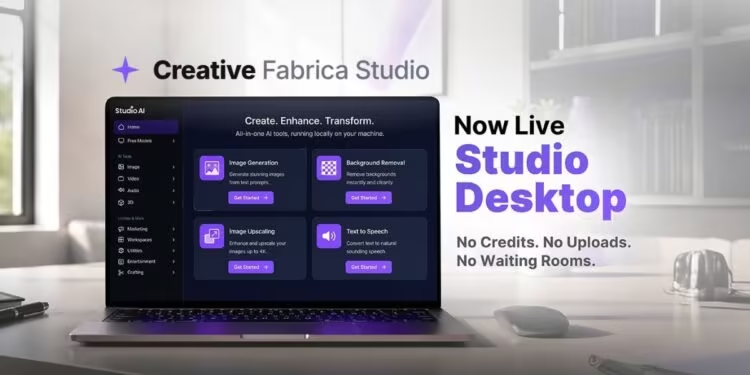
Creative Fabrica Studio Desktop is a free desktop application available for both Windows and macOS. It combines the Creative Fabrica Studio experience with AI-powered tools that can run locally on your computer after the necessary models have been installed.
The application currently offers:
- Background Removal
- Image Upscaling
- AI Image Generation
- Text-to-Speech
Unlike many online editing tools, supported local AI features don’t require image uploads every time you edit a file, making the workflow faster and more convenient for many creators.
Why Local AI Tools Matter
Cloud-based AI tools are certainly common, but they’re not always convenient for users. You may feel concerned about the security while uploading large images, which can potentially become time-consuming, especially when you’re editing dozens of product photos or preparing designs for printing.
But running AI tools locally offers several advantages as follows:
- No need to upload every image to an online service.
- Unlimited use of supported local AI tools without credits.
- Better suited for processing large batches of images.
- Greater privacy since supported tasks can be handled on your own computer.
- Useful when internet connections are slow or unreliable.
- Integrated directly into the Creative Fabrica Studio workflow.
These benefits make the desktop app particularly attractive for creators who regularly work with graphics and product images.
Best Features of Creative Fabrica Studio Desktop
Background Removal
Removing backgrounds is one of the most common editing tasks for online sellers, regular users, and pro designers.
Creative Fabrica Studio Desktop includes a free local AI background remover that helps remove unnecessary background in your images, making it easier to create professional-looking product photos or transparent images for various creative projects.
This feature is especially useful for:
- Etsy product listings
- Product photography
- Marketing materials
- Social media graphics
- Digital product previews
AI Image Upscaling
Another key highlight of the Creative Fabrica Studio Desktop app is that it allows you to upscale the image using AI, which enhances your image’s resolution while keeping its details. The result? You get to use an HD image and avoid blur in prints.
Therefore, the AI Image Upscaling feature is super helpful to
- Print-on-demand designs
- Posters
- Marketing materials
- Product mockups
- Digital artwork
AI Image Generation
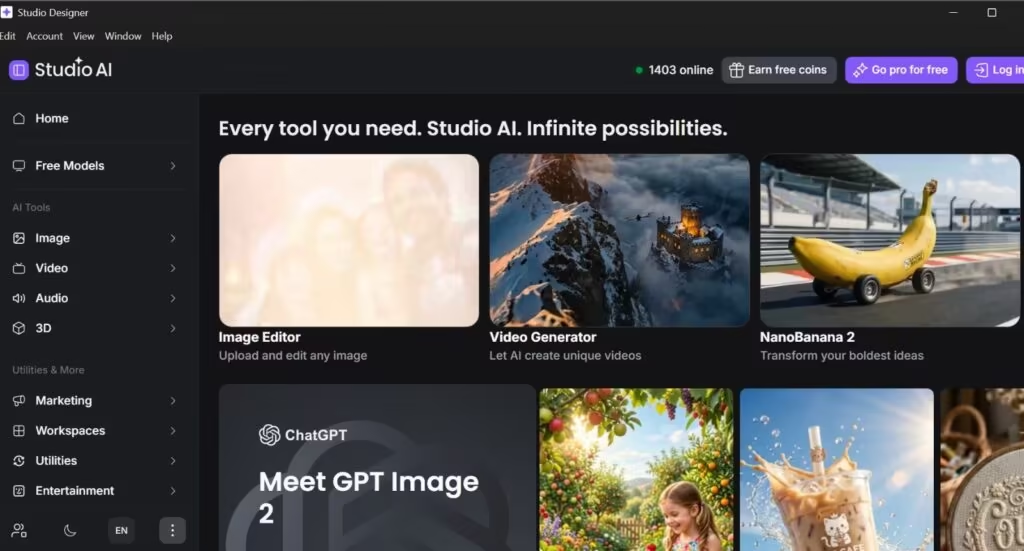
Users can also generate AI-created images, use a mockup generator, image editor, etc., directly within the application, keeping their creative workflow all in one efficient place.
Text-to-Speech
The desktop version also includes text-to-speech functionality, making it useful for creators producing presentations, videos, educational materials, or other multimedia content.
Audio features
You also get features such as AI Speech Generator, AI Sound Effect Generator, and AI Music Generator to enhance your creativity with audio. Many people are already making a name with AI-generated music these days. The Studio AI also lets you unlock your creativity in this department.
How to Install Creative Fabrica Studio Desktop
Installing the application only takes a few minutes.
- Visit the Creative Fabrica Studio Desktop download page.
- Click Download for Free.
- Open the downloaded installer.
- Click Run to begin installation.
- Wait for the installation to complete.
If Windows displays a “Windows Protected Your PC” message with a blue screen:
- Click More info
- Select Run anyway
The installation will then proceed normally.

You need to log in to get your edited works. The login process is easy. You can log in using your Google (Gmail), Facebook, or Apple ID.
A Practical Creative Workflow on Creative Fabrica Studio Desktop
One practical example of creating an Etsy product listing.
Suppose you have an image of a handmade mug with a busy background.
Using Creative Fabrica Studio Desktop, you can:
- Import (upload) the photo.
- Remove the background using the built-in AI background remover.
- Export the image as a transparent PNG if needed.
- Upscale the image for sharper product listings.
- Use the final version in your Etsy store or promotional materials.
Similarly, if you are a Cricut user, then you can prepare a transparent PNG file for cutting projects. Also, print-on-demand sellers can enhance lower-resolution artwork before printing on apparel or merchandise.
Who Is Creative Fabrica Studio Desktop Useful For?
The Creative Fabrica Studio Desktop app is useful for creators with different needs and natures, including:
- Etsy sellers
- Print-on-demand businesses
- Cricut users
- Sublimation creators
- Digital product sellers
- Graphic designers
- Teachers creating printable resources
- Small business owners
- Social media content creators
If you are the one who regularly edits images or prepares graphics for online publishing, you will surely benefit from having AI tools integrated into a desktop workflow.
Advantages and Limitations of using the Creative Fabrica Studio Desktop app
Advantages
- Free to download and use
- Available for both Windows and macOS users
- Includes AI-powered background removal and image upscaling
- Supported local AI tools can run on your computer after installation
- Unlimited use of supported local tools without credit systems
- Convenient integration with Creative Fabrica Studio
Limitations
- Performance depends on your computer’s hardware
- Local AI models must be downloaded before first use.
- Older computers may process images more slowly.
- Some Studio features may still require an internet connection or a Creative Fabrica account, depending on the workflow.
Keeping these into consideration provides a more balanced understanding of what users can expect from this AI platform.
Final Thoughts on Creative Fabrica Studio Desktop
Creative Fabrica Studio Desktop app brings together a large suite of creative design tools and locally supported AI features. If you are a creator who regularly edits images, prepares product photos, or designs assets for web articles, or marketplaces like Etsy or print-on-demand platforms, this is for you. For specific tools, it comes with highly useful features such as the ability to help you erase the background in an image and also upscale them to use them with a large resolution, which can save time and simplify the creative process.
Because supported AI tools can run locally after the required models are installed, you get greater flexibility while reducing reliance on cloud-based editing platforms. Whether you’re creating transparent PNG files, improving product photos, or preparing artwork for printing, Creative Fabrica Studio Desktop provides a practical solution worth exploring.
FAQs on Creative Fabrica Studio Desktop app
Yes. The application is free to download and includes supported local AI tools such as background removal, image upscaling, AI image generation, and text-to-speech.
Supported local AI tools can run on your computer after the required models have been installed.
Yes. It can work on both Windows and Mac computers. You can download it for free on your computer.
Yes. Background removal and image upscaling can help prepare cleaner, more professional-looking product images for Etsy listings.
Yes. Image upscaling can help improve artwork before using it for print-on-demand products.
You can pay for its subscription via PayPal; however, you can also use its trial version for free.