• Ntc
  • Ncell
  • Samsung
  • Apple
  • Xiaomi
  • 2G to 5G
  • ISP
  • NTA
  • Tariffs
  • About us
Wednesday, August 26, 2026
NepaliTelecom
  • Home
  • Telecom News
    • News
    • NTA
    • Ntc
    • Ncell
    • Smart Cell
    • Digital Nepal
  • Gadgets
  • How To
  • SpeedTest
  • Contact
  • About
No Result
View All Result
  • Home
  • Telecom News
    • News
    • NTA
    • Ntc
    • Ncell
    • Smart Cell
    • Digital Nepal
  • Gadgets
  • How To
  • SpeedTest
  • Contact
  • About
No Result
View All Result
NepaliTelecom
No Result
View All Result

Home » Editors' Pick » What is a USSD Code and Why You Should Prefer it?

What is a USSD Code and Why You Should Prefer it?

Dinesh by Dinesh
October 19, 2025
in Editors' Pick
Reading Time: 4 mins read
USSD
Follow us on

Last Updated on October 19, 2025

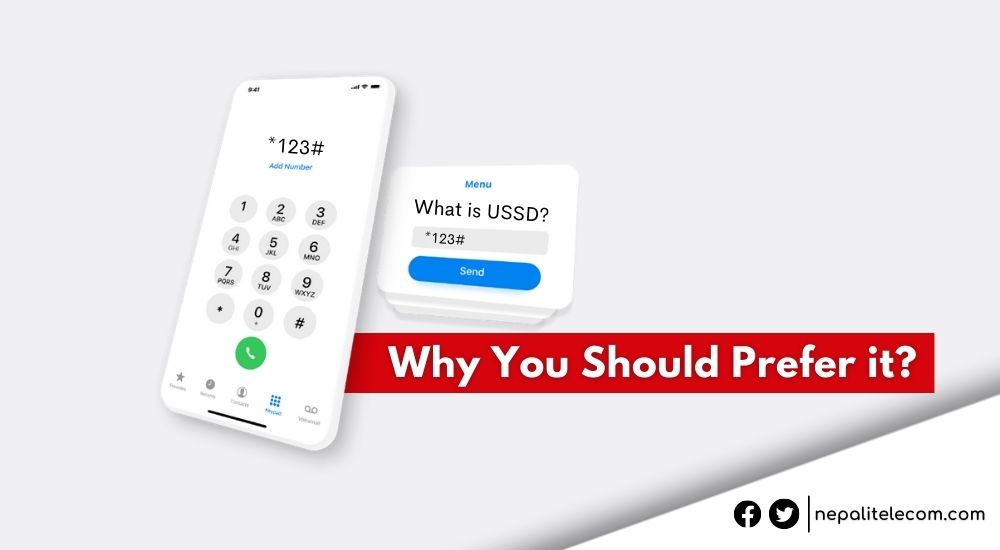
USSD code, short for Unstructured Supplementary Service Data is a GSM network’s communication protocol that is used to send messages. The USSD codes comprise numbers and symbols on a phone that we dial for a range of services such as buying data packs, checking the number, testing networks, etc. It is a real-time query-generated service.

The USSD codes are an interactive and short query-based message system working on a separate channel. Telecom operators provide the service to allow a fast and convenient way of providing their most useful services. Through the USSD, we can dial codes to find out mobile numbers, transfer mobile balances, activate and deactivate many other Value Added Services (VAS), etc. These are like SMS but USSDs do not leave a trace on our mobile phones.

Telcos provide a large share of services through these shortcodes. This ranges from a balance query, recharging, and transferring a balance, CRBT, Missed-Call alerts, etc. If you are a Namaste Pay user, you can access the offline purchases via *500#.

Check out: All Telcos to have Common Short Codes for Balance Check, Transfer, & Recharge

How does a USSD code work?

A USSD code works with a user sending a query by dialing a sequence between an asterisk (*) and a hash (#). For an instance, if a user wants to check a balance, she/he would dial a particular sequence of numbers. These vary among telcos. Just to give you an example, the table below shows different USSD codes for similar services among different telcos.

USSD serviceNtcNcellSmart Cell
Balance check*400#*101# or *901#*123#
Subscribing to data packs*1415#*17123#*141*3#

Upon sending the query, the USSD gateway shows the response on the mobile screen. The user can find the required information or proceed as per the instructions shown on the screen. These codes for most frequently used services won’t go beyond 5 numbers.  
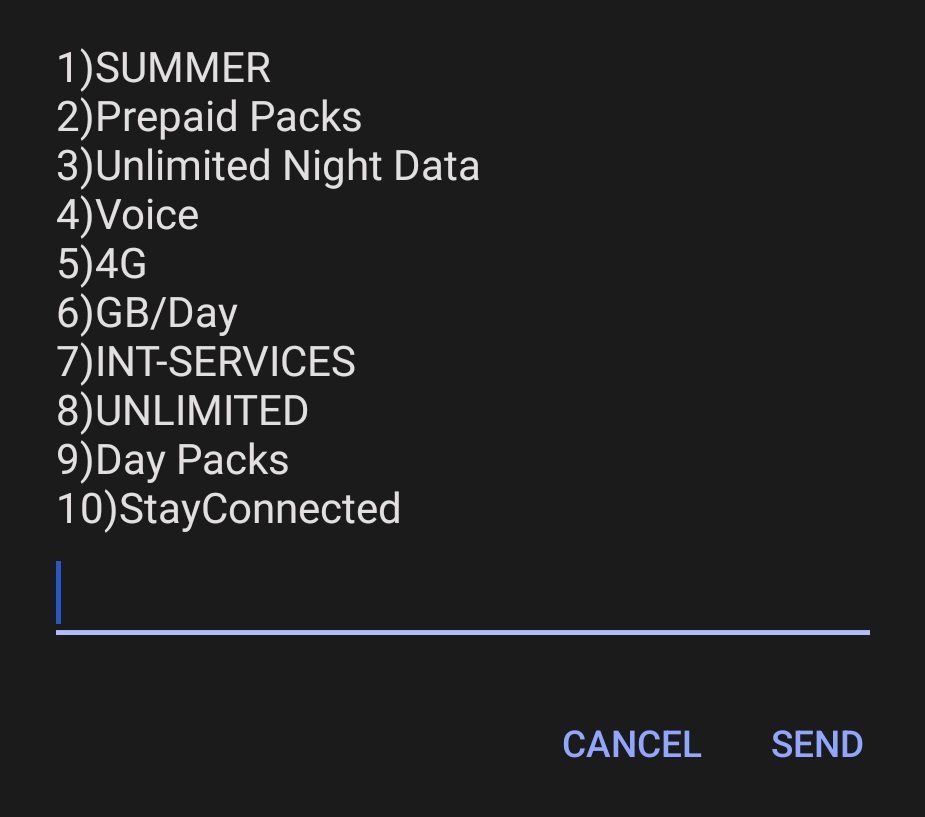
USSD code for data pack

USSD applications operate on a carrier provider’s network and not on a user’s device. So, a user doesn’t have to download a separate app to acquire services. That also means any user who is on a mobile network has an access to the USSD functions and services.

USSD applications run on the network, not on a user’s device. As such, they don’t have to be installed on the user’s phone, which is an advantage for users with feature phones that have limited storage space. USSD apps are instantly available to every subscriber the moment they’re deployed to a network.

Also see:

  • Important numbers/USSD codes in Ncell for subscription offers
  • Important numbers/USSD codes in NTC for subscription, offers

Why do we prefer USSD or shortcodes?

  • Because USSDs are fast and immediate to mobile phone users.
  • At the same time, it works offline so there is no need to worry about an internet connection.
  • Customers serve themselves. There is no need to call customer care or visit a branch.
  • USSD codes are real-time and actions are performed instantly unlike SMS, the queries performed are not stored anywhere on a phone. So, no space is occupied.
  • Works on any phone. Most services are available on both feature and offline phones.  
  • Adding CRBT, checking and transferring a balance, and performing network tests come within a few clicks. So, these bring an extremely satisfying customer experience.

Check out: Ntc recharge card pin recovery

How often do you use USSD codes for your mobile services? Are they fast-responsive as you desire? Do leave a comment below for any queries.

Follow us on Facebook, Google News, and Viber to get the latest news, and information about Nepal Telecom, Ncell, Smart Cell, ISPs, mobile apps, and phones in Nepal.

Latest Posts

  • Ncell provides free voice, data for three days in Rusuwa-flood affected areas
  • Nepal Telecom announces free data, voice in four districts after Rasuwa flood
  • Samsung Galaxy Z Fold8 available in Nepal with a passport-style design
  • Samsung Galaxy Z Fold8 Ultra available for purchase in Nepal
  • Samsung Galaxy Z Flip8 goes on sale in Nepal
  • Ncell, Nepal Mediciti Hospital partner to offer exclusive healthcare benefits
  • Nepal Telecom starts Outbound IVR, how to apply for it?
Comments
Previous Post

Dish Media Sees its Total Operating Income Decrease by 4.14%

Next Post

Grandstream Networking Launches New Products in Nepal

Dinesh

Dinesh

Senior Editor; An experienced tech writer covering news mostly on telecommunication, internet, latest tech & trends, and Gadgets. Being a technophile, I am particularly fascinated by the evolution of mobile networks in Nepal from legacy networks (2G, 3G) to 4G (with VoLTE, VoWiFi, eSIM) and the prospects of the upcoming 5G, and equally enthralled by the development of internet from the dial-up connection to the 2 Gbps XGS-PON fiber broadband technology and their transformative impact in the country.

Related Posts

Ntc Ncell subscription model plan
Editors' Pick

Nepal Government Plans Subscription-Based Telecom Services: NTC & Ncell to Follow

June 9, 2026
Ban import of non-Volte phones in Nepal
Editors' Pick

Why Nepal needs to ban the import of non-VoLTE handsets?

March 13, 2025
Primary and secondary SIM card
Editors' Pick

What is Primary and Secondary SIM card, why people use them?

July 18, 2025
Load More

You may also read

Ntc FTTH

Nepal Telecom Fiber Internet: Price, Speed, Offer, Packs [2026]

August 5, 2026
Latest Vianet logo

Vianet Internet Packages in Nepal: Prices, FUP, and ViaTV

August 4, 2026
Nepal Telecom NTV cooperation agreement

Nepal Telecom and NTV reach cooperation agreement for communication services

August 22, 2026
how to check Ntc Ncell SIM owner name change Nepal 2026

How to Check & Change Ntc, Ncell SIM Owner Name [2026 Update]

June 24, 2026
New WorldLink logo

WorldLink Internet Packages: Price, Offers, FUP, 2026 update

June 12, 2026
CG Net Price in Nepal

CG Net Internet Packages Price, Speed, FUP, Availability | 2026

May 4, 2026
NepaliTelecom

Nepalitelecom.com is a website/blog which provides information regarding telecommunication in Nepal along with Gadgets and has been doing some research for the telecom market in Nepal. We intend to do more of such survey/research in the Nepalese Telecom sector.

SiteMap

📢 Follow us on Viber to get the latest news, and information about Nepal Telecom, Ncell, ISPs, mobile apps, and phones in Nepal.

Popular Categories

Ntc | Ncell | Telco News | ISP | NTA | Gadgets

Recent Posts

  • Ncell provides free voice, data for three days in Rusuwa-flood affected areas
  • Nepal Telecom announces free data, voice in four districts after Rasuwa flood
  • Samsung Galaxy Z Fold8 available in Nepal with a passport-style design

© 2026 Nepalitelecom

No Result
View All Result
  • Home
  • Telco News
  • Gadgets Nepal
  • Nepal Telecom
  • Ncell
  • Digital Nepal
  • How To
  • Editors’ Pick

© 2026 Nepalitelecom