Last Updated on June 10, 2026
Summary✨
- Monitoring mobile data on phones helps avoid balance deductions and ensures efficient usage for important tasks.
- Users can check their mobile data usage easily on both Android and iPhones through built-in settings.
- Setting data limits on Android prevents loss of data and balance, while iPhones offer a Low Data Mode to restrict background usage.
- Identifying high-data-consuming apps aids in managing resources, ensuring essential apps run smoothly.
- Third-party apps and carrier apps provide additional ways to track data usage effectively.
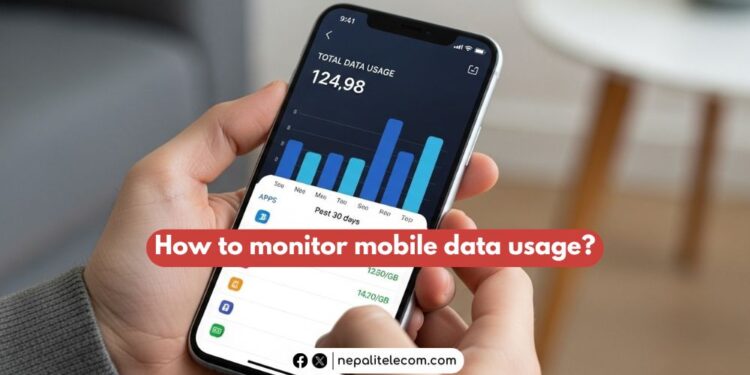
Every now and then, we need to monitor mobile data volume use on our phones. It helps avoid main balance deduction and use data more wisely on things more important. Thankfully, checking on data usage has become easier these days on smartphones, be it Android or iPhones. And this article helps you with it- effective ways to correctly check on your mobile data usage.
Table of contents
Why is keeping track of mobile data important?
Mobile data is our key ingredient to modern-day connectivity, especially when we are outside. At home or office, WiFi does the job for us. But on the move, we rely on data packs to stay online to post, share, like, comment, and browse. But the worrying thing with data is that they may get used up if not checked timely.

GBs of data do serve better, but even unlimited packs come with a data cap and the company’s lower speed. Worse, when data is exhausted, it can deduct the main balance in a blink if unchecked. If you have Ncell Sadhain ON packs, then you are in luck, thanks to the no balance shock feature. But it’s a general concern among mobile users.
Personally speaking, it has happened to me a good number of times that when I have lost track of my data usage, my balance has been gone, and I am left with zero balance. Many users might agree that they have faced similar situations. In that regard, we are all in need of it- the need to check our mobile data usage.
⏩Latest Ncell Data Packs With Volume, Price, and Code in 2026
Advantages of monitoring mobile data use
- Reminder: Yes, regularly keeping track of data usage means we can be wise in using data. Suppose you like to stay always connected for its obvious benefits. But if you are running low on resources, you can turn off data and use it for vital needs such as browsing key information, downloading an offline map, or sending a message on social media. You don’t want to waste even a Byte of your data pack on unnecessary notifications and push messages.
- No balance deduction: Many users face a balance deduction shock when their data volume ends, and the main balance pulls the content without users’ awareness. This worst-case scenario is one of the key reasons I encourage every mobile user to check on their data usage. And also, Ncell has implemented a solution with its Sadhain ON mobile packs, and we dearly want the same from Nepal Telecom (NTC) as soon as possible. But there’s a workaround for Android. More on that below.
- Ensure full-speed service: As mentioned above, when the data plan (unlimited ones) is used up, data speed is lowered. And nobody likes to browse the internet at a reduced speed, as the experience may not be as smooth. Therefore, by looking at data usage, you can avoid reaching the daily limit or overall volume limit and continue to use data at the highest speed possible. Mostly, you get 4G speed, which is more than enough for most internet needs.
- Identifies high-data-consuming apps: Not all apps use the same volume of data. Video apps such as YouTube consume high volumes, while messaging apps such as WhatsApp and Messenger won’t use up data as much. But in the background, most apps take a minimum of our vital resources. But there could be some rogue apps working in the background, taking more data than they should. A check or two can help identify such apps, which helps you iron out the problem and save your data.
How to monitor mobile data on your phone?
There is a default way to monitor your mobile data use on Android phones and also iPhones. Since it’s the default way provided by the phone’s system, you get the correct statistics. Find the steps for both below.
On Android
The steps are kind of similar on all Android devices as they run on Google’s OS.
- Open the Settings app
- Tap on Connections > Data Usage
- Tap on Mobile data usage
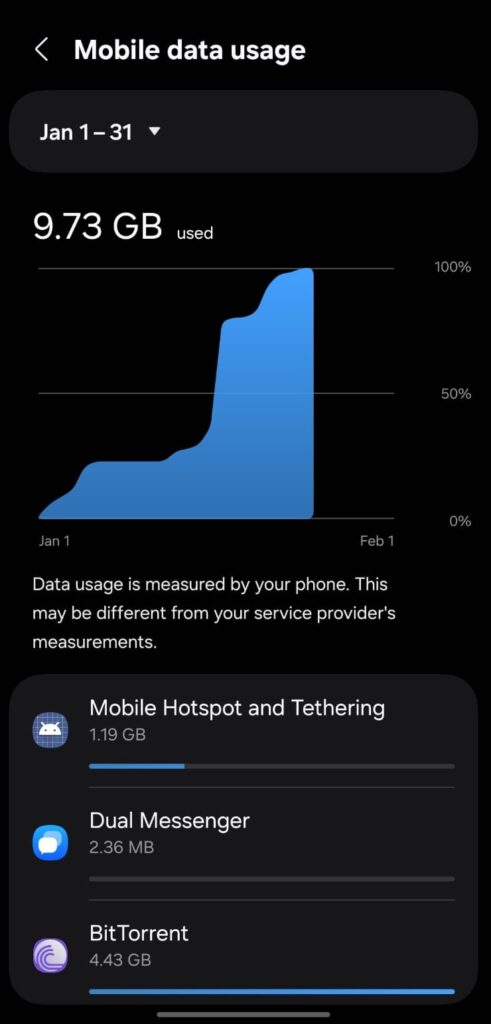
- Now, you can see your mobile data usage and the amount of data each app has used in a month
You can find various third-party apps to monitor your phone’s data use on both Google and Apple’s app stores. But using these apps comes with its own caveats. Paid apps, however, pose fewer risks to security. Anyway, they offer more custom and specific ways to track data usage for a specific cycle.
Here’s the screenshot I took on my Samsung phone (One UI 8) to show how it displays data usage.
On iPhones
These are the steps to keep track of mobile data usage on iPhones:
- Open the Settings app
- Tap on Cellular or Mobile Data
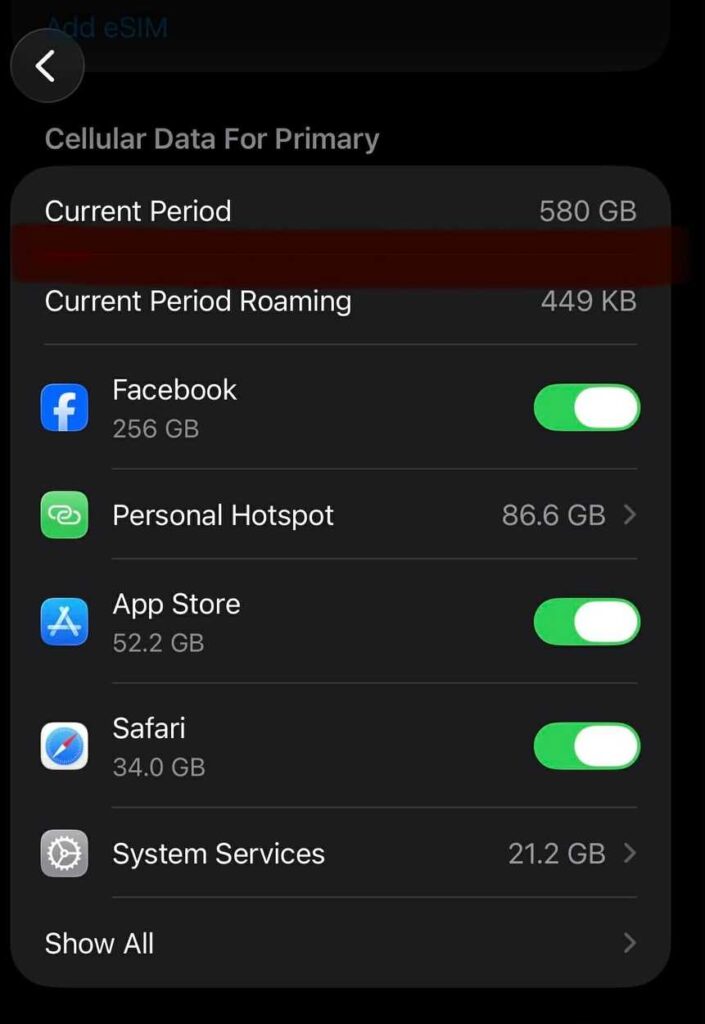
- Find data usage under Current Period
- You can also see how much data each individual app has used
But monitoring data alone is not enough. It’s also important to avoid using the phone continuously, using data even after a data pack is reached. When it happens, data is used through the mobile’s main balance. Here are ways to set data limits and data warnings.
How to set a data limit on a phone?
On Android
Well, you can also set a data limit on your Android to avoid losing precious data and balance. Once the limit is reached, data stops working, which is really handy for all. Follow these steps to do this:
- Open Settings
- Tap Connections > Data usage
- Tap Billing cycle and data warning
- Turn on Set data limit
- Tap Data limit and enter the number that indicates the data volume at which you want data to stop, such as 2 GB, 3 GB, 5 GB, etc.
✅ Ntc Data Packs Price, Volume, Validity, Process [Update 2026]
On iPhone
So far, there’s no native option on iPhone to stop data once the limit is reached. But you can activate Low Data Mode to restrict apps from using data in the background.
How to save mobile data?
On Android, you can go to Settings > Connections > Data Usage and enable Data Saver to minimize data use. This limits apps’ background activities and saves data. You can filter apps to allow them to use data even in the background. You can do this for specific apps that you want to always be active, such as a voice assistant, Google Play Services, weather, etc. Generally, these are ‘on’ by default, but if not, you can customize them yourself.
Likewise, on iPhones, you can Reset Statistics at the start of a new billing period to get the correct data usage on your current mobile plan. As stated above, you can tap Cellular Data Options > Data Mode and enable Low Data Mode to stop apps from using data in the background.
You can also see how much data you have consumed on your carrier’s app. Both NT and Ncell’s mobile apps provide real-time stats on your data usage. If going to the settings or using third-party apps is a hassle for you, then you can use your telco’s app to keep track of your data use.
There are other third-party apps that also let you set a notification when data usage hits a certain figure, such as 2 GB, 5 GB, etc.
➤➤➤➤➤ Find out more about the top ways to effectively save data on your phone.
NOTE: The steps may be slightly different on Android and iPhones, depending on brands and OS versions.
I hope this article has been informative and helpful to you. For any input and insight, do share with us in our comment box below. You can also share your own experience with us.