Last Updated on June 9, 2026
Summary✨
- Apple has unveiled iOS 27 at WWDC 26, introducing new features and enhancements.
- Liquid Glass now includes a slider for interface transparency, allowing user customization.
- The new Siri AI app offers smarter interactions and customizable voices, processing data locally.
- iOS 27 enhances security for children with features like ‘Ask to browse’ and ‘Ask to buy.’
- The Safari browser now bundles tabs and includes a ‘Notify Me’ tool for a smarter browsing experience.
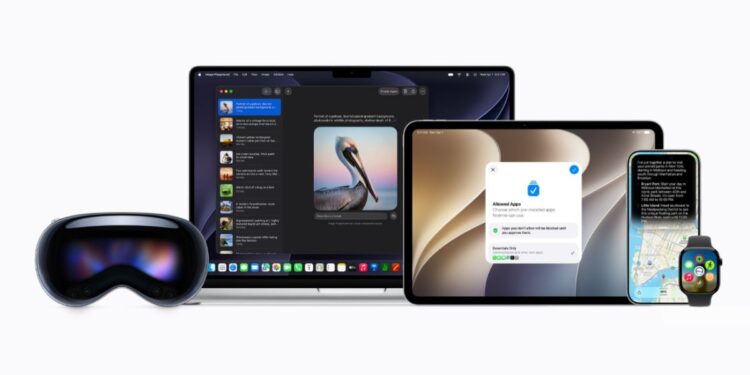
Apple has unveiled the new-generation operating system software for iPhones- iOS 27 at its WWDC 26 developer summit. The major upgrade replaces iOS 26 and comes with enhanced features, bug fixes, and a serious attempt to refine the user experience.
Let’s find out what the new features are in iOS 27.

Table of contents
Best features of iOS 27
Liquid Glass has a slider
iOS 26’s major overhaul, Liquid Glass, now has a slider in iOS 27, which allows users to switch the interface from being fully transparent to opaque. It gives users the flexibility to choose how they want their iPhone’s interface to look and feel.
New Siri AI app
The iOS 27 now includes a smarter Siri AI app, just like there are ChatGPT and Gemini apps. Users can also interact with voice and text just like in a conversation with a human being. You can also set a conversation history timeframe to expire. Do note that Apple Intelligence processes everything AI on-device, meaning that data remains locally stored on the device but resorts to Cloud Compute only when necessary. And also remember that the all-new Siri AI app is powered by Google’s Gemini models. Siri’s voice is customizable. It is now more human-like and offers deeper and richer feedback.
AI integration
Apple Intelligence is being integrated into more apps, such as Messages, Photos, Calendar, etc. It lets the AI understand what’s happening across and offer users contextual help. It includes offering reminders during phone calls, etc.
Siri mode for camera
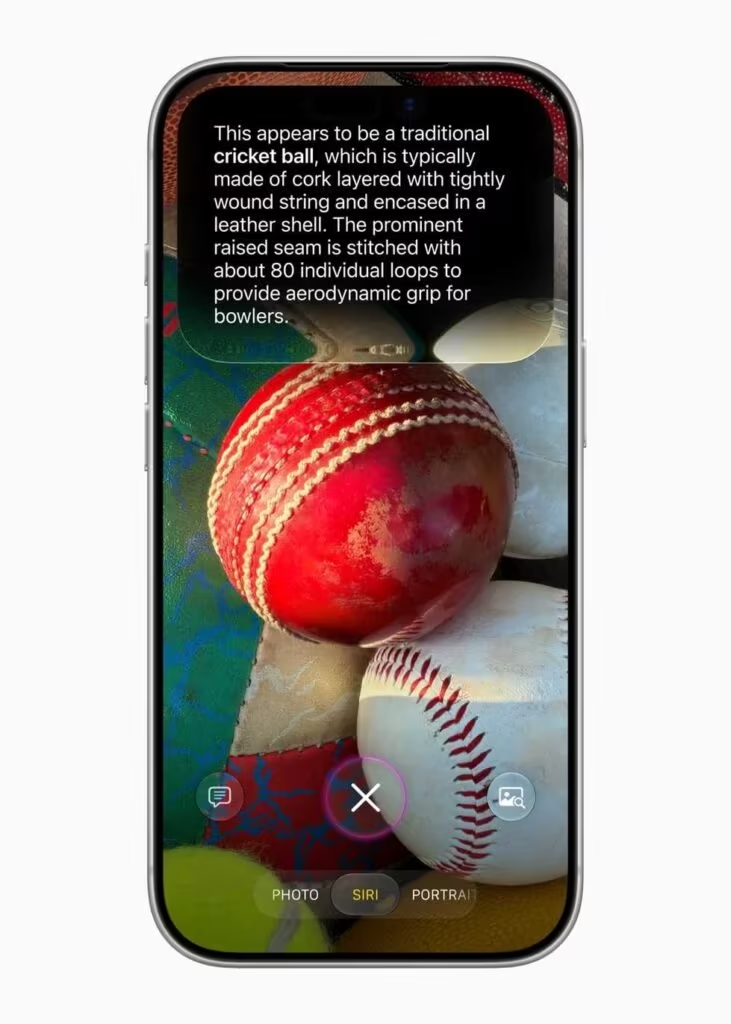
As part of the upgrade for Visual Intelligence, Siri now has a dedicated mode in the iPhone’s Camera app, too. This lets you point the camera at an object of curiosity, and Siri will provide information about it. It’s more useful than you might imagine. Just about anything that you come across, just have your Siri camera to get you information on it.
Photos app gets new editing features
The default Photos app in iPhones now includes two editing features in iOS 27. The Extend feature allows you to change the spatial perspective of photos or use AI to extend them beyond the frame. The power of the phone’s on-device AI lets you salvage photos to keep your memories.
Image Playground
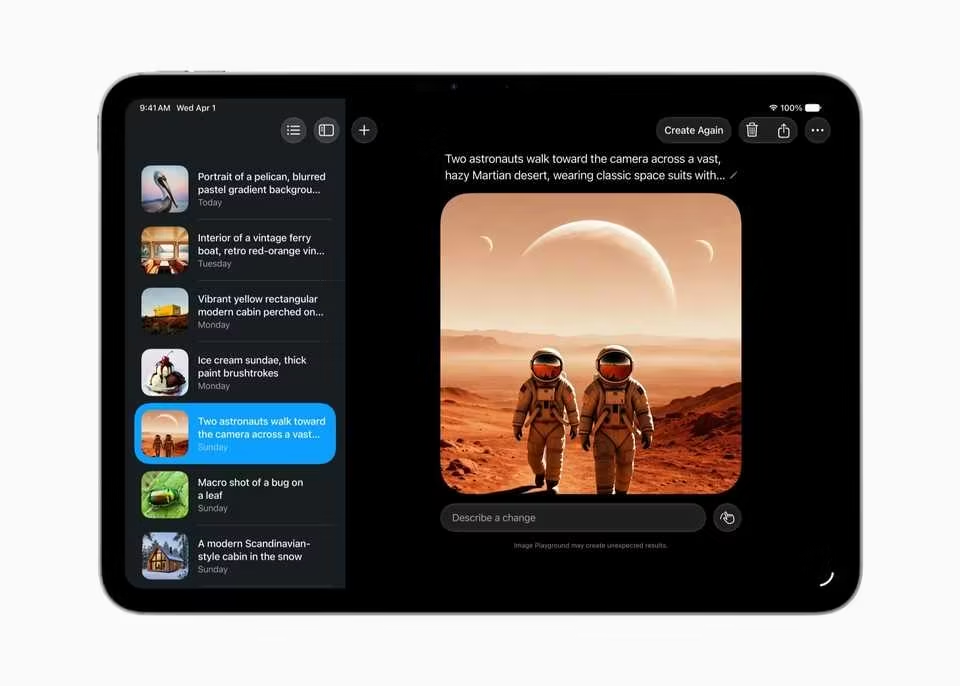
With iOS 27, Image Playground can now generate Lock Screen wallpapers and Contact Posters. You now have more styles at your disposal to edit or generate new images. You can also use touch and voice controls to tell AI what changes you want.
Child Accounts for security
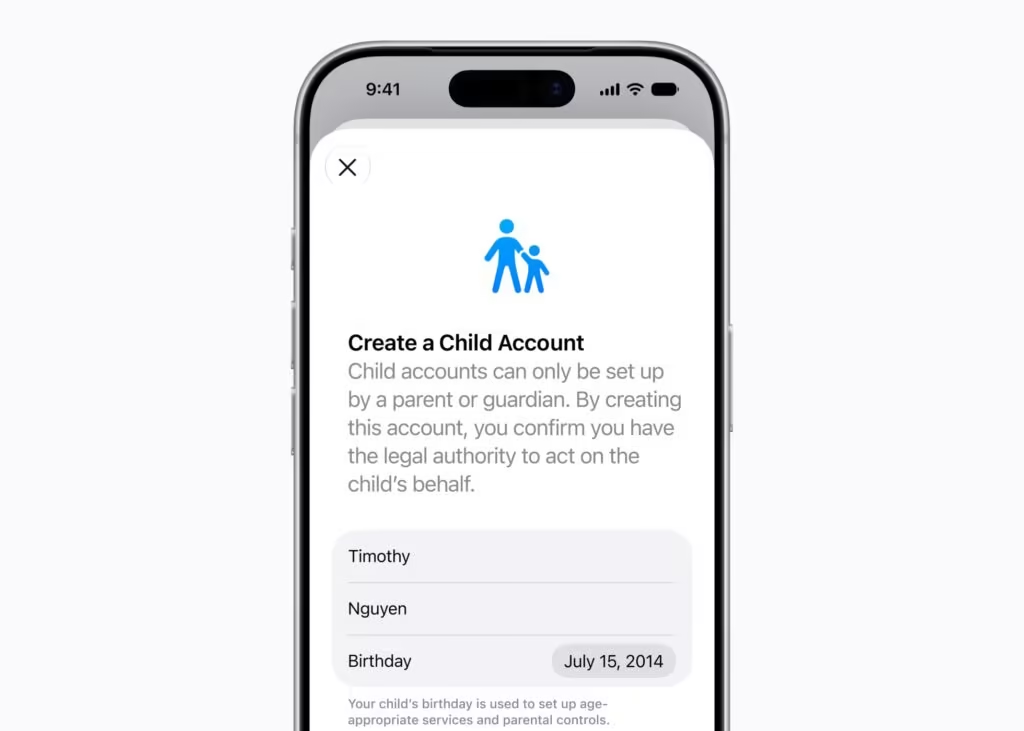
Apple has added two new features, ‘Ask to browse’ and ‘Ask to buy’, to enhance security for children. They allow parents to approve activities for their kids. The iOS 27 is giving parents more control to monitor their kids’ behavior on the web.
✅iPhone 17 Pro Max price in Nepal with Latest Update 2026
Safari browser has a new tool
Safari browser now comes with a tool in the tabs that lets you bundle all tabs together. The feature is powered by Apple Intelligence. Likewise, “Notify Me” allows the browser to monitor tabs for any changes after you have closed them. The browser experience has become much smarter and more intuitive. There’s a vibe-code in its infant form, too. You can describe what you want Safari to do, and it will comply.
iOS 27 Availability and Compatible iPhones
Apple says that iOS 27 is available for testing through the Apple Developer Program at developer.apple.com, and the public beta will roll out soon through the Apple Beta Software Program in July at beta.apple.com. Devices from iPhone 11, iPhone SE 2nd Gen, to iPhone 17 are eligible for the iOS 27 upgrade.