• Ntc
  • Ncell
  • Samsung
  • Apple
  • Xiaomi
  • 2G to 5G
  • ISP
  • NTA
  • Tariffs
  • About us
Wednesday, July 22, 2026
NepaliTelecom
  • Home
  • Telecom News
    • News
    • NTA
    • Ntc
    • Ncell
    • Smart Cell
    • Digital Nepal
  • Gadgets
  • How To
  • SpeedTest
  • Contact
  • About
No Result
View All Result
  • Home
  • Telecom News
    • News
    • NTA
    • Ntc
    • Ncell
    • Smart Cell
    • Digital Nepal
  • Gadgets
  • How To
  • SpeedTest
  • Contact
  • About
No Result
View All Result
NepaliTelecom
No Result
View All Result

Home » Apps » National ID card live on Nagarik App: Link it for benefits

National ID card live on Nagarik App: Link it for benefits

Dinesh by Dinesh
October 19, 2025
in Apps, Digital Nepal
Reading Time: 5 mins read
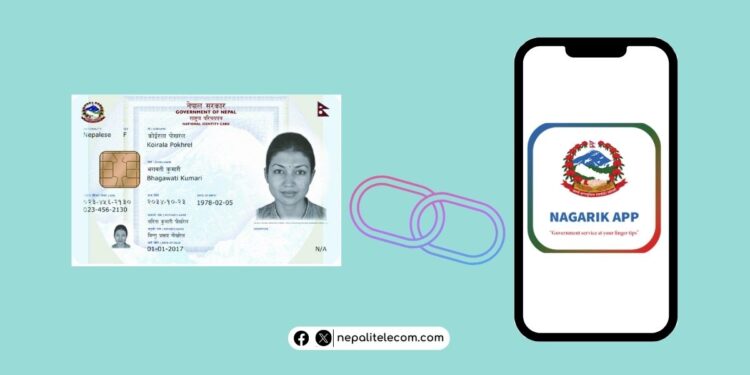
National ID card on Nagarik App live
Follow us on

Last Updated on October 19, 2025

Finally, the government has added National ID card (NID) on Nagarik App. The new document, distributed federally by the state went live on the popular government app on Tuesday, January 21, 2025. Now, users can add and access their National Identity Cards on their smartphones thanks to the app. If you run into problems such as wrong name or photos, there’s a step to follow. Find all details below.

Update your Nagarik App to find National ID card option on it

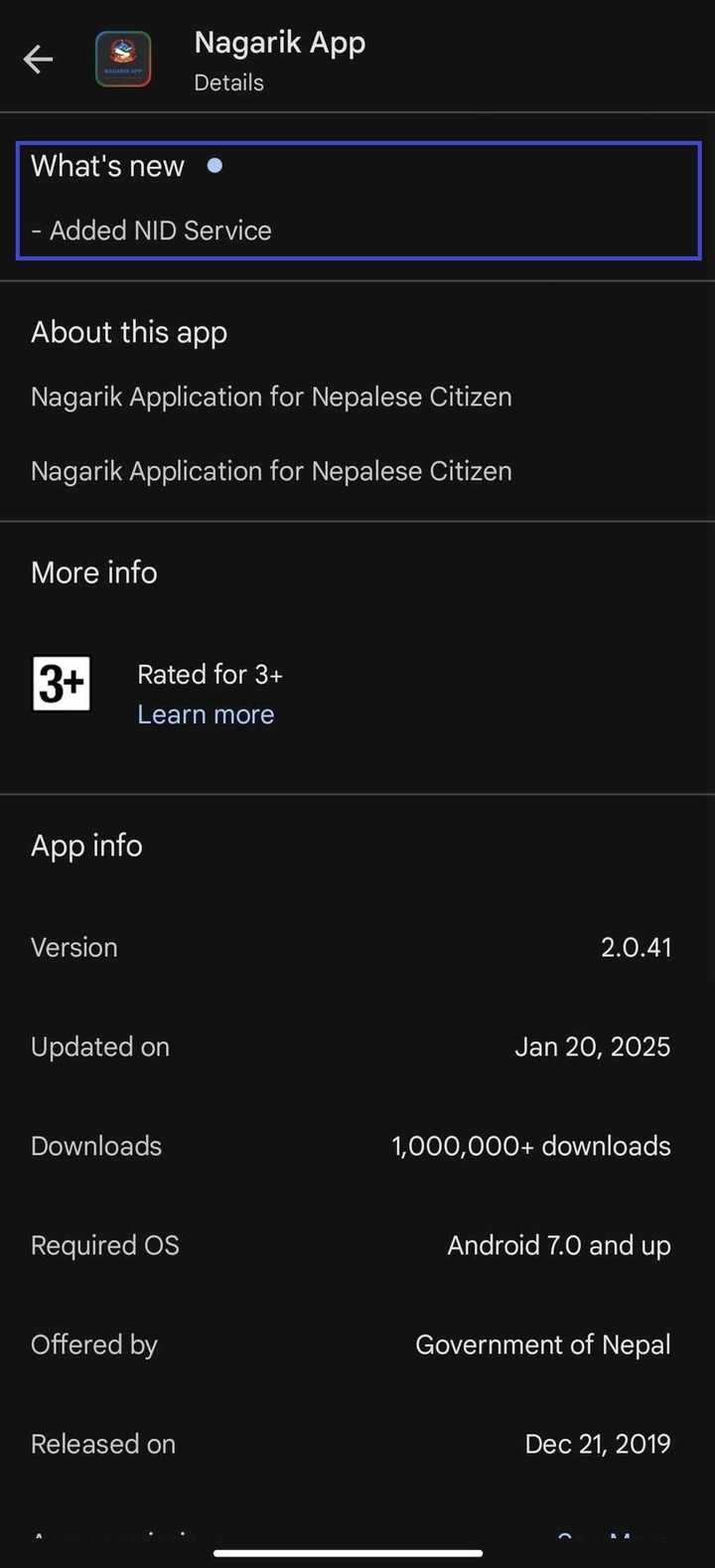
First thing first. The national ID card on the Nagarik App comes with the app’s version 2.0.41. And you can already get it on your phone if you haven’t. If you don’t, then you may need to update the app. You should see the NID logo on the home interface of the app. If you don’t see one then update the app to its latest version on your phone’s apps store. Also, a restart the app to give it a refresh. Then, you should see the text “National ID” with the coat of arms box right above it.  
National ID card on Nagarik App
National Identity Card is now available on Nagarik App starting from version 2.0.41

Currently, you can link your National Identity Card on the app. It follows the same way as you do with your citizenship and your driving license. Additionally, there are demography, photos, and other details for citizens’ verification which enables users’ verification online.
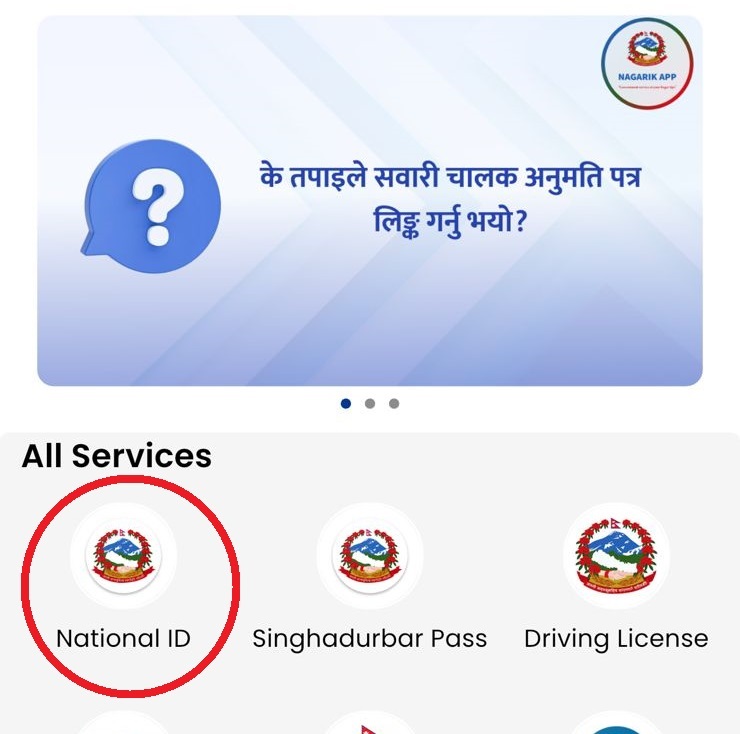
National ID (NID) on Nagarik App Nepal

To link your National ID (NID) card on the Nagarik app, tap on the National ID found on the app’s home screen, and add your unique profile number and proceed. If details are correct, the app will link your NID and you can access the details on the app.

Thankfully enough, NID card link is available on both Android and iOS. Previously, some of the major features such as traffic police fully accepting driving license on the app came first on Android and then iOS. This time, the NID card feature came together on both major smartphone platforms.

Learn: How to apply for National ID card (NID) in Nepal?

Why was the integration of NID on Nagarik App needed?

The integration of the National ID card (NID) on the Nagarik app follows the government’s decision to make the document mandatory for various services. The government has made it necessary for the public to have NID for buying a new SIM card, opening a bank account, and various other activities.

And the good thing is that with NID on Nagarik App, users can easily get their passport, make a new bank account and buy a Ntc SIM card among other services. For this, government officials will verify user details by scanning QR and NID number.

So far,over 1.61 crore Nepalese have already obtained their unique NID card numbers.

Do read: How to register Voter ID online in Nepal for Election?

What if your National Identity card name or other details are wrong on Nagark App?

If your details on National Identity Card shows wrongly, is missing, or have other problems on the Nagarik App, you can do the following:

  • Contact the nearest District Administrative Office (DAO)/Area Administration Office or other place where such data is entered
  • Visit the Citizen Portal and see the status of your NID
  • If you get IN PROGRESS, NOT APPROVED, or NOT FOUND, then contact Department of National Id and Civil Registration at 01-4211563, 01-4200009, or 01-4200014 and get information about your NID card status
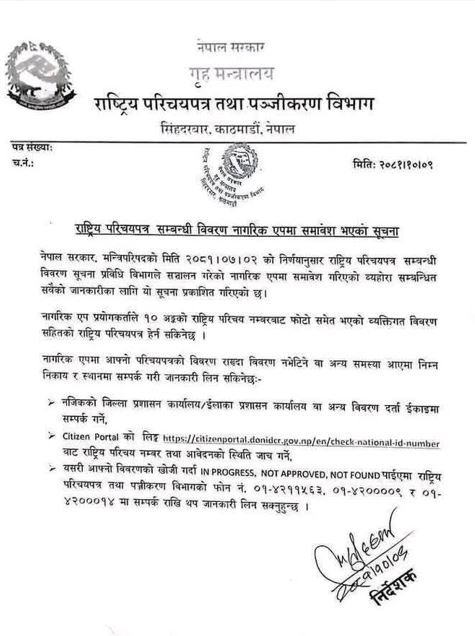
National Identity Card issue notice on Nagarik App

The arrival of the National Identity Card on the Nagarik App marks another significant milestone for the government in its drive for the digital transformation of public services. The app is designed to make it a one-stop for many public services and progress has been there.

Now, users can access their NID on the Nagarik App and benefit from having the details required for various services.

The fact is that Nagarik App is already one of the most popular apps in Nepal and its growing number of services reinforces its utility and convenience for the users. Soon, the app will let you open a Nagarik App account with the NID details. Sources say that this might take a week or so. Currently, you can use your citizenship, driving license, etc. to create a profile on the app. Another super app, called Hamro Patro is the most popular Nepali apps in the world.

If you have any queries about it or if you are facing difficulty in getting NID on the Nagarik App on your phone, let us know in the comments below.


Follow us on Facebook, Google News, and Viber to get the latest news, and information about Nepal Telecom, Ncell, Smart Cell, ISPs, mobile apps, and phones in Nepal.

Latest Posts

  • Fiber users report Asar 2083: WorldLink atop, NTC climbs to 2nd
  • Portrait camera phone with strong edge detection and bokeh in India? The OPPO Find X9 Ultra nails the separation
  • Redmi Note 17 5G launched with 7-inch display and 8000mAh battery
  • 4G users in Nepal: 2.69 crores | Latest NTC, Ncell figures
  • Facebook down with a ‘site issue’ message
  • NTV Plus to broadcast Football WC Final 2026- Argentina vs Spain for free
  • ICT Award 2026: Nominations opens in 16 categories: How to apply and eligibility
Comments
Previous Post

Are Task-Based Reward Platforms Worth Your Time?

Next Post

Samsung teases Hologram interaction ahead of Galaxy Unpacked 2025

Dinesh

Dinesh

Senior Editor; An experienced tech writer covering news mostly on telecommunication, internet, latest tech & trends, and Gadgets. Being a technophile, I am particularly fascinated by the evolution of mobile networks in Nepal from legacy networks (2G, 3G) to 4G (with VoLTE, VoWiFi, eSIM) and the prospects of the upcoming 5G, and equally enthralled by the development of internet from the dial-up connection to the 2 Gbps XGS-PON fiber broadband technology and their transformative impact in the country.

Related Posts

FIFA Football World Cup final 2026 on NTV Plus
Digital Nepal

NTV Plus to broadcast Football WC Final 2026- Argentina vs Spain for free

July 19, 2026
Digital Nepal

ICT Award 2026: Nominations opens in 16 categories: How to apply and eligibility

July 19, 2026
Nepal Weather Official App
Apps

Govt. launches Nepal Weather Official app with Alert system

July 14, 2026
Load More

You may also read

FIFA Football World Cup final 2026 on NTV Plus

NTV Plus to broadcast Football WC Final 2026- Argentina vs Spain for free

July 19, 2026

Redmi Note 17 Pro launched with 9000mAh battery

July 17, 2026
Ntc FTTH

Nepal Telecom Fiber Internet: Price, Speed, Offer, Packs [2026]

July 2, 2026
DGo app FIFA World cup 2026 Streaming Nepal fee

DGo app to stream FIFA World Cup 2026 matches, subscription fee out!

June 11, 2026
How to watch world cup Football matches in Nepal

How to Watch Football World Cup 2026 Live in Nepal? Find All Fixtures

June 11, 2026

How To Watch Nepali TV Channels Online from Nepal/Abroad?

May 22, 2026
NepaliTelecom

Nepalitelecom.com is a website/blog which provides information regarding telecommunication in Nepal along with Gadgets and has been doing some research for the telecom market in Nepal. We intend to do more of such survey/research in the Nepalese Telecom sector.

SiteMap

📢 Follow us on Viber to get the latest news, and information about Nepal Telecom, Ncell, ISPs, mobile apps, and phones in Nepal.

Popular Categories

Ntc | Ncell | Telco News | ISP | NTA | Gadgets

Recent Posts

  • Fiber users report Asar 2083: WorldLink atop, NTC climbs to 2nd
  • Portrait camera phone with strong edge detection and bokeh in India? The OPPO Find X9 Ultra nails the separation
  • Redmi Note 17 5G launched with 7-inch display and 8000mAh battery

© 2026 Nepalitelecom

No Result
View All Result
  • Home
  • Telco News
  • Gadgets Nepal
  • Nepal Telecom
  • Ncell
  • Digital Nepal
  • How To
  • Editors’ Pick

© 2026 Nepalitelecom