Last Updated on July 19, 2026
Summary✨
- Football fans in Nepal enjoy streaming matches through mobile apps due to inconvenient time zones.
- Data consumption depends on streaming resolution: SD (480p) uses less data than HD (1080p).
- Users need a minimum internet speed for optimal streaming, varying by resolution; for example, 5 Mbps is needed for HD 1080p.
- A 90-minute match streamed in can consume from 2 GB in Standard HD to around 5 GB in FHD.
- Choose official streaming apps to avoid security risks from unreliable sources.
FIFA World Cup 2026 has gripped fans across the world. The world championship is viewed with shared enthusiasm around the world. For them, it is no less than a carnival. Seeing their favorite players and team locking horns in crunch matches is a visual treat nobody wants to miss out on, and we Nepalese are no different.
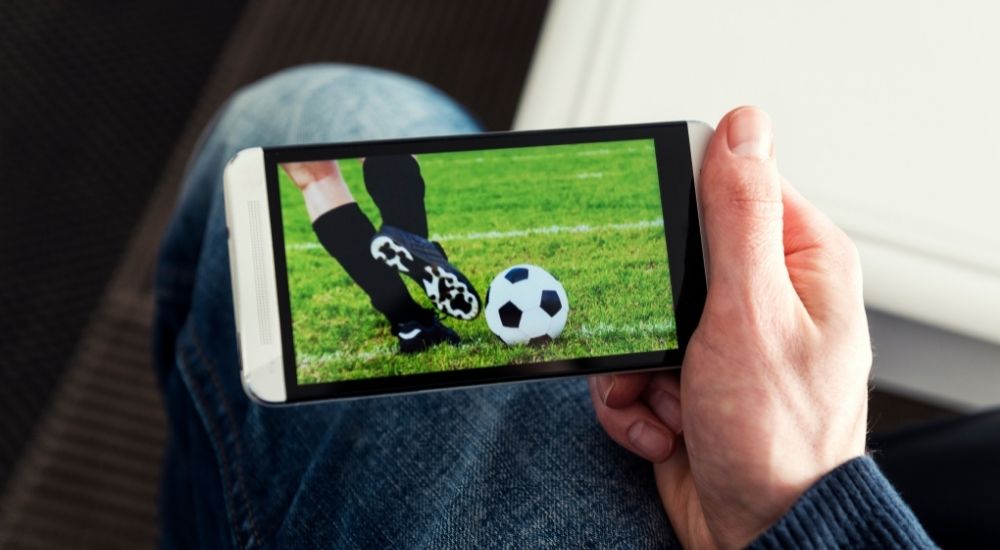
Like everyone else, we cannot resist these competitions. Despite the unfavorable time zones, Nepali football fans hook themselves to their television sets beyond midnight not to miss a single minute. But for various reasons, not everyone can watch football matches on Television. For those, mobile apps are an excellent alternative. Besides, some love to watch on apps to keep the fervor exclusive to themselves. But the question many ask is how much data volume does it consume?
Watching football on handheld devices is a very pleasing convenience, but bandwidth consumption must be considered, especially for those on limited data plans. For football fans in Nepal, there are options of digital TV apps and third-party apps from app stores. For our test, we streamed the same football match on SD and HD quality on both a third-party app and the official NetTv app.
Before we move to the data stats, first let’s familiarize ourselves with basic factors that help us understand data consumption on each stream of a football match.
🔥Mobile data vs Wifi: Which one do you prefer?
Resolution Factor
The extent of bandwidth consumption on mobile phones depends on the resolution of the video. Besides, both video and audio bitrates and frames per second, among others, also play a crucial role in how much data is being downloaded on your device every second.
You can witness discrepancies in bandwidth consumption while streaming video content on a laptop and on a smartphone. Due to the difference in screen size, the original content is compressed on smaller handheld devices. So, their data consumption is also lower compared to their large screen counterparts. 360p, 480p, 720p and 1080p are the common video resolutions while 4K is also becoming popular. Streaming videos in higher resolution results in higher bandwidth consumption.
📺How to watch FIFA World Cup 2026 match live in Nepal?
What Internet speed do you need?
To stream a match, make sure you have the right bandwidth/speed on your internet connection. Because the resolution of the video has a direct relationship with bandwidth speed. Each type of resolution demands a certain minimum bandwidth/speed. If you don’t have the minimum speed, you can’t stream a match. But, generally, it shouldn’t be a problem these days.
To illustrate the resolution and bandwidth relation, we have taken references from Youtube. The world’s most popular video-sharing platform has options of up to 4K resolution videos. So, It is more than enough to help us sort out internet speed and resolution relationships.
| Video Resolution | Preferred Internet Speed |
| 4K | 20 Mbps |
| HD 1080p | 5 Mbps |
| HD 720p | 2.5 Mbps |
| SD 480p | 1.1 Mbps |
| SD 360p | 0.7 Mbps |
As the table illustrates, you would need at least a 1.1 Mbps connection to watch football matches on 480p resolution. Likewise, you would need a 2.5 Mbps connection for an HD stream. You can also check other resolutions and their corresponding speed requirement above.
The table certainly gives us good comfort because normally we can avail ourselves of such broadband speed in most areas these days. With 3G or 4G on mobile broadband or on WiFi from fiber connections, we can afford FULL HD quality matches on smartphones or tablets.
By the standard, 480p should be the minimum resolution for proper viewing. The 720p resolution offers high-quality viewing, while FULL HD or beyond provides the ultimate aesthetics with rich detail.
Now To The stats
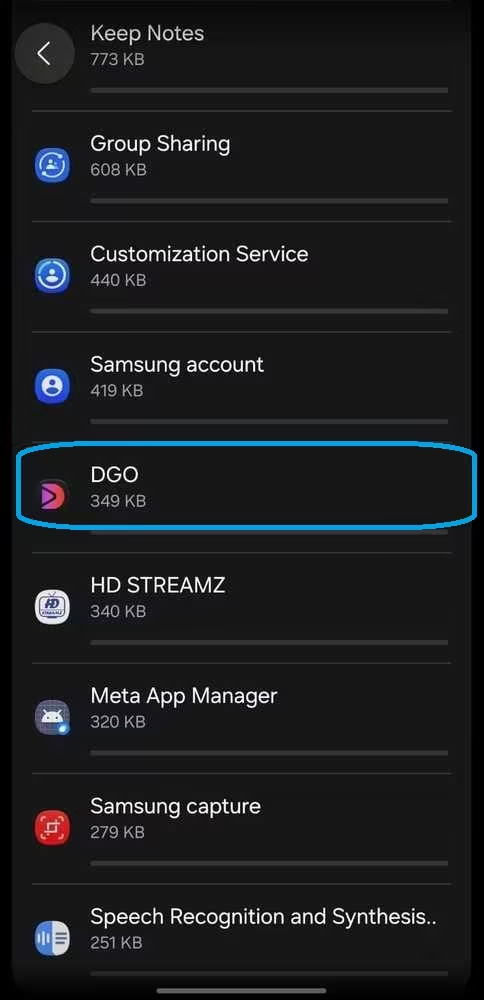
Now let’s get to the stats. To ensure accurate statistics for our readers, I streamed the Argentina vs England semi-final clash on July 16 at 1080p resolution on the DGo app. The record didn’t include the half-time break, though. Throughout the duration, I put my phone on 4G to ensure uninterrupted video play. But stay confident that 3G would still be fine to pull through 720p or even 1080p videos on your smartphone. But since 4G is ubiquitous, it is better to use a 4G network for smooth streaming.
When the match ended, the app showed that it consumed 4.88 GB of data for the match. It did go well over 90 minutes because of the stoppage time, but it didn’t go into extra time. That would have consumed much more of my 10 GB data pack.
| Streaming Resolution on DGo app | Duration (estimate) | Bandwidth Consumption |
| HD (1080p) | 90 minutes | 4.88 GB |
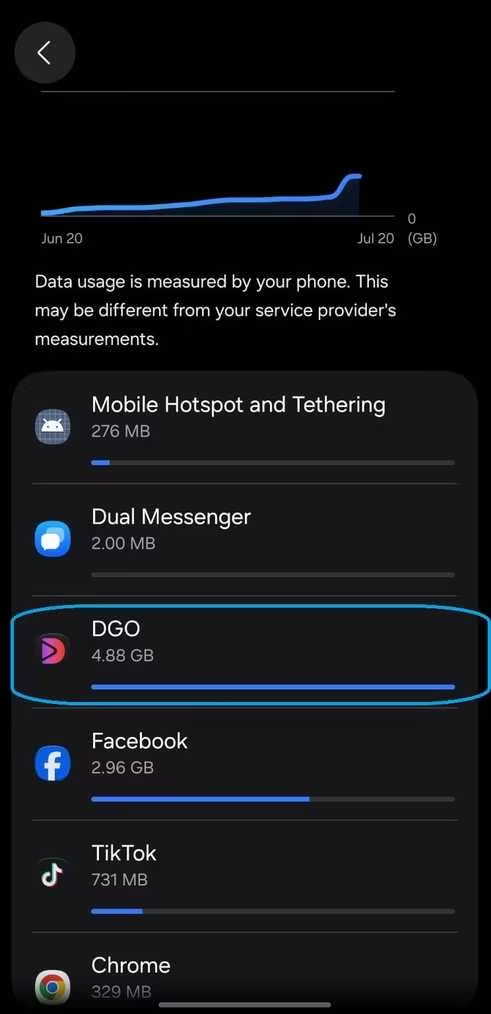
But there is no guarantee that a football match ends in the standard 90 minutes. In knockout matches, the game may stretch into the extra time of thirty minutes and even to the tie-breaker. To cover the data usage for such a possibility, let’s make another case below.
✔️How to save mobile data on your phone?
In Case of Extra-Time
In the knock-out stages, a single match could stretch well beyond 90 minutes when we take into account extra-time of 30 minutes, breaks, and the tie-breaker. This is why it is compelling enough to draw estimates for such matches, too. For this, though, we will only include data for HD streaming.
We will take 100 minutes for a match to include its stoppage time, a rough but reasonable duration. Let’s add 45 minutes for extra time, including its own breaks and stoppage time. Further, being at liberty, we count 30 minutes for penalty shootouts that go beyond the first five kicks. Now that would stretch the match to 175 minutes. This duration should normally complete a match, even with penalty shoot-outs. Now let’s move on to the bandwidth consumption. To be honest, I would keep 10 GB of data to watch a match, considering the possibility of the match going to penalty shootouts. And I would watch in FHD 1080p to enjoy great picture quality.
🔴How to watch Nepali TV channels online?
In Case of A Longer Match
If you are watching a league match that concludes within its 90-minute duration, the 2 GB will suffice for you in 720p resolution. However, for a knockout stage, the match that goes beyond 90 minutes of play and can’t find a winner, extra time and a shoot-out, you will surely need at least 5 GB of data for 720p to watch without data anxiety. However, these are the rough estimates, and still, we have tried to stay as reasonable as we could so that the estimations don’t define rationality.
To sum up, I would say that you would need 2 GB of data to watch a football match in Standard High Definition for a 90-minute match. But for convenience, have around 5 GB of data with you so that it covers the duration beyond estimation here, and you can enjoy an entire match without a bandwidth issue.
Note: The above data usage volume is based on my device and the internet speed at that instant, so please kindly take it as a sample test.
Caution
It is easy to find many links to watch these matches on Facebook. But be careful. They are not from official sources and can be clickbait with links to other sites. You may find such shady sources on YouTube, too. These could potentially steal your data or infect your device with viruses or unwanted programs.
On app stores too, you will find many apps promising football matches streaming, but here again, move with caution. Some of them are malware or adware. They can be infested with viruses. So, don’t fall for any links that may potentially compromise your private data. It is best to only use apps from trusted sources.
✅IPTV vs Digital TV; Major Differences
If you have a home internet subscription, then you may also have a digital TV solution. It gives you an option to watch TV channels on its official app. It’s best to use those apps for security reasons.
Takeaway
Streaming football matches or watching any videos, whether it is on a smartphone or a laptop relates directly to the resolution of the video. The resolution of the videos is also referred to as SD and HD. 360p and 480p are known as SD resolution and the former is on the verge of extinction. 480p is what you see on old CRT televisions.
On flatscreens, the images are upscaled, and their edge portions get cropped out. It is due to the mismatch between the resolution of the TV screen and that of the video. Meanwhile, 720p is the standard HD, and 1080p is the real HD or Full HD video resolution, and they are perfectly suited to today’s flatscreens.
➤➤➤➤How to unlock a locked phone; Android, Apple?
Are you also streaming football matches on your smartphones? Which app are you using? Does our bandwidth consumption match yours? Do let us know in the comments below.