Last Updated on May 12, 2026
Summary✨
- Apple released the iOS 26.5 update for iPhones, introducing several user experience enhancements.
- Key features include end-to-end encrypted RCS messaging, a Pride luminance wallpaper, and suggested places in Apple Maps.
- The update allows annual subscription plans billed monthly in the App Store, and it supports USB-C connectivity for peripherals.
- Users can customize message attachments for iPhone-Android data transfers, making switching easier.
- To install iOS 26.5, go to Settings, then General > Software Update, and tap Download and Install.
Apple has launched the iOS 26.5 update for iPhones. The update is not a major change in the iPhone ecosystem; however, it brings some noticeable user experiences worthy of mention. Now, there’s an end-to-end encryption RCS messaging along with many bug fixes and security enhancements for eligible and precious iPhones.
Major iOS 26.5 features
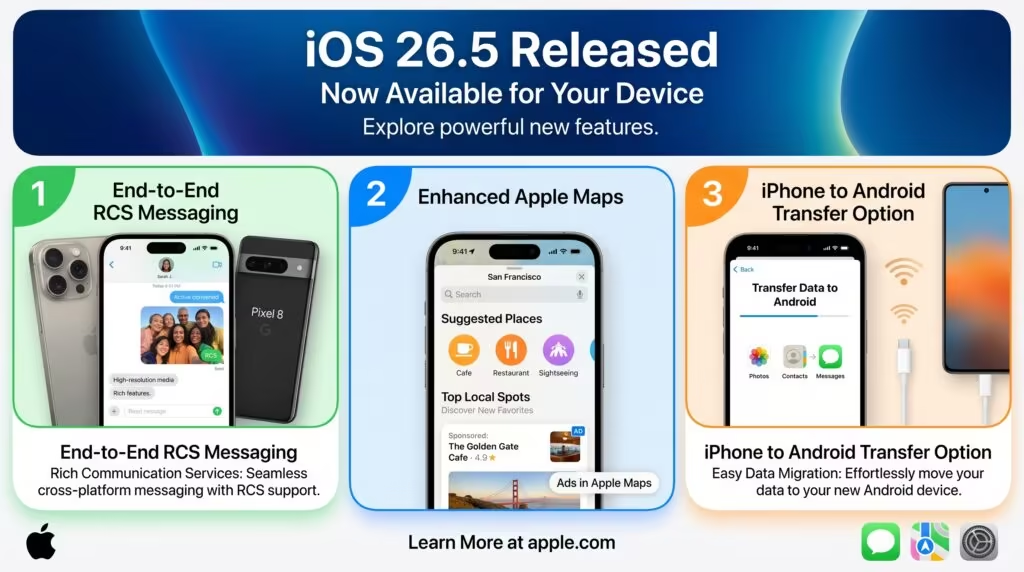
The iOS 26.5 update comes with these three major changes on iPhones:

- End-to-end encrypted RCS messaging: The iOS 26.5 update brings end-to-end encrypted RCS messaging in beta form. Currently, it’s available with select carriers but will roll out soon to more over time. The inclusion of the security feature means messages will be more secure than ever, and no third party will be able to see those messages. As known, the end-to-end encryption is also subjected to availability, depending on your mobile carrier. We don’t know yet if Nepali mobile operators, Ntc and Ncell support it yet. Do you want it? Pls comment in facebook.
- Pride Luminance wallpaper: Another highlight of the update is the pride luminance wallpaper. These are dynamic and comprise a spectrum of colors. They are now available for download.
- Suggested Places: Apple maps on iOS 26.5 now give you recommendations based on the current trend in nearby locations and your own recent searches. There’s more to iOS 26.5 than just the high-level features, though.
- Ads on Apple Maps: Likewise, you will likely get Ads on Apple Maps, with business to be able to pay for it.
- App Store Purchase Options: iOS 26.5 brings a new subscription option for both developers and customers (users). It allows developers to offer annual plans that are billed monthly, so users can buy an annual subscription and pay the fees in monthly installments.
- USB-C Connectivity: The fresh update also lets users connect a Magic Keyboard, Magic Trackpad, or Magic Mouse with a USB-C connection. The feature allows users to connect the necessary peripherals to iPhones and iPads to enhance their productivity and utility.
- iPhone-Android data transfer: The iOS 26.5 lets users customize which message attachments go with the transfer over to Android. This might even make it easy for users who plan on owning an Android phone as a backup or to make a switch. More: iPhone-Android file transfer
How to install iOS 26.5 on your iPhone?
Here are the easy steps to download and install iOS 26.5 on your iPhone:
- Open Settings
- Go to General > Software Update, make sure you have enough storage space on your phone.
- Tap Download and Install the update on your iPhone
The update is available to iPhone 11 and later-released models. You can install the update to find the above-mentioned new features and enhance your device’s security. Let us know, if you are looking to buy iPhone 17 Pro Max in Nepal.
For any curiosity, let us know in the comment section below.