Last Updated on June 9, 2026
In our present times, when routers talk circles around WiFi 7, WiFi 6E, and WiFi 6, the single-band 2.4 GHz-only router feels too old to hold water. Such hardware underperforms for current-day needs of higher speed, low latency, and more commonly, multiple device connections. In this post, we explore reasons why a 2.4 GHz-only WiFi router is dated for 2025 and beyond.
But let’s start with a bit of background. These days, most mobile devices (even the affordable 5G phones), laptops, tablets, etc., use WiFi 5 at least with dual-band support. Add to that, top ISPs in Nepal now start their internet packages from 100 Mbps. So, when you have any of these modern devices (you are most likely, anyway), but are hanging on to a 2.4 GHz only router that won’t let you enjoy the blazing speed and reliable connectivity you deserve. Your downloads get slow, even worse, discontinue midway, videos lag, buffer, and devices suffer disconnection. This is why, if you are still hanging on to a 2.4 GHz router, it’s time to move on.

Table of contents
Why is a 2.4 GHz router a bad choice now?
Slow speed
The most immediate reason that the single-band 2.4 GHz WiFi routers are too old for 2025 is their slow speed delivery. Whether you are on your phone, tablet, or a laptop, the 2.4 GHz router simply won’t provide you higher speed that matches our evolved internet needs. It becomes more painful when you realize that you have a device that supports a 5 GHz WiFi connection, but is limited by the router. Slow speed, lag, disconnection, etc., are quite common with such a dated router. A 2.4 GHz band router delivers only up to 20-30 Mbps for most users, while a dual-band router can promise over 1 Gbps speed with WiFi 5 technology. The sluggish speed is clearly the biggest demerit of using a 2.4 GHz WiFi router.
Most devices use the 2.4 GHz band, including home appliances and other electronic devices such as microwave ovens, Bluetooth, old smartphones, etc. Having multiple not just phones but also other types of devices operating on the same band means, it is always interfered with and the performance is perpetually affected. Speed, signals, latency, and all other aspects will only suffer from a 2.4 GHz-only WiFi router.
✔️ How To Secure Your Home WiFi From Hackers
Higher latency, prone to packet loss
2.4 GHz’s demerit also includes higher latency, which means slower response to and from the server. Packet loss is common, which means data doesn’t reach its destination while traveling in the network. And if you play online games, stream, or are into interactive content creation, a 2.4GHz-only router never lets you do your tasks smoothly. It’s the worst-case scenario, almost. So, even though the tech itself drags down WiFi performance delivered from a 2.4 GHz only router, we urge you to find the best place to keep your router so that it can provide you a better performance.
Lacks newer technologies
Single-band routers lack modern router technologies such as OFDMA, MU-MIMO, etc. OFDMO helps minimize latency and deliver performance even with multiple devices connected. MU-MIMO helps upkeep performance for many devices at once. For modern families, small and medium enterprises, and the corporate world, a dated router in 2025 is a bad choice. New WiFi technologies such as WiFi 6e, WiFi 7 have these features, which unlock an overall performance. Not so much with dated 2.4 GHz hardware.
Poor device handling
Another reason to chalk off a single-band 2.4 GHz WiFi router is unlikely to handle multiple devices and deliver an efficient performance. If you are using one or have used one in the past, you might have experienced devices disconnecting, average speed, slow loading, and video buffering. You can’t expect a 2.4 GHz single-band router to perform if you connect smartphones, laptops, smart TVs, etc. to it simultaneously.
✅ When to replace your router? Here’re our 6 best tips for you
Secondary router is not an option
It’s always possible to set up a secondary router to extend WiFi coverage; however, when the main router itself is riddled with old tech and can’t deliver performance, an extension won’t do the job. In fact, it will only lead to further poorer service as it has to bring the packet data to a farther area.

But wait, 2.4 GHz only router is still useful though
A 2.4 GHz WiFi router can be useful for higher coverage and a limited number of devices, maybe a couple of smartphones and a laptop. Lower frequencies can get through the walls, glass, and other structures, unlike those operating in higher frequencies. So, if there are only a couple of users with social media and basic browsing internet needs, a 2.4-GHz router is still fine, but only expect it to frustrate you when the number of users and devices connected to it spikes by even a couple.
Conclusion: Upgrade from a 2.4 GHz-only WiFi router
If you are still on a single-band supported 2.4 GHz WiFi router, then you are long overdue for an upgrade. Even with a dual-band router with WiFi 5 technology, you will get much better performance. Personally speaking, I am currently on a 150 Mbps connection. When I force a 2.4 GHz connection, I get around 30 Mbps speed only, but once I am on the 5 GHz band, it easily gets me over 130 Mbps most of the time, at least in regular hours. We know ISPs throttle internet speed in peak hours. So, that is sort of fine with me.
To get you more on the ‘why’, check out this post to find out the top reasons to upgrade to a dual-band WiFi router. The gist is you get the promised WiFi speed that you pay your ISP for. This is the gist for most of the regular internet users. Next, you also get consistency and get the bandwidth soundly split among all the devices connected to your WiFi network.

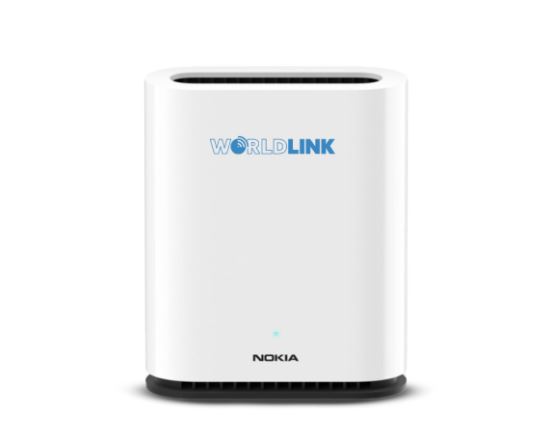
Thankfully, Nepali ISPs bundle their internet service with a WiFi 5 router these days, and we also have WiFi 6 benefit from WorldLink, Classic Tech, Dish Home, too. So, by default, you are getting a dual-band router. But if you happen to use an old rag with a single band support, you’d better replace it through your ISP or the market.
We hope this article has been helpful to you. You can add your input and experiences in our comment box below.